

Diskaun Disyorkan

Berlian Mango Live
Alami Tambah Nilai Mango Live yang pantas dan selamat di Buffget. Tiada log masuk atau kata laluan diperlukan! Hanya masukkan ID Pemain anda untuk tambah nilai serta-merta dan nikmati penstriman langsung tanpa henti.
20% OFF
Artikel berkaitan



Mango Live Diamonds: How to Buy Safely
Step-by-step guide to buying Mango Live Diamonds in-app or via UID top-up, with payment checks and troubleshooting.
Buffget
how to buy Mango Live Diamonds
If I want to buy Mango Live Diamonds, I have two main options: buy in the app or top up by UID on Buffget. In most cases, Diamonds show up in seconds or minutes, but I need to check my UID, pack price in £, and payment status before I try again if something goes wrong.
Here’s the short version:
- Diamonds are Mango Live’s paid currency
- I use them for gifts, PK battles, fan levels, private rooms, and Global Horns
- I need my Mango Live User ID (UID) before any UID-based top-up
- I can buy:in the Mango Live app via Google Play or the App Storethrough Buffget by entering my UID
- Most failed top-ups come down to:wrong UIDpending or failed paymentshort delivery delay
- Some payments, mainly in the UK, may need bank approval checks
- If the charge is not in GBP (£), my bank may add an extra fee
A few points matter most:
- Copy the UID instead of typing it
- Check the account before paying
- Do not tap pay twice
- Keep the receipt and order ID
- Wait a few minutes before trying again
One wrong digit can send Diamonds to the wrong account, and once they arrive, the top-up is often not refunded. So if I am topping up for myself or someone else, the safest move is to slow down, check the details, and confirm the balance in Me > Wallet after payment.
| Method | What I need | How I pay | Usual delivery |
|---|---|---|---|
| In-app | Logged-in Mango Live account | App Store / Google Play | Seconds to a few minutes |
| Buffget | Mango Live UID | Card, PayPal, or other shown methods | Often within minutes |
If I want the short answer: pick a pack, pay in £ where shown, confirm the right UID or account, then check Wallet and keep the receipt.

Mango Live Diamonds: In-App vs Buffget Top-Up Comparison
1. What Mango Live Diamonds are and what you need before buying

What Diamonds are used for in Mango Live
Diamonds are Mango Live’s premium currency. You use them for gifts, PK battles, VIP tiers, private access, and Global Horns. They aren’t the same as Coins, and you can’t exchange one for the other.
Here’s what Diamonds can unlock:
- Virtual gifts - send virtual gifts
- PK battles and leaderboards - compete in PK battles and move up the leaderboards
- VIP fan tiers - move into higher tiers with extra perks
- Premium access - enter private rooms and exclusive streams
- Global Horns - send messages across the server
Account details and payment setup to prepare first
Before you top up, make sure your account and payment details are ready. It saves hassle later.
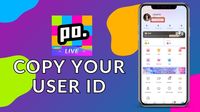
The main thing you need is your User ID (UID). In the Mango Live app, tap the profile icon in the bottom-right corner. Your UID shows up right under your nickname. It’s best to copy and paste it instead of typing it by hand. A single wrong digit can send Diamonds to the wrong account, and getting them back can be hard. In many cases, the payment also won’t be refunded.
It also helps to do a few simple checks before paying:
- Copy your UID in advance
- Update the app
- Turn off any VPN
- Enter your UID with care
If those details are wrong, the Diamonds may end up on the wrong account.
Once your UID and payment method are set, the next step is picking how you want to top up.
2. How to buy Mango Live Diamonds: in-app or via Buffget

With your UID ready, you can pick the top-up method that fits how you want to pay.
There are two common ways to buy Mango Live Diamonds: inside the app or through Buffget using your Mango Live User ID. Both are simple to use, but they work best for slightly different situations.
How in-app purchases work
Open Mango Live, head to Wallet or Recharge, pick a Diamond package, and pay through Google Play or the App Store. The payment goes through the card or wallet already linked to your Google Play or Apple account, so in many cases there's nothing else to set up.
After you confirm payment, Diamonds usually arrive within seconds or a few minutes. You should also get a receipt email from Apple or Google for your records.
How Buffget direct top-up works
Buffget is an online digital top-up store that lets you recharge Mango Live Diamonds with only your User ID - no Mango Live password required. You go to the Mango Live Diamonds page on Buffget, enter your UID at checkout, choose a package, and complete payment there.
For buyers in the UK, payment options include major debit and credit cards, PayPal, and other supported methods. Once the payment is confirmed, the Diamonds are sent straight to the Mango Live account tied to your User ID, often within minutes.
Check the package price at checkout before you pay.
Side-by-side comparison: in-app vs Buffget
Here’s a simple side-by-side view of both options:
| Feature | In-App (Google/Apple) | Buffget Direct Top-Up |
|---|---|---|
| Payment options | Card or wallet linked to your Google or Apple account | Major cards, PayPal, and selected e-wallets |
| Account details | Uses your logged-in app account | Mango Live User ID required |
| Confirmation needed | Apple ID or Google account confirmation | No Mango Live password needed |
| Delivery speed | Usually seconds to a few minutes | Often within minutes |
| Currency/billing | Prices shown in GBP in the UK | Shown at checkout |
| Best for | Small, occasional top-ups | Regular users, larger purchases, or gifting |
If you only top up now and then, the in-app route is usually the easiest. If you buy more often, want to top up by UID, or you're sending Diamonds to another account, Buffget may suit you better.
Once you’ve picked your method, move on to the steps below to finish the top-up.
3. Step-by-step: how to buy Mango Live Diamonds
Once you’ve picked a package, the process is simple: pay, then check that the Diamonds have arrived.
Buy Diamonds inside the Mango Live app
Open Mango Live and make sure you’re signed in to the right account. Then tap the Me tab or your profile icon and look for Wallet or Recharge.
On the top-up screen, choose your Diamond package. When you tap it, the App Store or Google Play opens and shows the final price in £. Using a web browser instead of the app can sometimes help you bypass mobile platform fees and get more value. Approve the purchase with Face ID, fingerprint, device PIN, or password, depending on your phone.
Buy Diamonds through Buffget using your User ID
This route works much the same way: pick a package, pay, then check your balance.
Open a mobile browser - Chrome or Safari both work well - and go to the Buffget website. From there, find the Mango Live Diamonds product page.
- Choose a Diamond package from the list on the page.
- Enter your Mango Live User ID in the field provided. Double-check it before you pay, because Diamonds are sent straight to that ID, and the top-up may be irreversible if the ID is wrong.
- Review the order summary and confirm the User ID, package size, and total price.
- Select a payment method. UK users can usually pay with Visa or Mastercard debit or credit card, PayPal, or other supported options.
- Complete payment and stay on the confirmation screen while the order is processed.
Then open Mango Live and go to Me > Wallet to see your updated balance.
How to find your User ID and confirm Diamonds arrived
Your Mango Live User ID is the numeric code shown directly under your nickname on your profile page. To find it, tap the Me tab or your profile picture, then look for the number beneath your username.
It’s best to copy and paste the ID so there’s no mix-up. If you can’t copy it, take a screenshot.
After payment, go to Me > Wallet in Mango Live and check your Diamond balance. If the total hasn’t changed yet, refresh the app and open it again.
4. Payment issues, delivery delays, and mistakes to avoid
If the payment has gone through but your balance hasn’t changed, don’t rush into paying again. In most cases, a paid top-up that hasn’t shown up yet comes down to one of three things: delivery delay, payment failure, or Diamonds sent to the wrong account.
What to do if Diamonds do not arrive right away
Start with the basic checks. Make sure you’re on stable Wi‑Fi or mobile data, restart Mango Live, and check your Wallet again.
If you used a Mango Live top-up service, go to My Orders and confirm the order status says Completed or Success. Then check that the User ID matches your account exactly. If you bought Diamonds through the App Store or Google Play, open your purchase history and make sure the transaction shows Completed, not Pending, Cancelled, or Refunded.
New accounts and very large first purchases can take 24–48 hours to show up, and sometimes longer if the payment is held for a manual security check.
Why payments fail and what UK users should know
If you’re using a VPN, switch it off before trying again. UK card payments often need Strong Customer Authentication. That might mean a banking app prompt, an SMS code, or biometric approval. If you close the checkout before that step is finished, the payment can fail or sit in pending.
Other common reasons are:
- not enough money in the account
- an expired or blocked card
- bank fraud checks
- card limits or merchant restrictions
If the checkout is charged in USD or another non-GBP currency, your bank may also add an FX fee.
Don’t tap the payment button again and again. If a payment is declined, check your banking app or text messages for the exact reason, sort that out first, then retry once.
Common recharge mistakes and how to avoid them
Once Diamonds are delivered, the top-up is usually non-reversible. So it’s worth being careful here. Copy the ID straight from the Mango Live app, then compare the first and last few digits before you pay.
The table below shows the issues UK users are most likely to hit, what to check first, and when it makes sense to contact support.
| Problem | Likely Cause | What to Check First | When to Contact Support |
|---|---|---|---|
| Diamonds not showing after payment | App sync delay or cache not refreshed | Wait a few minutes, restart the app, and check that the order shows as completed in Buffget or purchase history | If Diamonds are still missing after the usual wait time and the order is completed |
| Payment declined, no money taken | Insufficient funds, SCA not completed, or bank security block | Check your banking app, SMS messages, card balance, and any fraud alerts or SCA prompts | Contact your bank if the payment keeps failing; contact Buffget if your bank confirms the payment but the top-up still fails |
| Diamonds sent to the wrong account | Incorrect User ID entered | Compare the receipt UID with the UID in Mango Live before contacting support | Contact support promptly; a reversal may not be possible |
| Duplicate charge or double order | Payment button tapped more than once, a refresh during payment, or a network glitch repeated the request | Check your order history, bank statement, and Diamonds balance for duplicates | If duplicate charges appear without the Diamonds arriving, contact support with all transaction IDs |
If you need to send a support request, get these details ready:
- your Mango Live User ID
- the device and platform you used
- a screenshot of the payment receipt from Buffget, Apple, or Google showing the date, time, order number, and amount
It also helps to add a short timeline. For example, note when you paid, how long you waited, and what you already checked.
Before retrying, use the final checklist below to avoid another failed top-up.
5. Final checklist before and after you top up
Use this check before you pay or if you need to retry a failed top-up. First, look over your account details, the total cost, and the payment page.
- Confirm the UID matches your Mango Live profile exactly.
- Check the pack size, price in £, and any extra fees before paying.
- Use only secure checkout pages with a trusted payment gateway.
Diamonds are usually non-refundable once delivered. That’s why it pays to slow down and check the details before you click pay. Never swap login details for discounted Diamonds or give anyone screen-sharing access. For ID-based top-ups, only your User ID is needed.
Once the payment clears, check the balance right away. Wait a few minutes, then go to Me > Wallet to see if the new balance shows. If you used Buffget, open My Orders to check whether the order has been processed.
Save your confirmation details as soon as you can: the order or transaction ID, the exact amount in £, the Diamond pack description, the date and time, and the payment method used. It also helps to keep a screenshot of the order confirmation page, along with any email or SMS receipt.
If the balance still hasn’t updated, check the order status first. Then contact support and send your UID, order ID, and a screenshot.
FAQs
Can I buy Diamonds for someone else?
Yes. You can buy Diamonds for someone else if you have their correct Mango Live User ID.
The top-up uses their UID only. You do not need their login details or password. Just enter the recipient’s UID and complete the payment, and the Diamonds will go to their account.
Check the UID carefully before you pay. If you enter the wrong one, the top-up can't be reversed once it has been processed.
How long should I wait before retrying?
If you see an E-SYNC-429 error, wait exactly 15 minutes before trying again so the synchronisation block can clear.
For other delays, refresh your in-app wallet or check My Orders. If your diamonds still haven’t arrived after 30 minutes, contact customer support with your transaction details.
What if I entered the wrong UID?
If you enter the wrong User ID (UID), contact online customer service immediately after payment and ask for a correction.
Because this involves virtual goods, completed top-ups usually can't be retrieved or refunded. To avoid that mess, double-check that your UID matches this format before you submit your transaction: U0100 + exactly 10 digits.