
Buy Robux Without a Credit Card Safely

Buy Robux without a credit card using gift cards, app-store balance, PayPal or prepaid cards with simple steps to avoid scams.

Buffget

Buffget

How to Buy Robux for Steal a Brainrot Safely Without a Credit Card

Yes - I can buy Robux without a credit card and still keep my Roblox account safe. The short answer is simple: I should use Roblox gift cards, Apple or Google Play balance, PayPal, or a prepaid Visa/Mastercard/Amex card, and I should only pay through Roblox.com, the Roblox app, or a known retail seller.

Here’s the whole article in one quick view:

  • Best no-card options: Roblox gift cards, app store balance, PayPal, and prepaid cards
  • Best rule for safety: Never give out my password or 2FA codes
  • Best place to buy: Roblox.com or a known seller like Walmart, Target, GameStop, CVS, Walgreens, Amazon, or Roblox
  • Common scam sign: “Free Robux” or prices that look far below normal
  • Good first check: Make sure the site shows https:// and the URL is roblox.com
  • Mobile warning: Apple and Google purchases can cost more per Robux because of a 30% app store fee
  • After I pay: My Robux balance may update in 5 to 30 minutes

I also need to remember one basic point: Robux is bought first, then spent in Steal a Brainrot. Once the Robux hits my Roblox account, I can use it on any device where I’m logged in.

How to Buy Robux Using PayPal Without Credit Card (2026) ✅

www.paypal.com-ad00ed26938e71f499115fc4648ff1d1-2026-06-28.jpg


Quick Comparison

6a4074af2902db05ecd8333d-1782610070577.jpg


How to Buy Robux Without a Credit Card: Payment Methods Compared

MethodHow I payGood fit forMain thing to watch
Roblox Gift CardCash or store purchaseKids, gifts, set budgetsI need to redeem the code on Roblox
Apple / Google Play BalanceGift card added to app storeiPhone and Android players30% fee can mean fewer Robux per dollar
PayPalPayPal balance or linked bankDesktop buyersI need enough balance or linked funds
Prepaid Visa/Mastercard/AmexPreloaded gift cardBuyers who don’t want to use a bank cardI may need to add a billing ZIP code first

Bottom line: if I want the safest path, I should buy through official Roblox checkout or a known store, start with a small amount if I’m unsure, and check my Robux balance before I spend anything in Steal a Brainrot.

No-credit-card ways to buy Robux

Here are the main no-credit-card ways to buy Robux. The easiest path is to start with the money source you already have: Roblox credit, app store balance, PayPal, or a prepaid card.

Roblox gift cards and Roblox credit

www.roblox.com-6cf7ecd5106d3459525a5d1a0180c0ef-2026-06-28.jpg

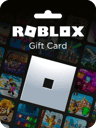
Roblox gift cards are the simplest no-card option. You can buy physical cards at Walmart, Target, GameStop, CVS, and Walgreens. If you want a digital code, you can get one from Amazon or Roblox.com.

To use it, go to roblox.com/redeem, sign in, and enter the PIN. The funds go into your account as Roblox credit. From there, you can turn that balance into Robux or leave it as Roblox credit for later.

Common redemptions include:

  • $10 = 800 Robux
  • $25 = 2,000 Robux
  • $50 = 4,500 Robux
  • $100 = 10,000 Robux

Once you redeem it, the Robux is ready to spend in Steal a Brainrot.

If you're buying through your phone instead, app store balance usually makes more sense.

Google Play balance and Apple balance

If you play Roblox on iPhone or Android, you can pay through your app store balance. First, redeem an Apple Gift Card or Google Play gift card to your account. Then open the Roblox app and pick a Robux package.

The charge goes through Apple or Google billing, and you confirm it with Face ID, Touch ID, fingerprint, or a passcode.

One thing to know: Apple and Google take a 30% in-app fee. That means mobile purchases usually give you fewer Robux per dollar than buying on Roblox.com.

If you'd rather use Roblox.com, PayPal or a prepaid card is usually the better move.

PayPal, prepaid cards, and Buffget

ScreenShot_2026-06-29_182951_276-balanced.webp

PayPal: You can use PayPal on Roblox.com by linking your bank account or using your PayPal balance, then confirming checkout.

Prepaid cards: You can also use prepaid Visa, Mastercard, or Amex gift cards. Before you check out, register the card with a billing ZIP code. If you skip that step, Roblox's site will likely decline the payment.

Buffget: If you want a digital top-up, use a verified checkout source such as Buffget. Buffget sells secure digital Roblox payment options for players who want a fast online checkout.

How to complete a Robux purchase safely

Redeem credit or add funds first

Before you head to checkout, load your funds first. If you have a Roblox gift card, redeem it at roblox.com/redeem. If you're paying through Apple or Google Play, add your Apple Gift Card or Google Play gift card to that account balance before you buy.

Using PayPal or a prepaid card? Double-check that the balance covers the package you want. A quick balance check can save you from a failed payment at the last second.

Once the money is in place, stick to Roblox or a verified store only.

Buy Robux on Roblox or through a verified store

When your funds are ready, go to roblox.com and click the Robux icon, or open the Roblox app and tap the same icon. Then choose a package that fits your available balance:

Price (USD)Robux Amount
$4.99400
$9.99800
$24.992,000
$49.994,500
$99.9910,000

At checkout, pick your payment method and finish the order. Only pay on a page that shows https:// and a padlock.

If anything about the checkout page seems off or unusual, stop there and don't pay.

Confirm your balance and spend it in Steal a Brainrot

stealabrainrot.fandom.com-3e996ac3796495ba4c2fb2237bd9d5e4-2026-06-28.jpg

After the purchase goes through, look at the Robux counter in the top-right corner of Roblox. That number should update once the purchase processes.

If your balance doesn't change right away, give it a little time. Wait 5 to 30 minutes, then refresh the browser or app. If it's still not there, log out and back in to force a sync. You should also check your email for a receipt from Roblox, Apple, or Google that shows the transaction processed.

Once the Robux appear, open Steal a Brainrot and use them in-game.

If the balance still doesn't update, check for warning signs before you try again.

How to spot and avoid fake Robux sellers

Common scam warning signs

Before you pay, check both the seller and the checkout page for red flags.

The biggest one is simple: any site promising free or unusually cheap Robux. Roblox does not let random sites deposit Robux straight into your account. And legit purchases will never ask for your password. If the price looks way lower than normal, that's a scam signal.

Another bad sign is any seller asking for account access or claiming they can deliver Robux through unofficial methods. That breaks Roblox's Terms of Use and can lead to account restrictions or bans. Scammers also like to rush people with lines like "last stock" or "buy now or it's gone" so you skip basic checks.

Steps to check before you pay

Use a few basic checks before entering payment details.

Type roblox.com directly into your browser. Then make sure the checkout page starts with https:// and shows a padlock. Never enter your Roblox password on a seller site. A legit seller only needs your email address to send a gift card code.

If a checkout asks for your Roblox password, 2FA recovery codes, or your Roblox password, close the tab right away. Also stay away from any site that only accepts cryptocurrency or PayPal "Friends and Family" payments. Those payment methods take away your ability to dispute the charge if something goes wrong.

If you're trying a new platform, start small. A test order of about $5 is a safer way to check whether the seller is legit.

How to secure your account after purchase

After the purchase, lock down your account right away.

Turn on two-step verification and use an authenticator app instead of SMS. Authenticator apps are safer than SMS. Check your recent sign-ins for devices or locations you don't recognize.

Also make sure the email address linked to your Roblox account has its own strong, separate password. If someone gets into your email, they can reset your Roblox password. And redeem any gift card codes as soon as you get them, because codes sitting in your inbox can be stolen if your email is ever compromised.

Choosing the right payment method for your situation

How each payment method compares

Once you've ruled out scams, the next step is simple: choose the payment method that fits your device and how you want to pay. The table below helps you line up each option with the setup that feels fastest and safest.

MethodFunding SourceProsLimitsBest for
Roblox Gift CardCash / retailNo credit card linked to your account; natural spending capRequires manual redemption in a browserYounger players and gift-givers
Apple / Google Play BalanceApple ID / Google Play balanceFast checkout with Face ID or Touch IDApp store fees can reduce the Robux per dollarMobile-only users who prioritize speed
Prepaid Visa/MastercardPre-loaded fundsSpends preloaded funds without exposing your bank account detailsMay need online registration for a billing ZIP codePrivacy-conscious or budget-focused buyers
PayPalLinked bank or balanceBuyer protection and chargeback optionsAccount must be verified and have a usable balance or linked funding sourceDesktop users who want buyer protection

If you're trying to get the most Robux for your money, Roblox gift cards and verified top-ups usually give the best value per dollar.

Key points to remember

Stick with one trusted payment method and buy through the official checkout. Before you pay, make sure your balance is ready and check that the URL starts with https:// and matches roblox.com.

Use only Roblox or a verified retailer. And no matter what a seller or site claims, never share your Roblox login credentials with anyone.

One last practical step: check your Robux balance before you spend anything in Steal a Brainrot. After the purchase clears, you can use the Robux in Steal a Brainrot.

FAQs

Can I buy Robux with cash?

Not directly. But you can still buy Robux with cash if you pick up a prepaid option at a retail store.

The easiest route is a Roblox gift card or another prepaid card. Buy it with cash, then redeem the code on the official Roblox website to add credit to your account. You can also use a prepaid debit card or a Cash App card.

Why was my prepaid card declined?

A prepaid card is usually declined for a few common reasons: the card details were entered wrong, there isn’t enough money on the card, or the card hasn’t been activated yet.

Some card issuers may also flag Roblox purchases as suspicious. Double-check that your card has a billing address linked to it, that the address matches what you entered at checkout, and that the card can be used for online or card-not-present purchases. If needed, contact your card issuer and ask them to approve the purchase.

What should I do if my Robux never show up?

If your Robux don’t show up right away, give it 5 to 10 minutes and then refresh the app or browser. You can also log out and sign back in to reload your account data.

If the purchase still isn’t there, take a look at your transaction history to make sure it went through. Also check that you’re signed in to the right account and review your payment receipt email.

If it still doesn’t appear, contact official Roblox support.