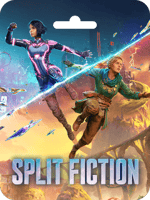

About Split Fiction (EA App)
Step into mind-blowing adventures as you explore the dynamic worlds of Split Fiction, an innovative co-op journey from the creators of It Takes Two. Mio and Zoe, two vastly different writers, find themselves trapped in their own stories after being hooked up to a machine that steals their creative ideas. To escape, they must rely on each other, combining their unique abilities to conquer diverse challenges while navigating between sci-fi and fantasy realms in this unexpected tale of friendship. Invite a friend to join you for free with the Friend's Pass and enjoy seamless cross-platform play!
Buy Split Fiction (EA App) on Buffget
To buy Split Fiction (EA App) on Buffget, simply follow these steps:
- Go to the Buffget website and search for "Split Fiction (EA App)".
- Select the amount of Split Fiction (EA App) you wish to purchase.
- Select your preferred payment method and complete the transaction.
- You will receive the Split Fiction (EA App) on your Buffget account under the "My Cards" section.
- To retrieve the Split Fiction (EA App), simply enter your Buffget login password.
How to Redeem Split Fiction with EA App?
- Click here: https://www.ea.com/ea-app/ to download the EA App for Windows.
- Log in to your EA Account.
- Open My Collection.
- Select Redeem Code.
- Enter your unique code that's displayed on the Orders page of Buffget.com and follow the prompts to activate.
Please note that the EA App is only available for Windows. For MacOS, please download the Origin client.
How to Redeem Split Fiction (EA App) For MacOS?
- Log in with the EA Account where you want to add the game.
- Go to your computer's top menu and select Games > Redeem Code.
- Enter your unique code that's displayed on the Orders page of Buffget.com and follow the prompts to activate.