

Related articles


Apple Gift Card Family Sharing: 2025 Indirect Use Guide
Straight talk: Apple's Nov 3, 2025 policy blocks direct use of family member's Apple Gift Card in Family Sharing. Workaround: Redeem to organizer's Apple ID for indirect spending via family billing. Covers redemption steps, balance checks, forwarding tips, regional notes & Ask to Buy setup.
Buffget
Straight talk: As of Apple's official policy on November 3, 2025, you can't directly spend a family member's Apple Gift Card balance in Family Sharing. Redeem it to the organizer's Apple ID instead—that's your workaround for indirect use through family purchase billing. We'll cover redemption steps, balance checks, forwarding tricks, regional must-knows, and Ask to Buy setup.
Getting the Lowdown on Apple Gift Cards in Family Sharing
Family Sharing lets you group up to six folks, and the organizer's redeemed gift cards foot the bill for apps, music, subscriptions—whatever shows up in family purchases. Picture this: Organizer redeems the card. Kid wants a new app? It pulls from that balance first.
Quick setup steps:
- Hit Settings > Apple ID > Family Sharing.
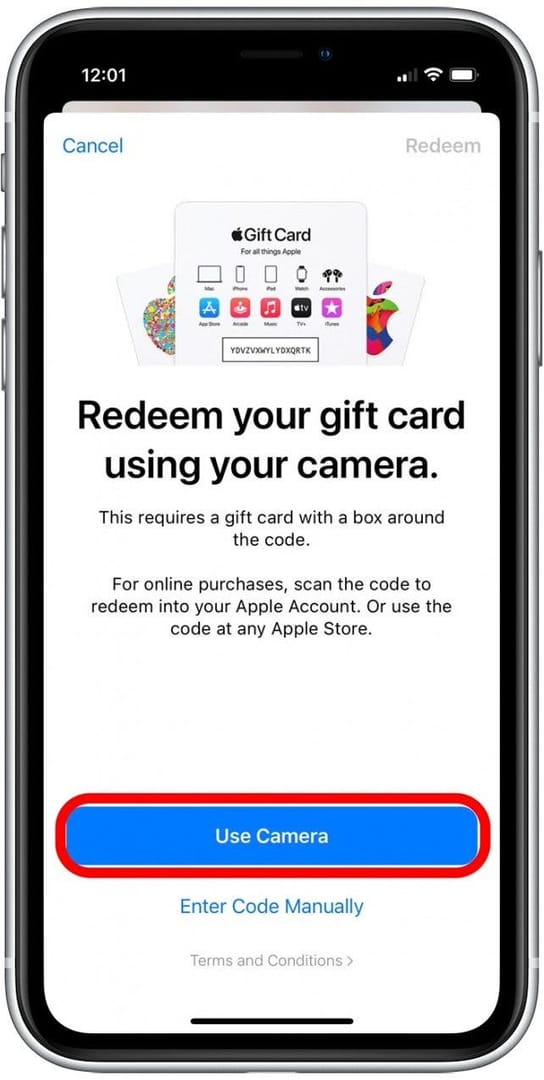
- Organizer: App Store > profile icon > Redeem Gift Card or Code > punch in the 16-digit code.
- Flip on Ask to Buy for the kids' accounts.
Key catch? That balance only works for purchases on the Apple ID that redeemed it—in the App Store or iTunes Store.
So, Can You Actually Use Your Family's Apple Gift Card Balance?
Nope, not directly. Balances don't transfer between Apple IDs—it's locked down for security and regional rules. Kid tries to buy something solo? Crickets, unless it's billing through the organizer.
Steps for that indirect magic:
- Organizer redeems it to their own Apple ID.
- Family buys stuff—it bills to the organizer's balance upfront.
- It eats through the gift card before touching your credit cards.
Tied tight to one Apple ID. No sharing the wealth directly.
Need a steal on cards? Grab cheap Apple Gift Card from Buffget—low prices, instant delivery, secure vibes, and they take Binance Pay, USDT, or credit cards.
Step-by-Step: Checking Your Balances
Pop open the App Store profile under your Apple ID—organizer gets real-time views, perfect for spotting family deductions post-download.
How-to:
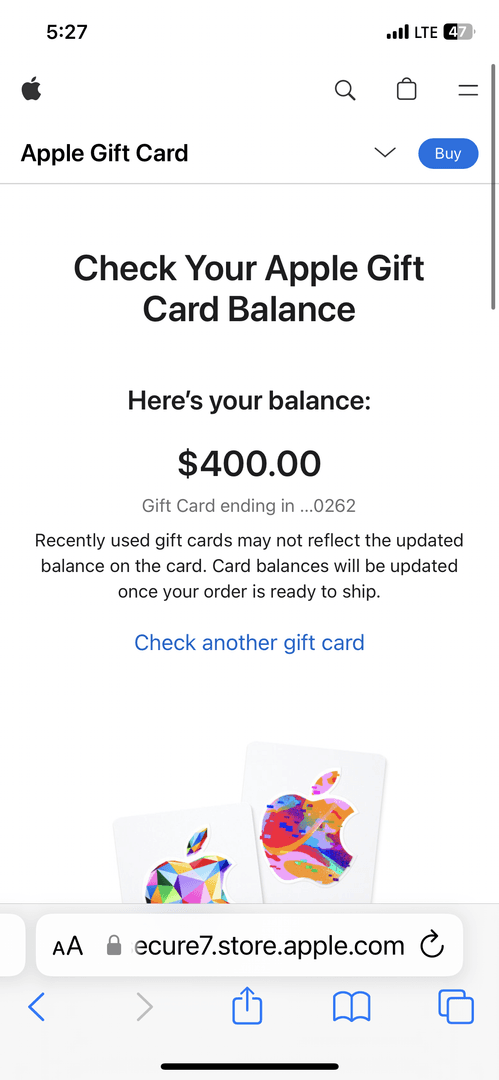
- Fire up App Store on iPhone or iPad.
- Tap that profile icon, top right.
- Boom—balance right under your Apple ID name.
Organizer tracks the family hits on theirs; everyone else peeks at personal stash.
Adding and Redeeming Gift Cards, Done Right
Organizer grabs their device, heads to App Store, drops the 16-digit code (or scans the physical card's back). Instant add, ready for family billing.
Nailed it steps:
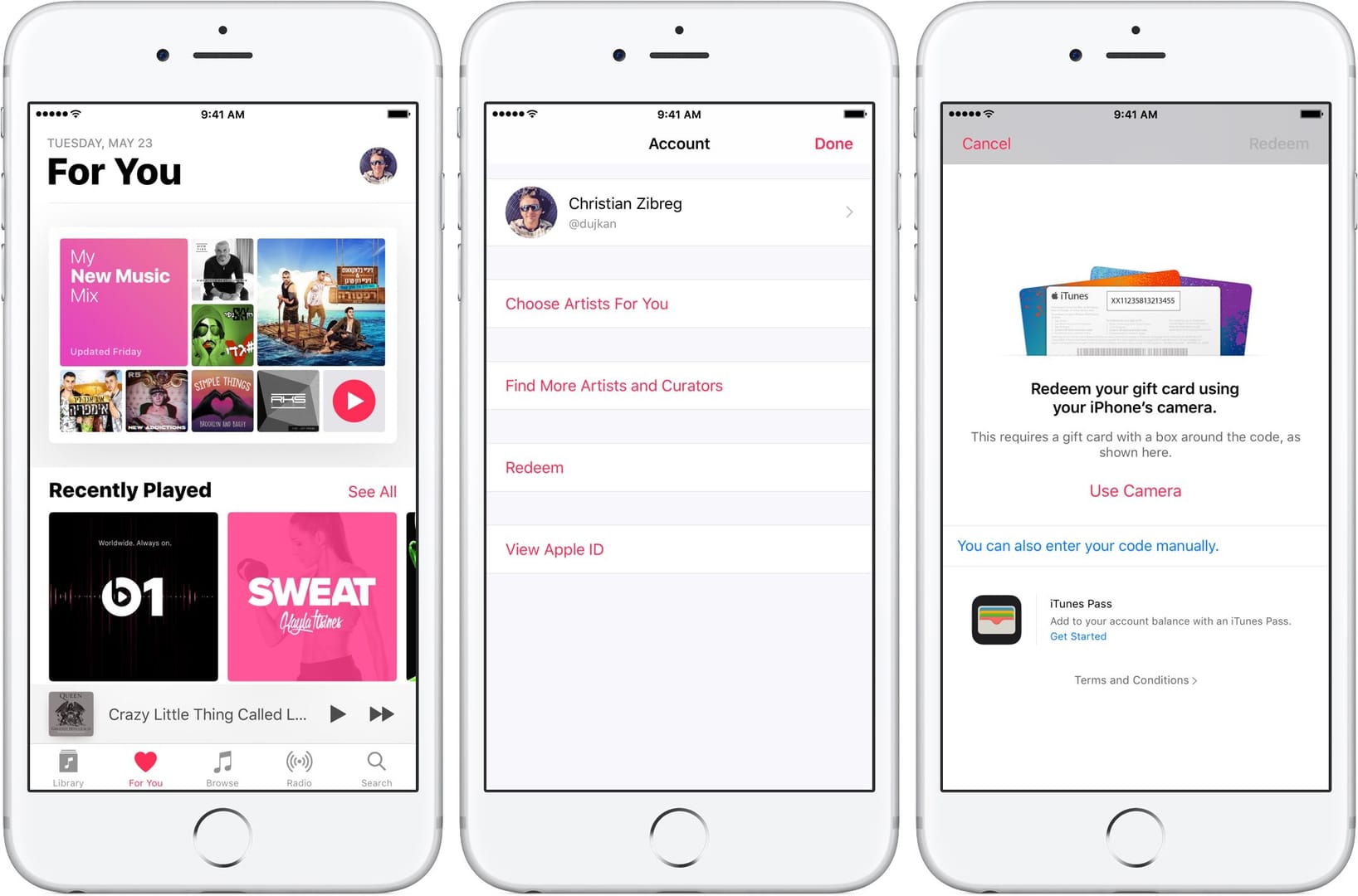
- App Store > profile > Redeem Gift Card or Code.
- Type or scan the code > hit Redeem.
- Double-check via balance view.
Pro tip: Region mismatch on your Apple ID? Invalid code error. Match 'em up.
Clever Workarounds to Share Those Gift Cards
Want independent redemption? Forward or resend to a family member with a matching-region Apple ID—like emailing it to your granddaughter.
Forwarding steps:
- Dig up the original gift email.
- On iPhone/iPad/computer: Resend iTunes Gifts > their email.
- Fresh code lands in their inbox.
Or redeem on organizer for Ask to Buy indirect sharing. (I've pulled this off for holiday gifts—smooth.)
Buffget's Apple ID balance top up is clutch: ultra-fast crediting, killer rates, full compliance, 24/7 support, plus KuCoin Pay, ETH, or local payments.
Busting Myths and Dodging Pitfalls
Myth busted: Balances don't auto-pool. Reality? Billing integration only. Pitfall: Trying direct spends—total fail, even with balance sitting there.
Dodge 'em:
- Redeem on the right Apple ID.
- Sync regions before forwarding.
- Ask to Buy for the minors.
Apple ID country has to match the gift card's. No exceptions.
Pro Tips for Apple Gift Card Pros
Let the organizer redeem everything—covers apps and music till it's dust. Parents do this for kids' app sprees via billing all the time.
Lock-in routine:
- Organizer redeems all incoming cards.
- Crank up Family Sharing billing.
- Weekly peek at App Store profile.
Can't use it to buy new gifts, though.
Head-to-Head: Direct vs. Indirect Sharing
Direct sharing? Flat-out blocked—no steps needed to confirm. Indirect? Redeem to organizer, purchases deduct via billing. Kid's direct buy flops; indirect nails it. Always match Apple ID region to the card. (From what I've seen in user reports, indirect wins 100% of the time.)
FAQs: Apple Gift Card Family Sharing Edition
Can family members use my Apple Gift Card balance?
No directly; redeem to organizer for billing.
How do I redeem a gift card for family?
Organizer: App Store > Profile > Redeem > 16-digit code.
Does Family Sharing pool gift card balances?
No; tied to redeeming Apple ID, indirect via organizer.
Can I forward a gift card to a family member?
Yes, same region: Resend iTunes Gifts to email.
What if redemption fails?
Match Apple ID region to gift card.
How to check balance in Family Sharing?
App Store > Profile; organizer sees deductions.