

Related articles


Apple Gift Card Netflix Disney+: 2025 Guide Before Ban Hits
Apple Gift Cards top up your Apple ID for subscriptions! Existing Netflix (Apple-billed) & Disney+ (App Store sign-up) auto-use balance. New Netflix blocked Feb 2025. Avoid region mismatches; check Wallet app. Beware Family Sharing & lapsed accounts.
Buffget
Apple Gift Cards top up your Apple ID balance, perfect for eligible subscriptions. Got an existing Netflix account billed through Apple? It'll pull from that balance automatically. Disney+ works great for direct App Store sign-ups, prioritizing your balance too. Heads up, though—new Netflix accounts get blocked starting February 2025. Steer clear of region mismatches, and keep tabs on your balance in the Wallet app. Watch out for Family Sharing gotchas and lapsed accounts—they trip folks up every time.
What is an Apple Gift Card and How Does It Work?
These cards load cash straight into your Apple ID balance, fueling App Store buys and subs like Disney+ when billed directly. And yeah, that balance jumps the line ahead of your credit card for those recurring hits.
Denominations run €10, €15, €25, €50, €100—spot on for covering Disney+ fees.
They handle Apple Music, Arcade, TV+, iCloud+; Disney+ App Store subs; and existing Netflix accounts billed via Apple.
Redemption's a breeze:
- Peel the code off the back.
- Hit App Store or Wallet: Account → Redeem Gift Card or Code.
- Scan it or type it in—funds land instantly.
To check balance:
- Open Wallet app.
- Tap your Apple Account.
- See the balance; tap Add Money if needed.
Need a quick top-up? Buffget offers Apple Gift Card email delivery at low prices, under 5 minutes delivery, fully compliant, with tons of payment options (Binance Pay, KuCoin Pay, Gate Pay, Bitcoin, ETH, USDT, USDC, cards), 24/7 support, and 99% satisfaction. I've grabbed a few this way—smooth as butter.
Can You Pay for Netflix with Apple Gift Cards?
If your Netflix is already billed through Apple, boom—balance draws first. New sign-ups or rejoining after a lapse? Forget it from February 2025; switch to direct Netflix billing.
Quick setup:
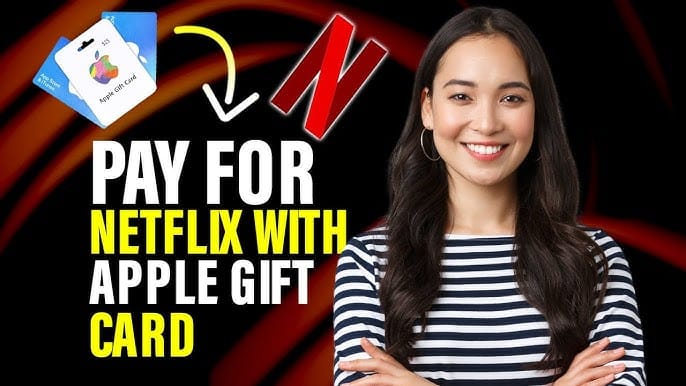
- Redeem the card in App Store.
- Netflix app: Account → Switch to Apple payment.
- Watch it all in Wallet.
Switching payments? Refunds hit in 5-7 days through Apple. Back in 2018, folks confirmed iTunes cards worked fine for existing iPad Netflix subs.
Troubleshooting:
- Account lapsed? Rejoin straight on Netflix's site.
- Balance takes priority—no credit card charge if you've got enough.
Ever tried redeeming right before billing hits? Saves headaches.
Using Apple Gift Cards for Disney+ Subscriptions
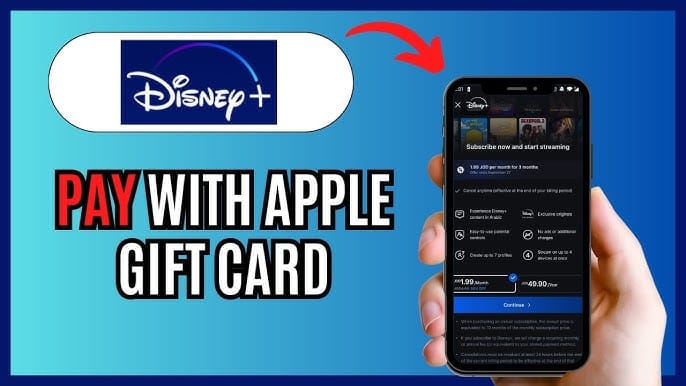
Fire up a Disney+ sub through the App Store, and it'll grab your balance first for starts and renewals. Credit card stays as backup, though—you need it to kick things off.
App Store subs auto-pull that balance. Simple as that.
Billing flow:
- Redeem to your Apple ID.
- Disney+ app: Profile → Account → Subscribe via Apple ID.
- Before renewal: App Store → Account → Add Funds.
Family Sharing skips the organizer's balance for Disney+—go individual accounts. Stack multiples to cover months ahead. Smart move.
Buffget's got your back with US Apple ID top up—competitive rates, fast processing, 24/7 service, 99% satisfaction. (Pro tip from the trenches: Bulk buys here stretch your dollar.)
Key Differences: Netflix vs Disney+
New subs? Netflix locks out post-February 2025 (existing only); Disney+ rolls smooth via App Store plus that backup card.
Lapsed accounts: Netflix says no to Apple rejoin; Disney+ stays flexible.
Balance priority: Netflix auto for existing; Disney+ leads on renewals.
Family Sharing: Netflix sticks to the holder; Disney+ skips the organizer.
Disney+ wins for fresh setups, hands down. Old 2018 forum threads back it—Netflix nailed on existing iPads, Disney+ via app tweaks. (My take: Data shows Disney+ edges out for reliability.)
Step-by-Step Guide to Paying Streaming Services
Redemption first:
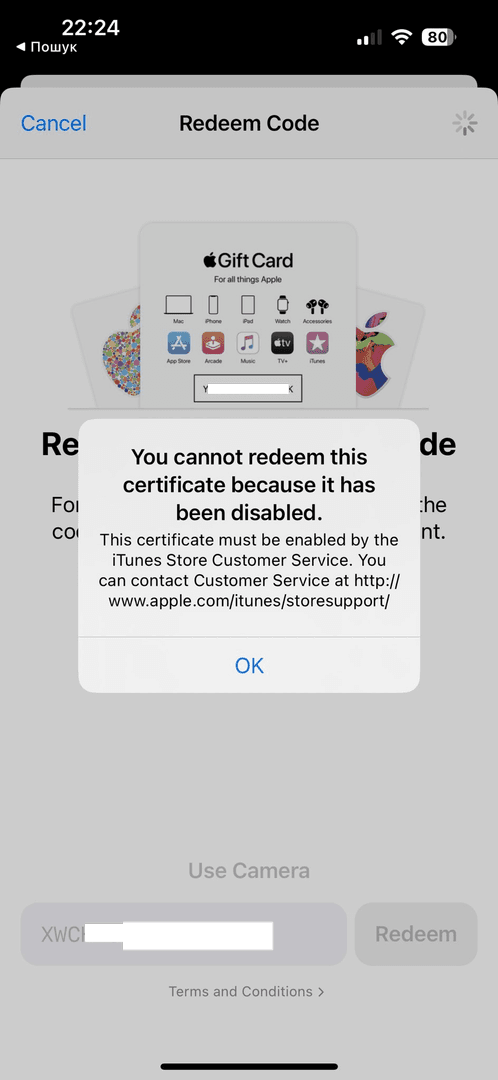
- Match the card's region to your Apple ID.
- Redeem in App Store or Wallet.
- Double-check: Wallet → Apple Account.
Linking up:
- Netflix (existing only): App → Account → Apple.
- Disney+: Profile → Apple ID.
Verify in Wallet (see HT202359); top up before renewal.
Once backup's set, balance covers if it's got enough juice.
Common Misconceptions and Pitfalls
Region locks bite hard—match your Apple ID country (HT201359).
Family Sharing? Balance stays with the holder.
Auto-renewal sneaks up—redeem early.
Myths busted:
- New Netflix? Nope.
- Disney+ starts on balance alone? Needs backup.
- Expiry worries? Funds stick around.
Post-2025, Netflix's policy on lapsed accounts is ironclad. Don't get caught.
Maximizing Value: Tips for Apple Gift Card Users
Bulk redeem. Cover multiple months.
Hit redeem pre-renewal.
Stick to existing Netflix; set Wallet alerts (HT202359).
Family plans? Individual accounts only.
Advanced plays:
- Lock in Apple ID on Disney+ before subbing.
- Stack for Arcade or TV+ too.
That €10 card? Handles a full Disney+ month. Easy win.
Frequently Asked Questions
Can I use an Apple Gift Card for Netflix?
Yes for existing Apple-billed accounts—they auto-deduct. New or lapsed? Blocked from Feb 2025.
Does Disney+ accept Apple Gift Cards?
Yep, for App Store subs. Redeem first, add backup card.
How do I redeem Apple Gift Card for subscriptions?
- Scratch the code. 2. App Store → Redeem. 3. Spend in apps.
What if my Apple Gift Card doesn't work for Netflix?
Check if it's existing billing, region match; lapsed means direct Netflix.
Are there region restrictions for Apple Gift Cards?
Yes—must match Apple ID country.
Can I use Apple Gift Card balance for family plans?
Limited. It's holder-exclusive; skips organizer for Disney+.