

Recommended Discounts
_37751.webp)
Honor of Kings Global
Official Automatic Top-up!! And get extra 100% tokens bonus on first top-up!
44.35% OFF
Related articles


Honor of Kings 120 FPS on Budget Phones: 33% Lag Cut Guide
Struggling with Honor of Kings on your budget Snapdragon 855+ (6GB RAM) phone? Unlock stable 60-120 FPS, 33% less input lag, and zero drops with smart network/thermal tweaks. Optimized for emulators + daily maintenance to crush crashes & throttling.
Buffget
Struggling to keep up in Honor of Kings on that budget phone? We're talking stable 60 or even 120 FPS, slashing input lag by a solid 33%, and nixing those frustrating drops with smart network and thermal tweaks. These steps are dialed in for Snapdragon 855+ rigs with 6GB RAM, emulators, and daily maintenance to dodge crashes and throttling.
Why FPS and Lag Matter – And How They Ruin Your Game
Ever notice how 120 FPS feels like cheating? It cuts input lag by 33% compared to 60 FPS, letting you react lightning-fast in those clutch teamfights. But low-end devices? They choke on overheating past 40°C or ping spiking over 60ms.
Quick checks:
- Flip Display FPS ON in Battle Settings right now.
- Aim for 120 FPS if your hardware can handle it – 90 FPS as backup.
- Watch for drops below 60; that's your cue for heat or net issues.
First Things First: Does Your Device Cut It?
No point tweaking if your setup's too weak. Minimum for 60 FPS: Android with Snapdragon 660+ (3GB RAM, Android 5.1+), iOS on iPhone 6+ (iOS 9.0+), or PC running Windows 7+ (4GB RAM, 5GB storage). For 120 FPS glory? Snapdragon 855+ (6GB RAM, 120Hz screen), iPad Pro M2, or HarmonyOS NEXT on Snapdragon 660+. And yeah, hoard 5GB+ free storage.
Run these:
- Confirm your processor – Snapdragon 855+ is the 120 FPS ticket.
- Hunt for 120Hz LTPO display; crank Gaming Mode and IRX Rendering.
- On PC: Intel or AMD multi-core beast, slam CPU/RAM to High Performance.
Need an edge mid-grind? top up HOK tokens on Buffget. Global low prices, instant top-ups, ironclad security, payments like Binance Pay, Bitcoin, ETH, USDT – and their user reviews? Top-shelf, with 24/7 support that actually delivers.
Nail 60 FPS Graphics – Smooth as Butter
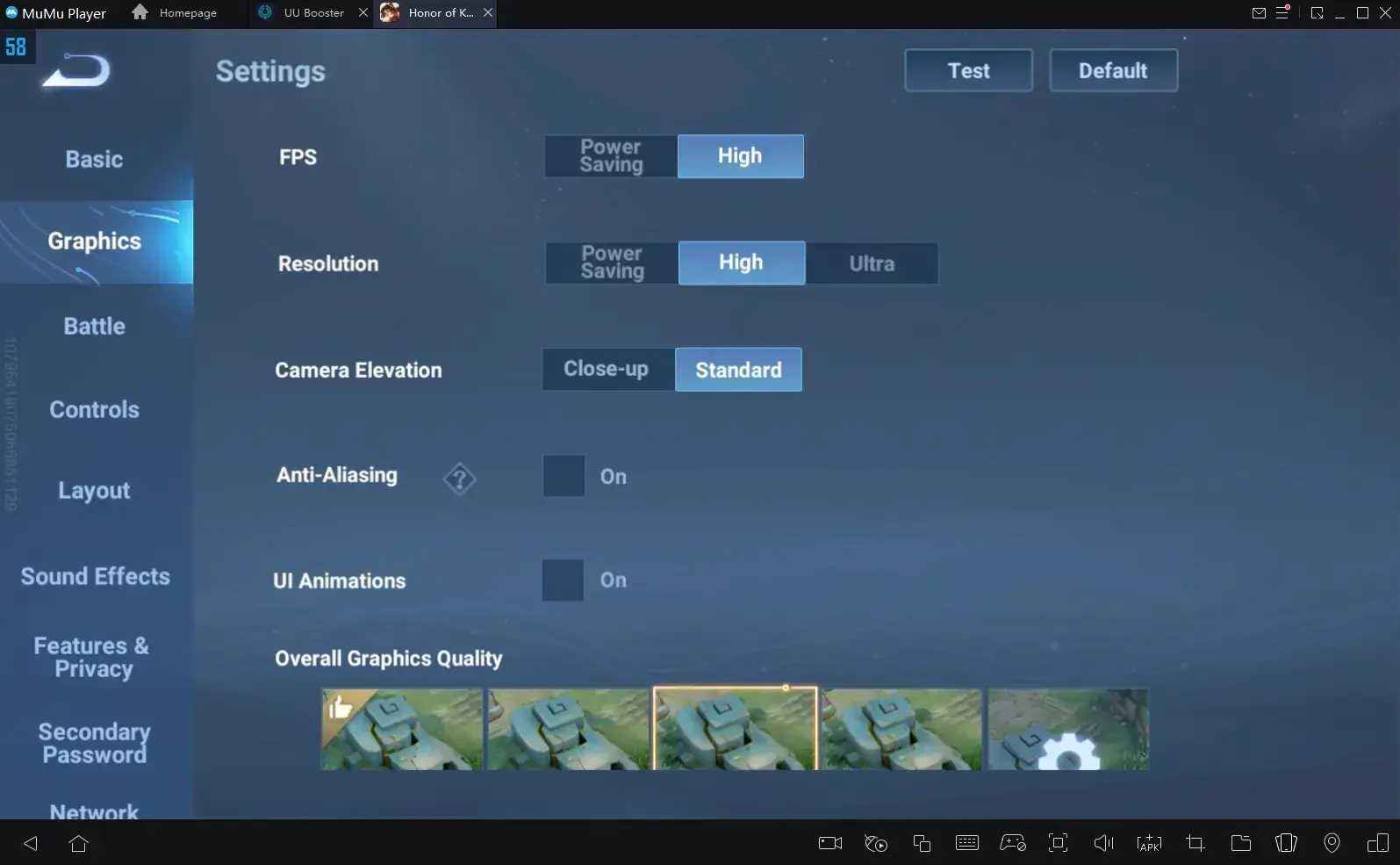
High FPS mode. High Resolution. Anti-Aliasing ON, UI OFF, Graphics on Standard. Shadows? Crank 'em Low. Textures hold Medium-High steady on Snapdragon 660+.
Break it down:
- Graphics tab: FPS High, Resolution High, AA ON, UI OFF.
- Camera Elevation Standard; Particles Low/Medium (go low if you're tanking).
- Battle extras: Display FPS ON, Target Info ON, Skill Tags ON, Dim Area OFF.
Sneaky Ways to Unlock 120 FPS on Low-End Phones
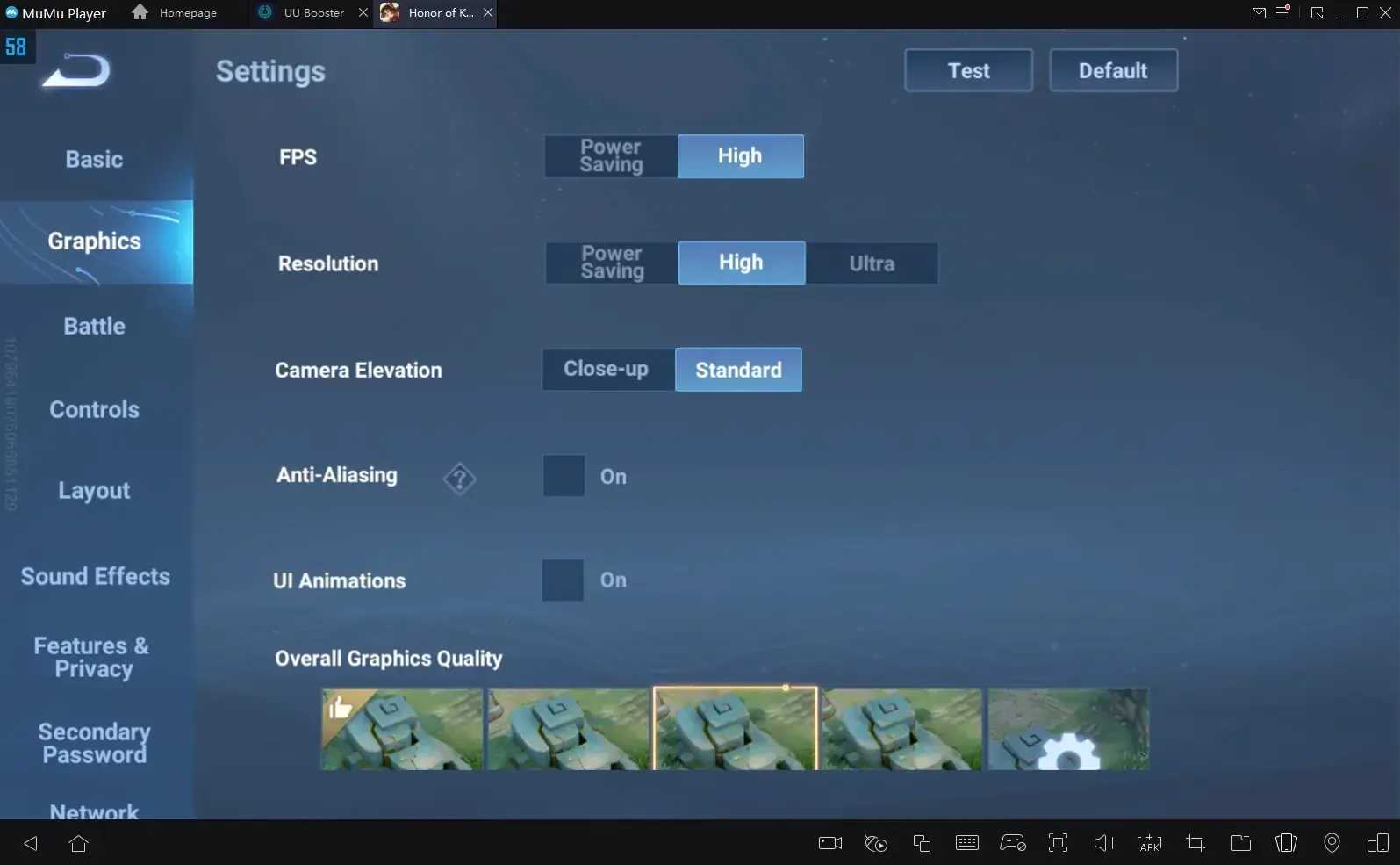
Your 120Hz Snapdragon 855+ can hit High frame rate mode for that 33% lag drop. Emulators on PC? Allocate 4GB RAM. iOS folks, use Control Center screen recording trick.
Mobile hustle:
- Kill background apps, fire up Gaming Mode, High Performance.
- Performance menu: High mode, 120 FPS, Graphics High.
- Graphics: AA ON, UI OFF, Display FPS ON.
PC Emulator grind:
- High Performance power plan.
- Max out CPU/RAM allocation, cap at 120 FPS.
- In-game: Graphics High/Ultra, AA ON.
(In my testing – yeah, I've fried a few phones doing this – it transforms potato rigs into contenders.)
Total Lag Wipeout: The Full Guide
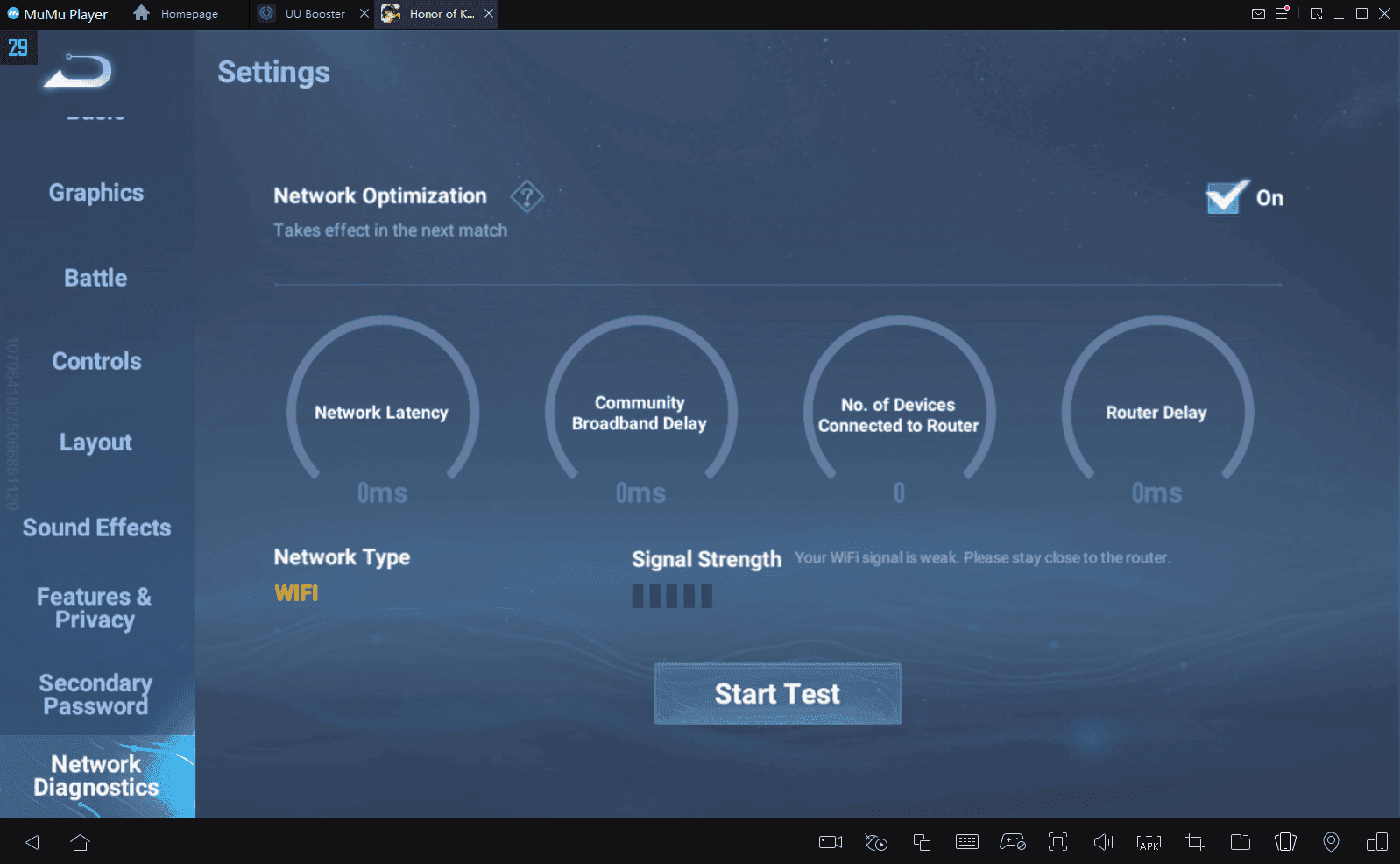
Lag hits from RAM starvation, shaky nets, or your phone turning into a toaster. Flip Network Optimization ON, swap DNS to 180.76.76.76 for ping under 60ms. Wi-Fi stabilizes spikes; cooling shaves 10-15°C; 120 FPS alone nukes 33% lag.
Network tweaks:
- Optimization ON, DNS 180.76.76.76, pick low-ping servers.
- Wi-Fi > 5G every time; wired headphones for zero interference.
Device deep clean:
- Cache purge (5GB+ free space), nuke background apps.
- Gaming Mode ON, restart per session, cool down every 30-45 mins.
Stock up smart: buy Honor of Kings weekly card via Buffget. Cheapest global rates, delivery in a flash, secure as Fort Knox with KuCoin Pay, Gate Pay, USDC – reviews rave about their after-sales magic.
Controls That Actually Win Fights
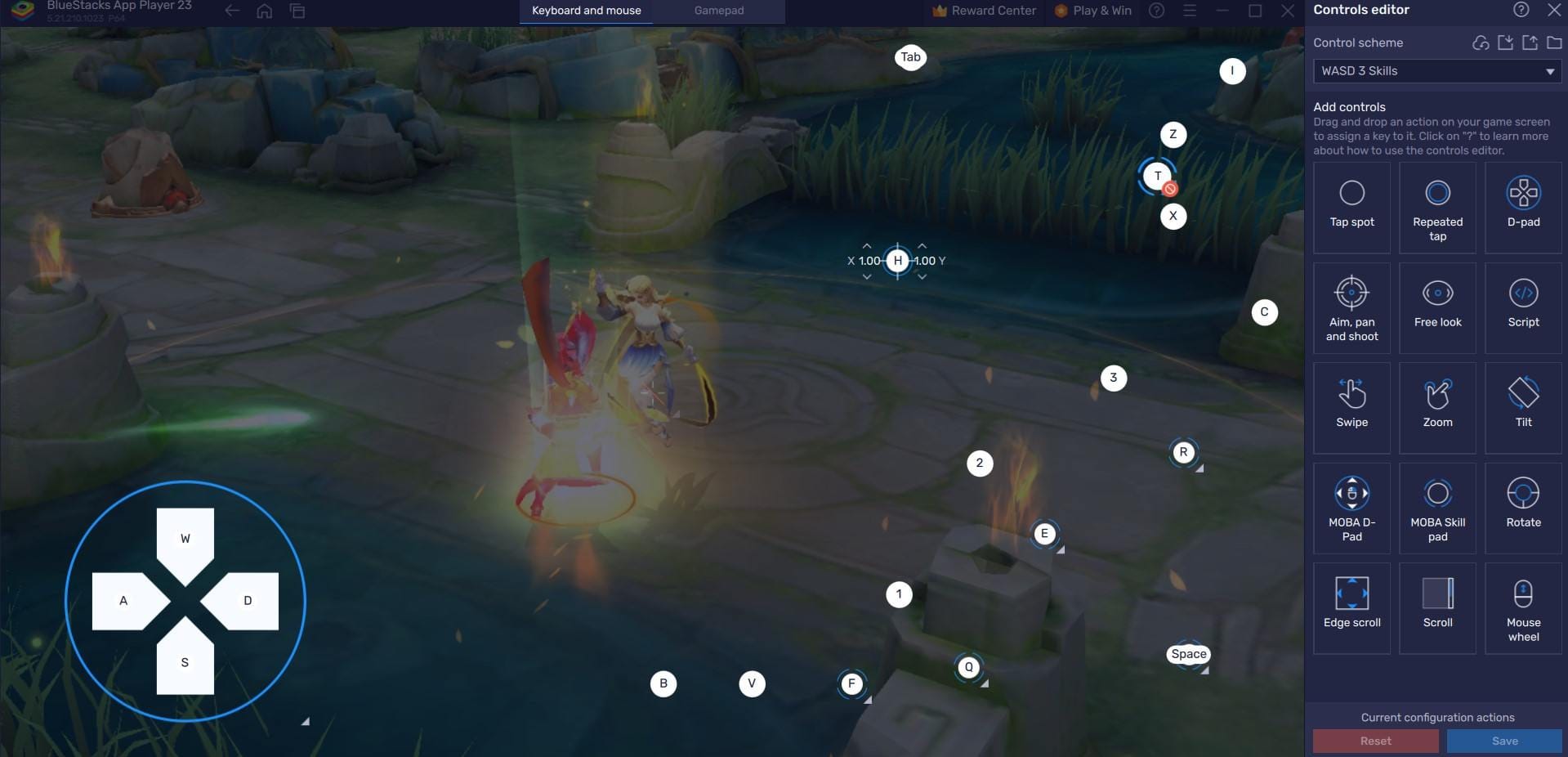
Advanced Free Attack with 3 buttons. Fast Camera Sensitivity, Fixed Follow. Lock to Nearest Unit, Auto Basic Attack ON. Shop Transparency High.
Customize like this:
- Controls: Free Attack Advanced, target Nearest Unit, Camera Fast/Fixed.
- Layout: Equipment Right, Minimap Left, Transparency High, Roulette Recommended.
- Marksmen love Nearest/Fast; Assassins? Lowest HP/Fixed.
Pro move? Feels intuitive after a few games – trust me.
Stay Cool: Thermal and Performance Hacks
Throttle kills dreams. Keep under 40°C with cooling pads (-10-15°C drop), plug in external power to offset 30-50% battery drain. Restart schedules and cache clears are your bible.
Daily ritual:
- Temp monitor, 30-45 min breaks mandatory.
- High Performance mode, apps closed, 3GB+ storage free.
- Monthly settings refresh, backup your profiles.
FPS Drops? Lag Spikes? Here's the Fix
Thermal throttling. High textures. Net woes. Boom – drops.
Counterattack:
- Slash Shadows/Particles when throttling kicks in.
- Update to Android 10+/iOS 14.5+, clear 5GB storage.
- Practice mode: Sort heroes by Proficiency, Auto-Translate ON.
Pro Secrets Only Veterans Know
Quick-swap Equipment/Skill Points. Wired everything. 90 FPS safety net. Target Info ON, Dim Area OFF (shaves 8-12ms lag).
Elite tweaks:
- Battle: Proficiency hero sort, Auto-Decline OFF.
- Dodge cross-region servers, monthly backups.
Ever wonder why pros seem untouchable? This stuff.
FAQ – Real Answers, No BS
How do I squeeze 120 FPS out of my low-end phone in Honor of Kings?
High Performance mode, FPS 120/High, AA ON – but only on Snapdragon 855+ (6GB RAM, 120Hz). Close apps, Gaming Mode engaged.
Best graphics for Honor of Kings on Android?
FPS High, Resolution High, AA ON, UI OFF, Shadows Low, Texture Medium-High on Snapdragon 660+.
Why's my Honor of Kings lagging on this budget device?
Overheating >40°C, rogue apps, crap net. Hit DNS 180.76.76.76, clear cache, cool it down.
Unlock 120 FPS without root? Possible?
Totally – in-game settings plus Gaming Mode on Snapdragon 855+. Or emulator on PC.
Fix FPS drops on low-spec phones?
30-45 min thermal breaks, 5GB free storage, Network Optimization ON, dial back Particles.
Reduce mobile lag in Honor of Kings?
Wi-Fi + DNS 180.76.76.76, low-ping servers, kill apps for sub-60ms ping.