

Recommended Discounts
_37751.webp)
Honor of Kings Global
Official Automatic Top-up!! And get extra 100% tokens bonus on first top-up!
44.35% OFF
Related articles


Honor of Kings: Unlock 120 FPS & Ping Under 60ms Guide
Want buttery-smooth Honor of Kings sessions? Crank up High FPS mode, flip on Network Optimization, keep 4-6GB storage free, and stay cool for ping under 60ms and FPS over 60. These Android, iOS, and PC steps unlock 120 FPS—especially post the June 20, 2024 global launch.
Buffget
Want buttery-smooth Honor of Kings sessions? Crank up High FPS mode, flip on Network Optimization, keep 4-6GB storage free, and stay cool for ping under 60ms and FPS over 60. These Android, iOS, and PC steps unlock 120 FPS—especially post the June 20, 2024 global launch.
What's Really Behind Lag and Those Annoying Frame Drops?
Ever wonder why your hero stutters mid-battle? It's usually ping spiking over 60ms, FPS dipping below 60, or your phone throttling from heat. Frame drops hit hardest in fights, thanks to GPU strain from shadows and particles.
Snapdragon 855+ chips with 6GB RAM hold steady at 120 FPS. Anything under 2GB RAM? You're scraping Android's minimum (OS 5.1+, Snapdragon 660). Quick fixes: Enable Display FPS in Battle Settings. Pick a low-ping server under 60ms. Test Wi-Fi against mobile data. Those MENA servers from Feb 21, 2024? Game-changer—they slash ping by letting you grab the closest one.
Top In-Game Settings for Killer Network Boosts
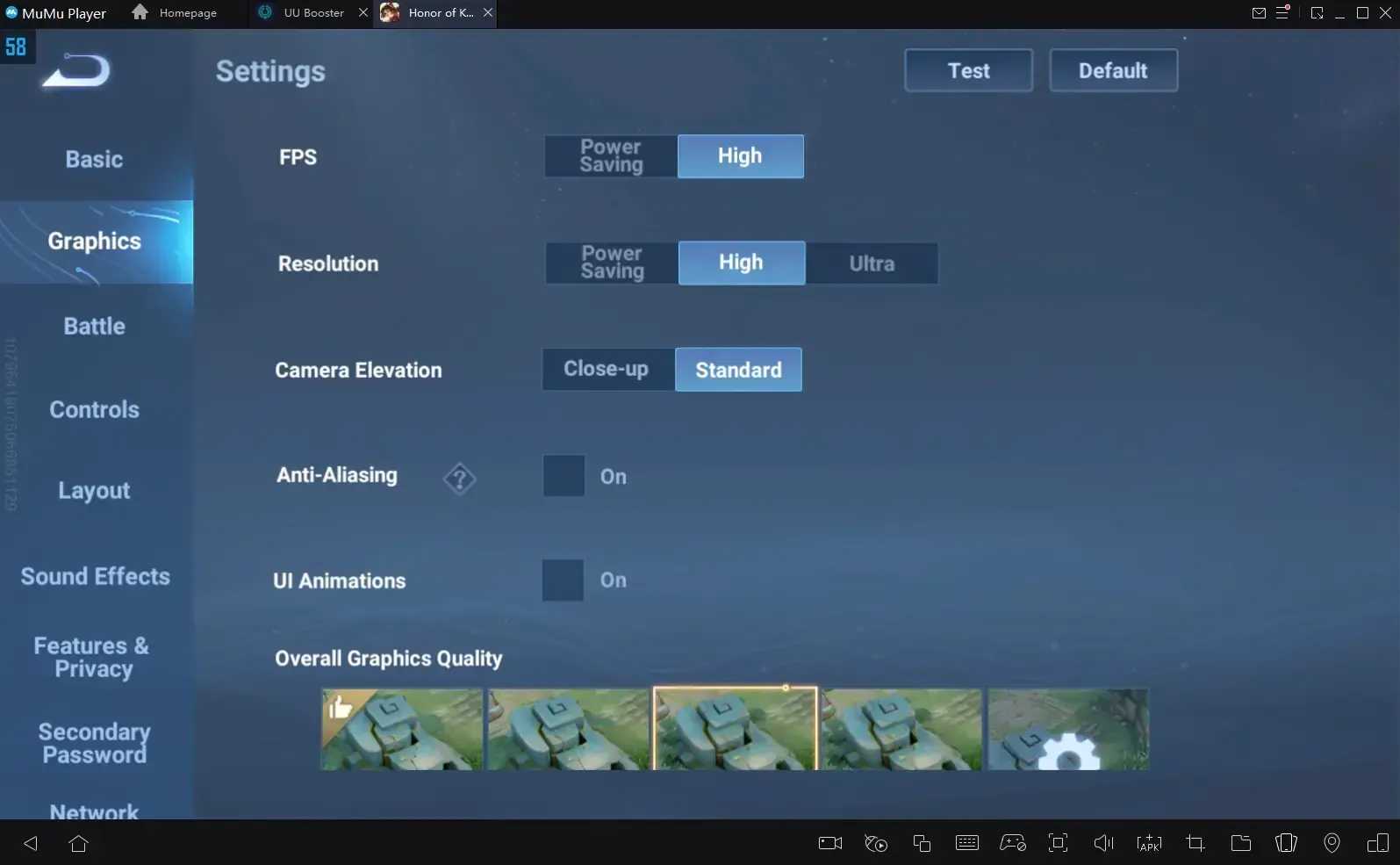
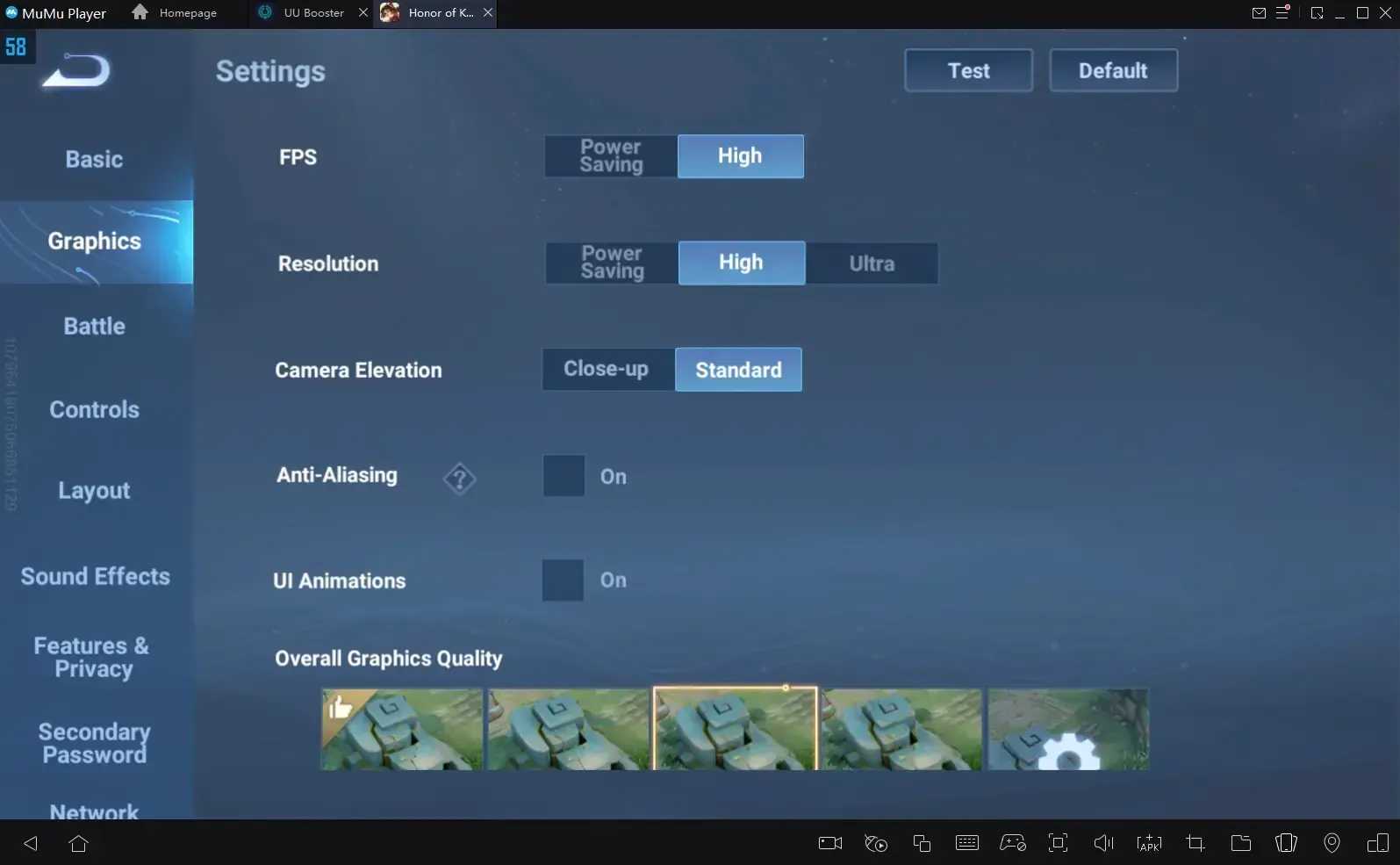
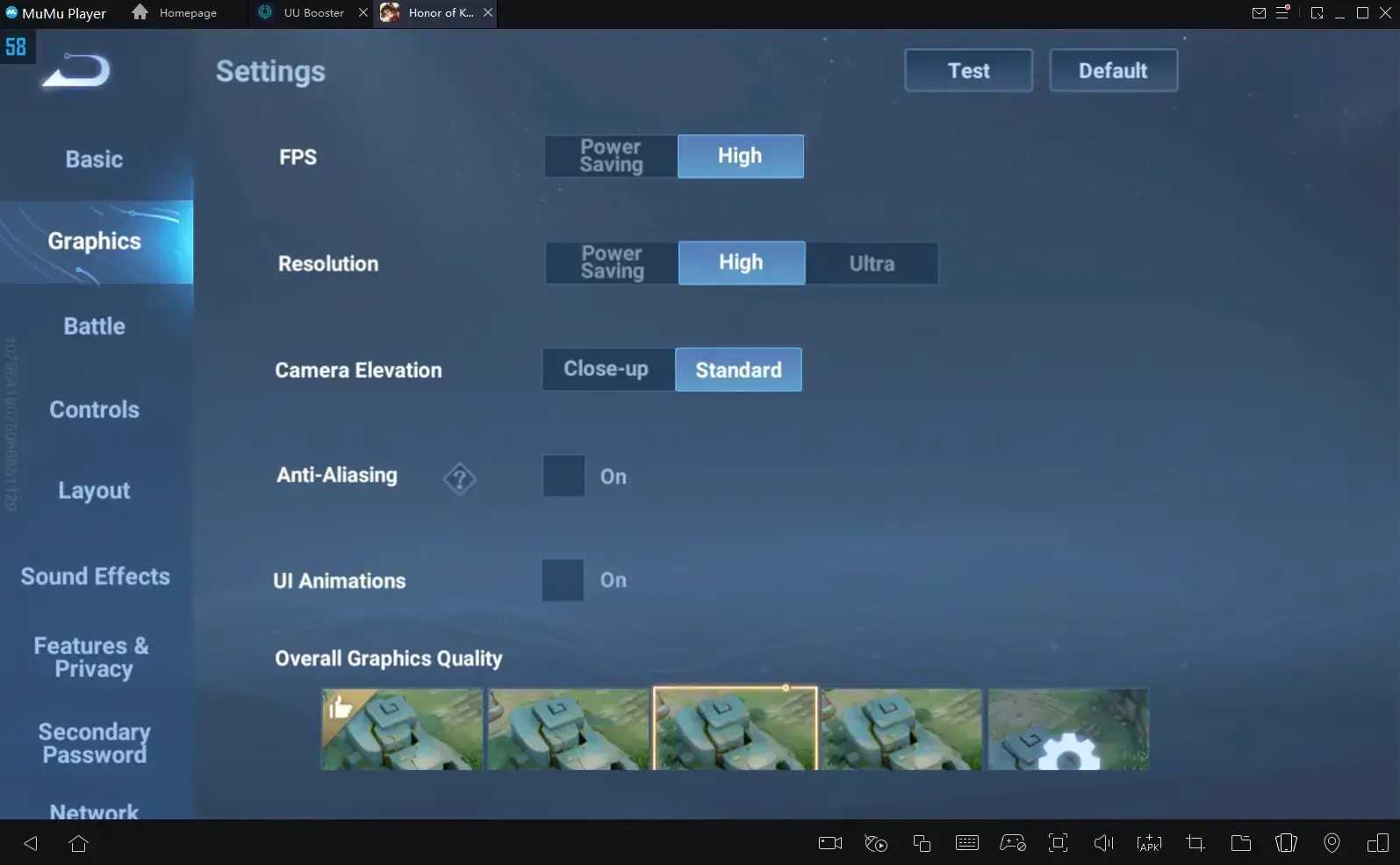
Dial in these for a snappier connection: Graphics on High FPS, High Resolution, Standard Camera, Anti-Aliasing ON, UI Animations OFF, Standard Overall quality, Medium-High Textures, Low/Medium Shadows, Medium/Low Particles. In Battle: Display FPS ON, Target Info, Display Name, Skill Tags; Dim Area Outside FoV OFF, Auto-Decline Surrender OFF, Auto-Translate ON; sort heroes by Proficiency.
Hit Graphics first—High FPS + High Resolution + Anti-Aliasing ON. Battle tab next: Display FPS and Target Info flipped on. Jump into practice mode; expect 20-30% FPS bump. Ranked players, toss in Precision Directional Indicator too.
Players chasing quick edges in that third optimization phase? recharge Honor of Kings on Buffget delivers global low-price instant top-ups. Secure with local payments, cards, Binance Pay, or cryptos like USDT/USDC—fast boosts, no hassle.
Slash Ping with Smart Network Optimization
Flip Network Optimization ON, lock in the closest server under 60ms. Swap to DNS 180.76.76.76 for lower latency; kill background apps to cut jitter. HTTPDNS keeps things stable—Wi-Fi beats data every time.
Steps: Network menu—Optimization ON + nearest server. Device side: DNS to 180.76.76.76, airplane mode toggle. Router acting up over 60ms? Restart it. Voice chat? OFF.
Android-Specific Hacks to Kill Frame Drops
Minimums: OS 5.1+, Snapdragon 660, 2GB RAM, 3GB storage. For 120 FPS glory? Snapdragon 8/855+ with 6GB RAM and 120Hz screen. Free up 4-6GB storage; enable gaming mode on battery saver.
Overheating tanks FPS on Snapdragon 855+. Free 4-6GB and close apps. Ditch the case, grab fans, restart before ranked. Smooth it out: shadows off, resolution dialed down.
iOS and PC Emulator Tweaks for Peak Performance
iOS baseline: iOS 9.0+, iPhone 6+, 3GB storage—iPhone 12 Pro+ shines stable. PC: Windows 7+, multi-core Intel/AMD, 4GB RAM, 5GB disk space.
On PC emulators, push 120 FPS, High Performance mode, high/ultra graphics, max frames, Anti-Aliasing ON, UI Animations OFF. Allocate more CPU/RAM. Emulator: 120 FPS + High Performance. In-game: High Resolution, bump pixel density. Network: Optimization ON + closest server + bridging mode. iOS crew: 4GB free, skip charging.
Mid-guide, if you're grinding ranks, premium tokens give that lag-free edge. buy HOK tokens through Buffget—speedy, compliant drops at sharp rates. Full payments like ETH/Bitcoin, stellar ratings, solid after-sales.
Pitfalls That'll Ruin Your Setup—Steer Clear
Ultra Resolution on mid-tier gear? Instant drops. Under 2GB storage? Stutter city. UI Animations ON guzzles resources pointlessly.
Skip high Shadows/Particles unless you're on Snapdragon 8. Background apps murder RAM and ping. Charging? Heat magnet. Wrong server adds 50ms easy. Proficiency Hero Sort speeds picks; OFF Enemy Avatar Display frees FPS.
(Editor's take: I've seen too many matches lost to these—simple swaps, massive payoff.)
Stay Lag-Free with Routine Maintenance
Aim for 2GB+ free (4-6GB sweet spot); weekly restarts nix buildup. Cooling prevents throttling.
Daily: Apps closed, 4-6GB free. Weekly: Cache cleared, storage wiped, client updated. Pre-match: Airplane toggle, Wi-Fi scan, fans on. Battery gaming mode; dodge peak hours.
Test It Out: Key Metrics to Nail
Ping under 60ms, FPS over 60—track via Display FPS. Storage at 4-6GB free.
Baseline your FPS/ping in a match. Apply tweaks, retest—shoot for 20%+ gain. Drops persist? External thermal app.
FAQs: Your Fast Lag Busters
How to cut lag in Honor of Kings?
Network Optimization ON, low-ping server, apps closed—ping under 60ms.
Prime network settings?
Optimization ON, DNS 180.76.76.76, Wi-Fi priority; airplane toggle.
Android frame drops—why?
Heat throttling, under 4GB free. Cool down, free 4-6GB.
PC emulator FPS boost?
120 FPS, High Performance, High Resolution; 4GB RAM min.
Wi-Fi ping too high?
Closest server, voice chat OFF, router reboot—under 60ms.
Graphics for zero lag?
High FPS, Medium Shadows/Particles, UI Animations OFF; Standard Overall.