

Related articles


Apple Gift Card Code Not Valid Fix: iPhone Mac Windows Guide
Craving a new game but hit "Code Not Valid" on your Apple Gift Card? This guide shows redemption on iPhone, iPad, Mac, or Windows—plus easy fixes for Already Redeemed or region glitches. Funds land in your Apple Account for apps, games, subs. No expiration!
Buffget
Ever stared at a shiny new Apple Gift Card, itching to snag that next big game or DLC, only to hit a wall with Code Not Valid? Yeah, we've all been there. This guide walks you through redemption on iPhone, iPad, Mac, or even Windows—plus dead-simple fixes for the usual suspects like Already Redeemed or region glitches. Funds land in your Apple Account for apps, games, subscriptions. No expiration date to sweat over.
Quick Scoop: What Exactly Is an Apple Gift Card?
These bad boys fuel your App Store sprees, iTunes tracks, Apple Music jams, iCloud+ storage, in-game goodies, and even select apple.com gear. Spot the code? It's a 16-digit alphanumeric beast starting with 'X'—scratch it off physical cards or grab it from email for digital ones. Physical versions? Check for damage right at checkout. Digital? They're activated on the spot. App Store and iTunes cards redeem the same way; just steer clear of Apple Store cards (those gray, white, silver, or gold ones)—they're strictly for physical store hauls.
Gear Up Before You Redeem
Log into your Apple ID first—balance sticks to it like glue. Update to the latest iOS or macOS. Crucial: Match the card's purchase country to your Apple ID region. Works on iPhone, iPad, Vision Pro, Mac, or Windows via Apple Music/TV apps.
- Hit App Store settings to sign in.
- Tweak your ID region or snag a local card.
- For physical cards, eyeball any scratches; stash that receipt.
U.S. cards? Dead in the water on European IDs—copyright laws, folks.
Nail It on iPhone or iPad: Step by Step
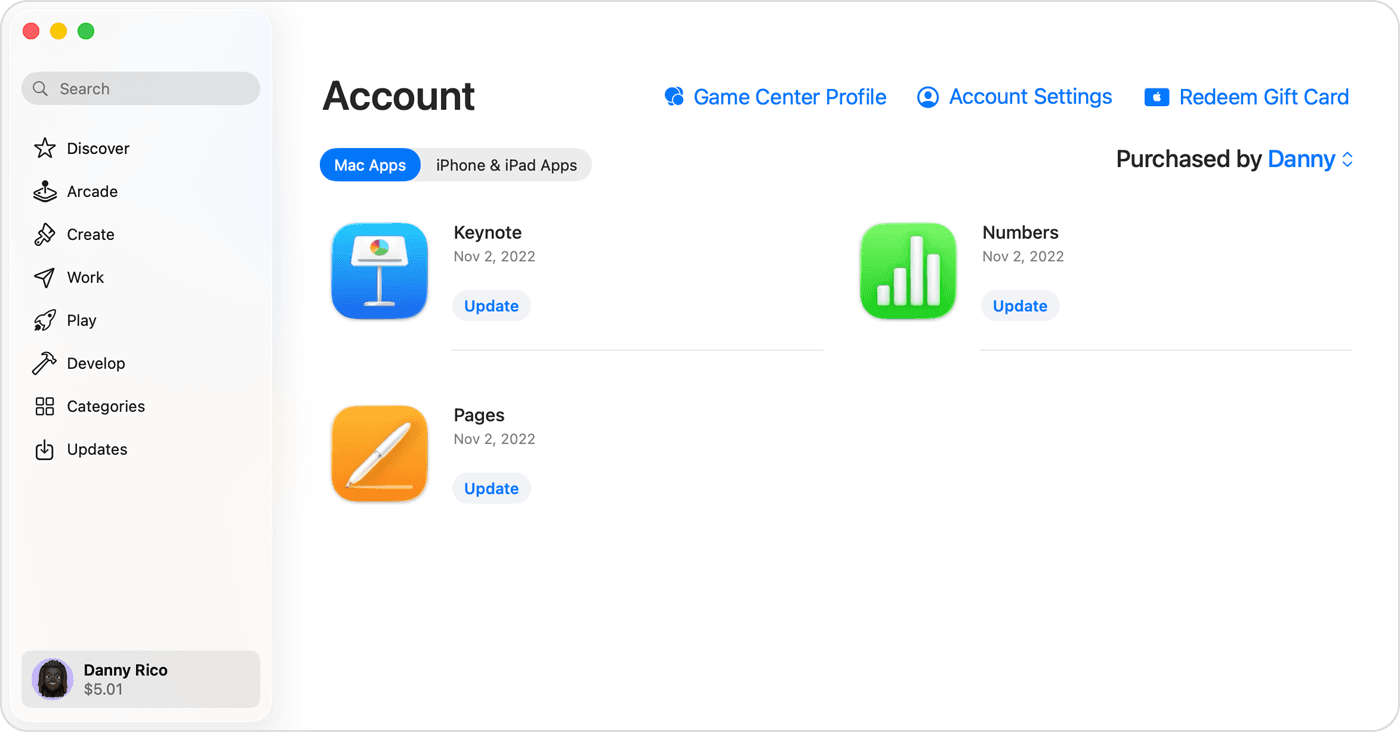
Fire up the App Store. Tap Today tab. Spot the sign-in button or your profile pic? Boom—Redeem Gift Card or Code. Scan with the camera (physical or digital) or punch in that 16-digit code manually if it flakes. Redeem. Vision Pro users, same drill.
- Gotta be signed in—option pops up after.
- Enter Code Manually if scanning ghosts you.
- Peek in Apple Wallet under your Apple Account card to confirm.
Gamers, level up smart: buy Apple Gift Card US from Buffget. Global low prices, instant delivery, fully legit, pays via Binance Pay/USDT/ETH. Users rave about the experience and after-sales support—I've seen it save raid nights.
Mac or Windows? No Sweat
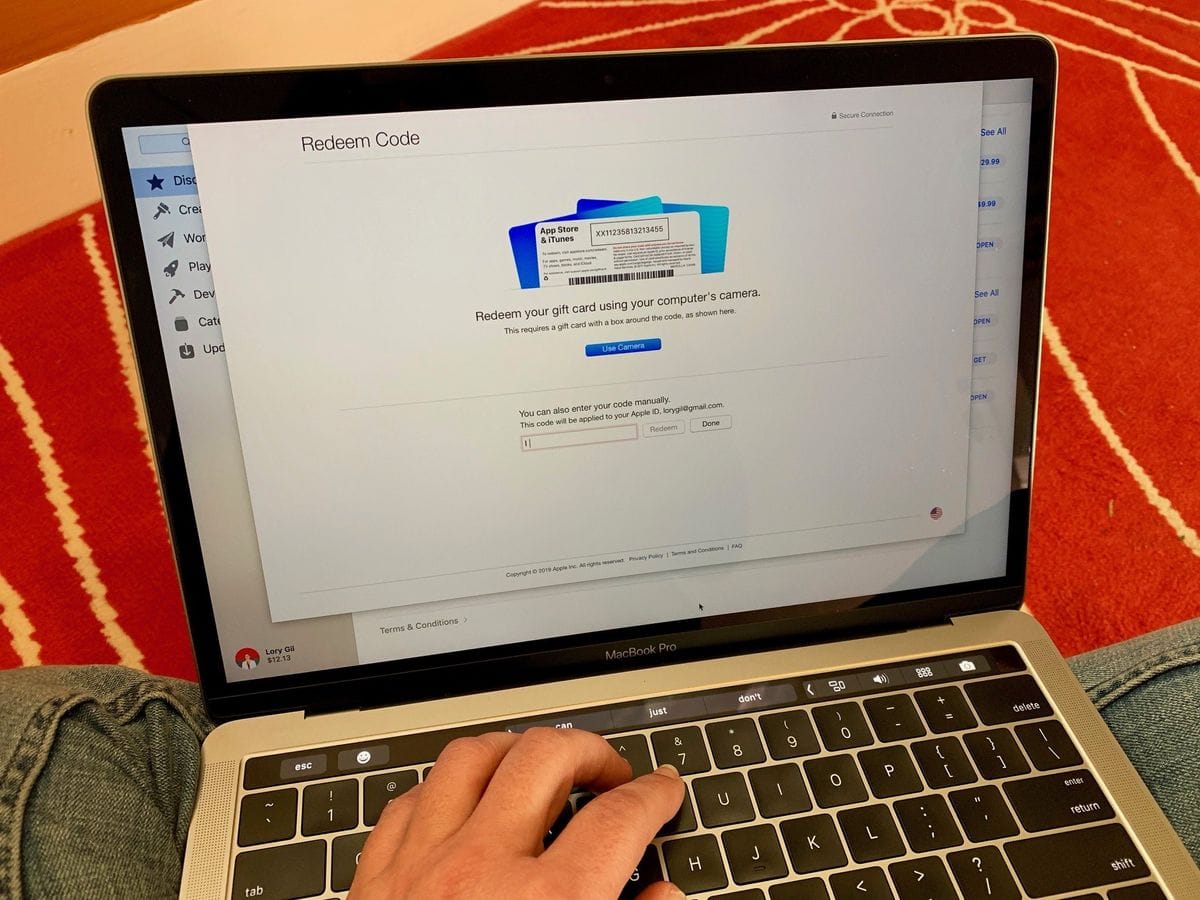
On Mac: App Store > your name or sidebar > Redeem Gift Card. Enter or scan.
Windows: Apple Music or TV app > sidebar/menu > Redeem. Sign in, drop the code. iTunes as backup.
- Sign in upfront.
- Type slow—B looks like 8, O like 0, watch for those traps.
- Balance check? App settings.
Manual entry dodges scan hiccups. Balance syncs right after.
Where's My Balance Hiding?
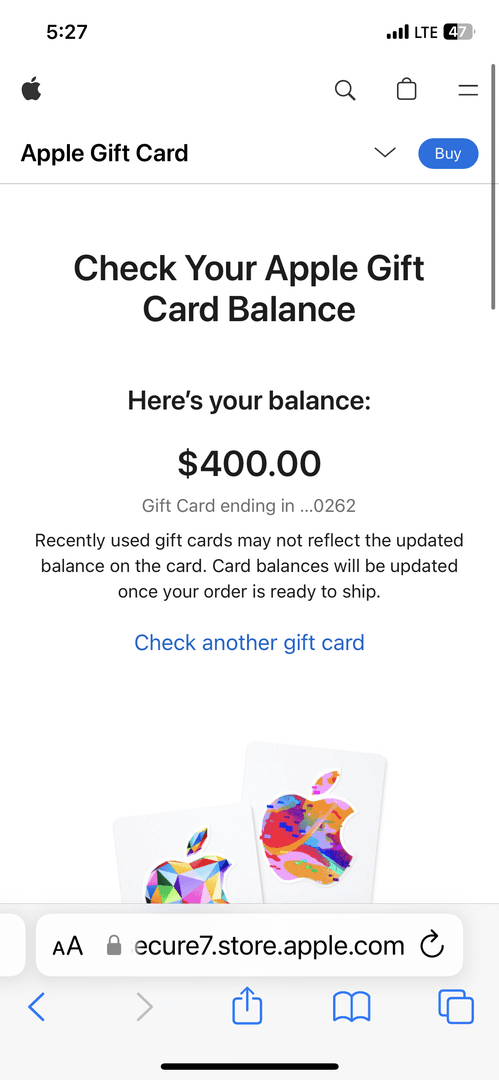
Apple Wallet > Apple Account card. Or App Store > account > Account Balance. Online? reportaproblem.apple.com (sign in). Fresh redemption? Give it 1-3 business days to go live.
- Make it default: Settings > Apple ID > Payment & Shipping.
- Purchases pull from balance auto-magically.
(Quick editor plug—Buffget's cheap iTunes gift card credits fast, takes secure Bitcoin/USDC, killer after-sales, and covers regions like a champ. Perfect for topping up mid-grind.)
Code Not Valid Blues: Why It Hits
Common culprits? Wrong card type (Apple Store, not App Store). Typos galore—B/8, D/O, E/3, G/6, O/Q/0, S/5, U/V, Z/2. Region clash. Not activated yet. Or already cashed in. Entry flubs and unactivated physicals top the list. Confirm it starts with 'X', check colors. Ping the retailer on activation.
Banish Code Not Valid: Fixes That Work
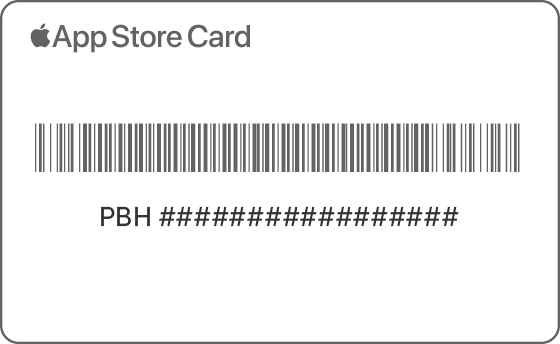
Force Enter Code Manually. Double-check every character. Sign out/in your Apple ID across devices.
- Update software. Restart. Swap networks. Eye Apple System Status.
- Nuke app cache; hop devices.
- Snap pics of front/back, serial (GCA/PBH/EPY), receipt—support ammo.
Other Gremlins: Already Redeemed & Region Woes
Already Redeemed: Sign out of App Store/iTunes everywhere (iPhone/iPad/Mac), sign back. Refresh Wallet balance.
Region Mismatch: Cards lock to buy-country. Switch ID region or grab a match—no cross-border hacks.
- Chill 1-3 days for balance; set as default payment.
- Full sign-out: App Store > Account > Sign Out. Retry.
Hit up support.apple.com/giftcard or 1-800-MY-APPLE (U.S.) with pics/receipt. Never spill your code online.
Gamer Hacks: Fuel Games & In-App Loot
Balance auto-dips for App Store games, subs. Can't cash out or Family Share it. Buy physical? Inspect on-site, test quick. Scam alert—guard codes, skip shady payments.
- In-app buys? Post-redemption via App Store.
- Default it for auto-pull; scream fraud ASAP.
Tap Out? Call in Apple Support
Still stuck? Invalid won't budge, code mangled, activation flop. Arm yourself: card pics, serial, receipt.
- Upload at support.apple.com/giftcard.
- Phone it in with deets; proof unlocks replacements.
FAQ
Why is my Apple Gift Card code not valid?
Typing errors (B/8, O/0), wrong type, region mismatch, not activated—enter manually, verify 'X' prefix.
How do I redeem an Apple Gift Card on iPhone?
App Store > Today > sign-in > Redeem Gift Card or Code > scan/enter 16-digit code.
What if my Apple Gift Card says already redeemed?
Sign out/in on all devices; refresh balance in Wallet.
Can I redeem Apple Gift Cards from other countries?
No—region-locked; match Apple ID country.
How to check Apple Gift Card balance?
Apple Wallet > Apple Account card or reportaproblem.apple.com.
How to fix region mismatch on Apple Gift Card?
Update Apple ID region to match card's country or buy local card.