

Recommended Discounts

Mango Live Diamonds
Experience fast and secure Mango Live Top Up at Buffget. No login or password needed! Just enter your Player ID to recharge instantly and enjoy non-stop live streaming.
20% OFF
Related articles


Mango Live Cross-Border Streaming: Fix Latency Fast
Mango Live cross-border latency comes from ISP routing inefficiencies, server distance, and bad encoding settings. Regional locks use zip-code geo-location to restrict viewer access by territory. Fix it with a minimum 5 Mbps connection, optimized bitrate, wired Ethernet, QoS prioritization, and correct territory config. PC emulation cuts memory usage by 52%, boosts stability by 65%, and supports up to 240 FPS.
Buffget
What Is Mango Live Cross-Border Streaming — and Why Regional Locks Matter
Broadcasting to viewers outside your registered account territory opens serious revenue potential, but the platform's architecture defaults to narrow regional delivery. You'll need to actively expand it.
Mango Live's regional lock system uses zip-code-level geo-location — not simple country blocks. It cross-references viewer IP data against territory permissions tied to your broadcaster account. A viewer two cities outside your permitted zone gets locked out entirely. This is deliberate and precise, not a bug you can casually bypass.
Regional locks exist for content rights management and advertiser targeting compliance. For agency managers handling multi-region talent, each broadcaster account needs individual territory configuration — there's no blanket agency-wide setting.
Why Latency Directly Kills Gift Revenue
Real-time interaction is Mango Live's core engagement loop. Gifts, comment reactions, battle participation — all depend on near-instant feedback. When cross-border latency climbs above 3–4 seconds, that loop visibly breaks.
Gift behavior is especially sensitive. Viewers who send a gift and don't see a reaction within 2–3 seconds are far less likely to send again. The 12-second stream preview also means first impressions form fast — choppy streams lose click-throughs before viewers even enter.
Critical latency thresholds:
- Under 2 seconds: Optimal for gifting reactions and comment interaction
- 2–4 seconds: Acceptable for casual viewing; noticeable delay in battle MVP scoring
- 4–8 seconds: Engagement drops sharply; measurable gift revenue impact
- Above 8 seconds: Real-time interaction collapses; battle scoreboards desync for cross-border viewers
The battle MVP list stays visible until the 1-minute victory lap ends — high latency corrupts this for international audiences specifically.
Root Causes of Cross-Border Latency
ISP routing inefficiencies — Your ISP prioritizes domestic routing. International packets travel suboptimal paths, adding 50–200ms of unnecessary round-trip time. Most broadcasters blame their device or the platform when the bottleneck is actually ISP peering agreements.
CDN node mismatch — Mango Live uses a CDN to distribute streams globally, but node selection isn't always optimal for cross-border scenarios. If your broadcast routes through a distant CDN node relative to your target audience, every viewer in that region experiences compounded latency.
Encoding overhead — Software encoding on underpowered hardware buffers frames before the stream even hits the network. Minimum PC specs are non-negotiable: 4-core CPU, 4GB RAM, GTX950 or better. Performance mode (2 cores, 2GB RAM) adds encoding overhead that directly increases latency.
Wi-Fi jitter — Even strong Wi-Fi with good average speeds produces packet jitter spikes that cause buffering and freezes for cross-border viewers. Wired Ethernet eliminates this entirely and is the single highest-impact hardware change you can make.
Optimal Settings to Reduce Cross-Border Latency
Bitrate and Connection Requirements
- HD streaming: Minimum 5 Mbps upload
- 4K streaming: Minimum 15 Mbps upload
- Target bitrate: 70–80% of available bandwidth for stability during cross-border fluctuations
- Data consumption: 1–3 GB per hour for HD — useful for estimating bandwidth headroom
Resolution and Frame Rate
The platform supports up to 240 FPS with Vulkan or DirectX rendering on PC. But for cross-border low-latency streaming, 60 FPS at optimized bitrate typically outperforms 240 FPS on congested international routes.
- High-bandwidth international audience: 1080p @ 60 FPS, 4–6 Mbps
- Mixed connectivity international audience: 720p @ 60 FPS, 2.5–4 Mbps
- Low-latency priority over quality: 720p @ 30 FPS, 1.5–2.5 Mbps
Hardware Encoding Setup
GPU encoding offloads processing from the CPU, reducing encoding delay. On setups meeting the GTX950+ requirement, hardware encoding via Vulkan or DirectX produces measurably lower latency than CPU-based software encoding.
To configure: enable VT (Virtualization Technology) in your BIOS, set your renderer in emulator graphics settings, then set resolution via Device Settings > Display within the Mango Live environment.
Network-Level Fixes That Cut Stream Lag
QoS Router Configuration
QoS assigns bandwidth priority to Mango Live traffic over other network activity — preventing background downloads or other devices from competing during your broadcast.
- Access your router admin panel (typically 192.168.1.1 or 192.168.0.1)
- Locate QoS or Traffic Priority settings
- Add your streaming device's MAC address or IP as high-priority
- Set upload priority to maximum for the Mango Live application port range
- Run a speed test and ping check before going live
DNS Optimization
Default ISP DNS servers are slow at resolving international domain requests, adding latency before your stream data even starts transmitting. Switching to a faster public DNS reduces resolution time and improves initial CDN connection speed.
Wired Ethernet Setup
- Connect Ethernet cable directly from router to streaming device
- Disable Wi-Fi on the streaming device to prevent automatic fallback
- Verify network settings show Ethernet not Wi-Fi
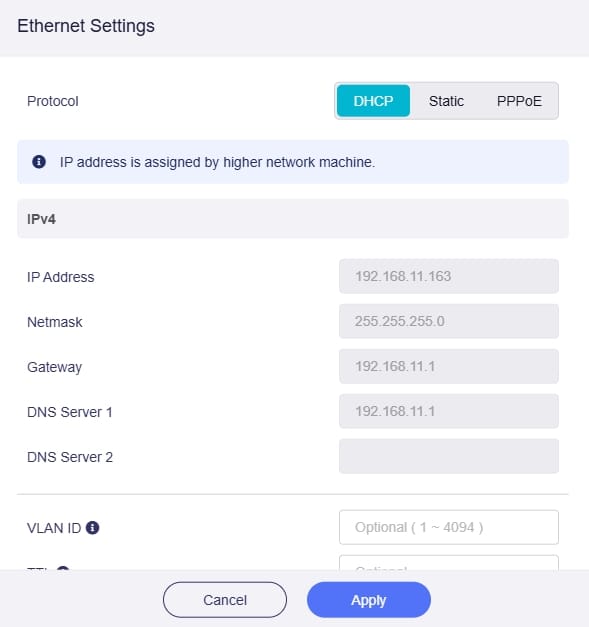
- Run a baseline ping test to confirm reduced jitter
For mobile broadcasters, a USB-to-Ethernet adapter delivers the same stability benefit on smartphones and tablets.
Bypassing Regional Audience Locks — What Actually Works
Territory Settings
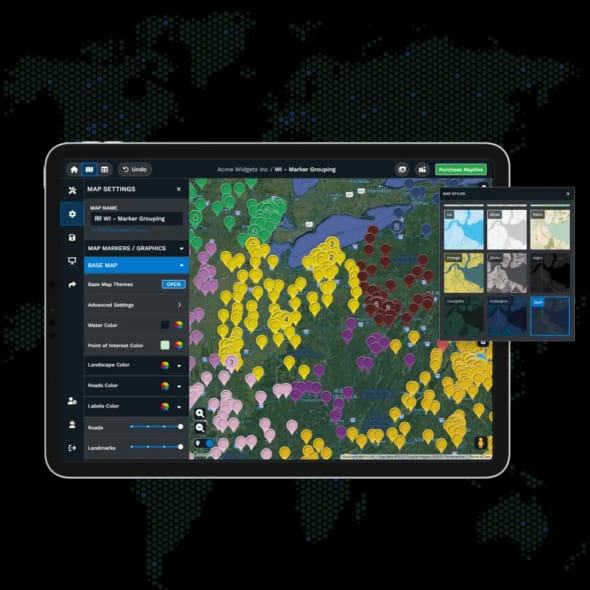
Territory settings are managed at the broadcaster account level — changes apply to all future broadcasts, not individual sessions. Access territory configuration through your broadcaster account settings panel.
Version notes: Version 10.5.6 (released June 20, 2025) and Version 10.6.2 (released March 19, 2025) both include updated regional settings interfaces. Update before attempting territory configuration changes on older versions.
VPNs Don't Work Here
The most persistent misconception: VPNs reliably bypass Mango Live's regional locks. They don't. The zip-code geo-location system cross-references multiple data points beyond IP address. VPNs may affect viewer-side access in some cases but won't change your broadcaster account's registered territory.
Attempting unauthorized bypass methods also risks account suspension — wiping accumulated win streaks, highest win streak profile displays, and battle MVP history. That's broadcaster credibility you can't recover.
Legitimate Expansion Methods
- Agency-affiliated broadcasters: Request territory expansion through your agency manager — this is the most reliable path for sustainable cross-border growth
- Independent broadcasters: Contact official broadcaster support with your streaming history, stability metrics, and engagement data to support a territory review request
To fuel cross-border growth with gifting support from international viewers, buy Mango Live Diamonds cheap online through buffget — competitive pricing and fast delivery for Mango Live broadcasters worldwide.
Why Cross-Border Audiences Pay Off
The Gift System and International Viewers
The 12-second stream preview is your critical conversion window. Battle mechanics are especially effective for cross-border monetization — the MVP list, visible scoreboard, and 1-minute victory lap create competitive gifting urgency that transcends language barriers. It's one of the most internationally accessible engagement formats on the platform.
Revenue Math
Low latency directly correlates with higher gift frequency. Sub-2-second response times keep the broadcaster-viewer interaction loop intact — gift reactions are immediate, comment pinning feels real-time, battle participation feels competitive. Territory expansion plus latency optimization creates a compounding effect: more eligible viewers × higher engagement per viewer = significantly higher gift revenue per session.
For seamless international viewer participation in your gift economy, Mango Live safe recharge online global is available through buffget — secure transactions, high user ratings, and wide regional coverage for Diamond top-ups.
Building a Multi-Region Fan Base
Sustainable growth requires consistency across three dimensions:
- Stream timing: Schedule broadcasts during peak hours across your target regions
- Content accessibility: Use on-screen text and visual cues that work without verbal communication
- Engagement mechanics: Prioritize battles and gift-driven interactions that transcend language
Pro tip: Displaying your highest win streak on your profile signals credibility to new international viewers discovering you through search or recommendations — particularly effective for cross-border audience conversion.
Troubleshooting: When Your Cross-Border Stream Keeps Failing
Stream Drops and Freezes — Diagnostic Sequence
- Verify upload speed: Confirm 5 Mbps stable minimum (15 Mbps for 4K)
- Check connection type: Switch to wired Ethernet if not already done
- Review encoding settings: Confirm 4-core CPU, 4GB RAM, GTX950+ minimum
- Check VT status: Ensure Virtualization Technology is enabled for PC emulation
- Monitor data usage: HD consumes 1–3 GB/hour — confirm your connection isn't throttled
- Restart the app: Versions 10.5.6 and 10.6.2 support 3-second startup; a full restart clears cached connection errors
- Check territory settings: Confirm broadcast territory includes your target international regions
Audio Sync Issues
Audio desync in cross-border streams typically comes from encoding delay mismatches between audio and video processing. Reduce video encoding complexity first — lower resolution or frame rate. If it persists, verify your audio sample rate matches the platform's recommended output format.
Support vs. Self-Fix
Contact platform support when: Territory changes don't take effect after 24 hours, your account shows incorrect regional permissions, or stream drops persist despite correct technical configuration.
Self-troubleshoot: Latency issues, encoding settings, network configuration, device compatibility — these are broadcaster-side variables the platform can't control remotely.
Frequently Asked Questions
What's the minimum internet speed for Mango Live HD cross-border streaming? 5 Mbps upload for HD; 15 Mbps for 4K. Target 7–8 Mbps for stable HD international streams — always maintain headroom above the minimum.
Can broadcasters change regional locks? Yes. Territory settings are configurable through your broadcaster account panel. Agency-affiliated broadcasters can request multi-region permissions through their agency manager.
Does mobile always have higher latency than desktop? Not inherently — latency depends on connection type, not device category. A mobile device on wired Ethernet via adapter can outperform a desktop on Wi-Fi. That said, PC emulation with proper hardware delivers 52% less memory usage and 65% more stability than standard mobile setups, which typically means lower encoding-side latency.
How quickly do optimizations take effect? Network-level changes (wired connection, QoS, DNS) produce immediate results. Encoding optimizations apply instantly. Territory setting changes may take up to 24 hours to propagate across regional systems.
Can I stream to multiple regions simultaneously? Yes — provided your territory settings include all target regions. The CDN handles multi-region distribution automatically once permissions are correctly configured, routing each region's viewers through the nearest available node.
Why does the battle scoreboard desync for international viewers? Latency exceeding the platform's real-time data sync threshold. The scoreboard stays displayed until the 1-minute victory lap ends, but above 4–8 seconds latency, international viewers see delayed score updates. Reducing latency below 2 seconds resolves this for the majority of cross-border viewer locations.
buffget is trusted by serious Mango Live broadcasters for fast, secure Diamond recharges with competitive pricing and wide global coverage. Setup takes under 5 minutes — start your cross-border streaming journey with buffget now.