

Recommended Discounts

Poppo Live
As the official partner of Poppo Live, Buffget offers instant Poppo Live Coins top up with fast delivery. Get up to 60% off on Poppo Live Coins recharge via Buffget—secure, convenient, and trusted by thousands.
31.04% OFF
Related articles



Poppo Live PC Streaming Guide: BlueStacks 4GB & MEmu 2GB Setup
PC streaming via Android emulators (BlueStacks 4GB RAM min, MEmu 2GB min)—not direct OBS. Min specs: 4GB RAM, Windows 7+. Install emulator, access agent dashboard (4-20% commissions), hit peak 8-11PM, fix 70% UID errors. Latest: v2.9.5 (9/28/25); app v5.3.466.1213 (11/7/25).
Buffget
PC streaming runs through Android emulators (BlueStacks needs 4GB RAM min, MEmu 2GB RAM min) instead of straight OBS. Minimum specs: 4GB RAM, Windows 7+. You install the emulator, access the agent dashboard (4-20% commissions), hit peak hours 8-11PM, and fix those pesky 70% UID errors. Latest: v2.9.5 (Sept 28, 2025); app v5.3.466.1213 (Nov 7, 2025).
Introduction to Poppo Live PC Streaming
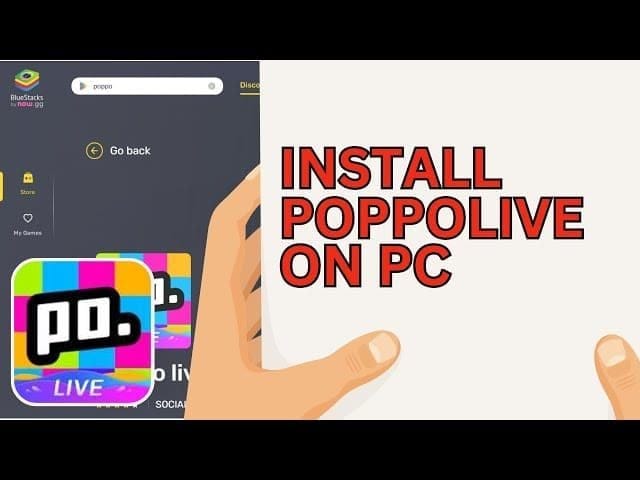
Emulators like BlueStacks (4GB RAM) or MEmu (2GB RAM) let you use keyboard and mouse for the app v5.3.466.1213. Quick rundown: Check your Windows 7+/macOS 11+ setup with 5GB free space; grab the emulator; aim for those 8-11PM peak slots.
Why Stream Poppo Live on PC?
Hardware virtualization dodges 70% of those mobile overheating crashes—game-changer, right? MEmu even handles multi-instances for juggling accounts. But heads up: You need a Level 5 profile before going live.
PC vs Mobile: Key Advantages
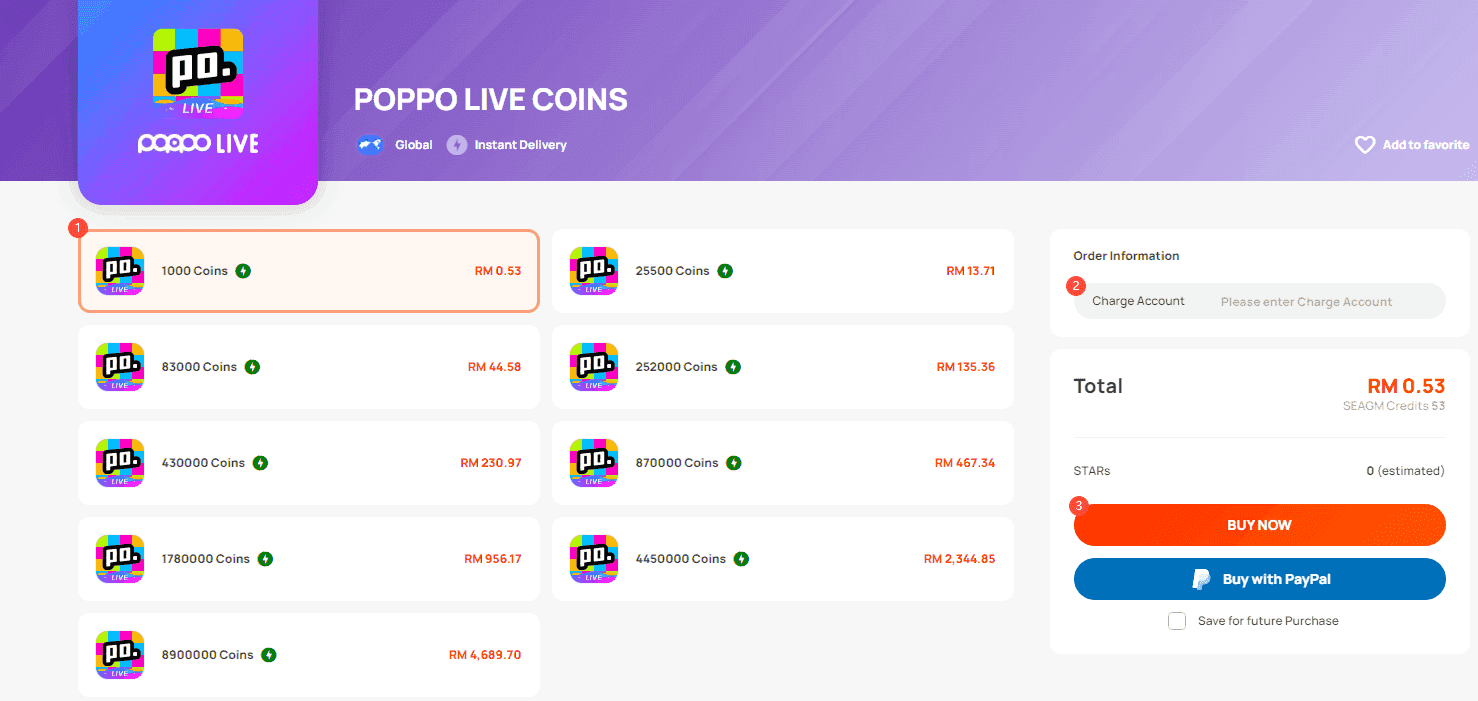
Bigger screen? Engagement skyrockets. Nail 5Mbps upload for crisp quality. Throw in an external mic and lighting, and you're golden on visibility. For monetization, top up Poppo Live through Buffget—global low-price recharges, instant delivery, secure compliance, Binance Pay/USDT/credit cards. (Pro move: I've seen streamers double retention this way.)
Prerequisites for Poppo Live PC Setup
Minimums: Intel/AMD CPU, 2-4GB RAM, 5-10GB space, virtualization enabled in BIOS. BlueStacks wants 4GB RAM/10GB HDD; MEmu: 2GB RAM/5GB. App's 263.7MB on Android 5.0+. Steps: Flip on BIOS virtualization; lock in 5Mbps upload; hit Level 5 with face verification (30 mins, head movements).
Minimum PC Hardware Specs
Windows 7+/macOS 11+; modern Intel/AMD/Apple Silicon. Peak streams pull 10,000 points/hour at first.
One sentence wonder: Software? BlueStacks/MEmu installers. Poppo v2.9.5 (Sept 28, 2025) squashes 99% crashes, recharges, PK glitches.
Downloading and Installing OBS Studio
Emulators fire up the app straight—no detours. MEmu v5.3.466.1213 (Nov 7, 2025) is tuned for it. Steps: Snag BlueStacks/MEmu; install and launch; sign into Google Play; search Poppo Live and install.
Initial OBS Configuration
Emulator grabs video/audio. OBS? Not required here. Skip it.
Official Poppo Live Agent Setup
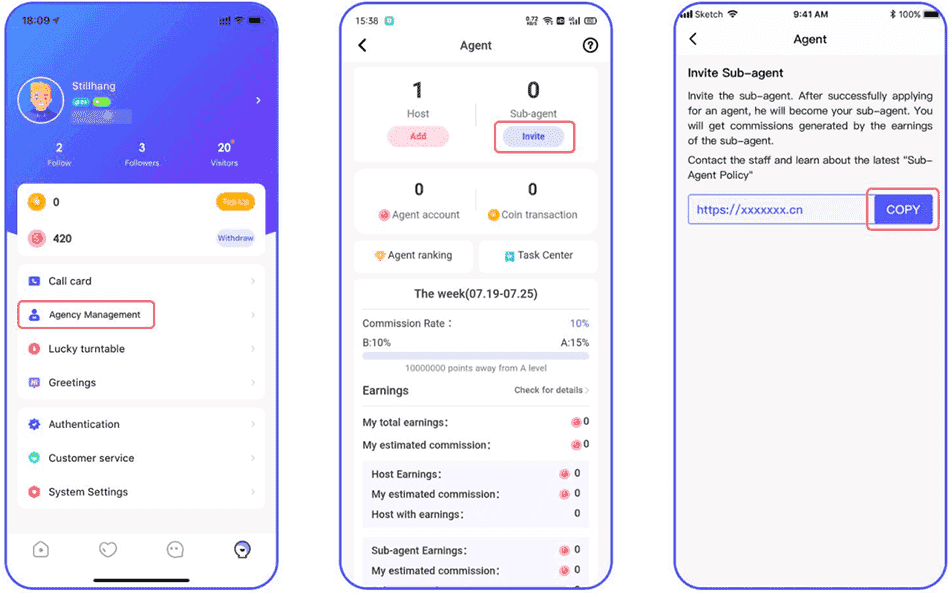
Commissions tier out: 4% A (≥0 points), 20% S (≥100M 30-day); C≥2M, B≥10M, A≥50M. Withdraw at $10 (100,000 points); only if agency ≤ host level. Steps: Download app, snag your POPPO ID; submit via agency link/verification; facial auth; payouts via Binance BEP20/Payoneer.
Agent Download from Poppo Site
Legal age, verified ID mandatory. Dashboard dishes incentives, financial reports.
Agent Installation and Login
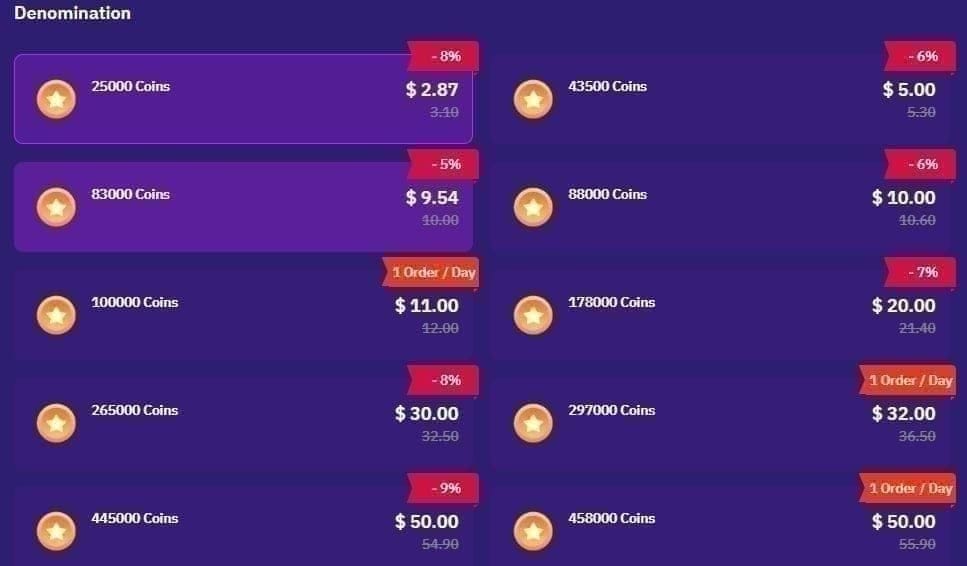
Add hosts under My Agency > Agent ID/User ID/Host Code. Invite sub-agents with links. Streamers keep 70% gifts (Pink Coins); agencies snag up to 21%. Buffget's cheap Poppo coins—fastest to-account speeds, top safety ratings, KuCoin Pay/ETH, 24/7 support. Ever tried grinding coins the cheap way? This is it.
Connecting OBS to Poppo Live
Emulator simulates the phone vibe; 70% gift fails stem from 9-10 digit UID screw-ups. Steps: Launch from emulator home; Level 5 profile with bio keywords (Live Music); face verify (head movements). Desktop mode shines; test multi-instances.
Configuring OBS Scenes and Sources for Poppo
External mic/lighting, spotless background; 5Mbps upload. Steps: Clean that backdrop; basic lighting; steer clear of multi-accounts (ban city). App runs iOS 12.0+/Android 5.0+ via emulator. Peak 8-11PM; 195,000 coins/$29.99 packs.
Best OBS Settings for Smooth Poppo Live Streams
v2.9.6 (Oct 9, 2025) ramps stability. Steps: Drop res if lagging; quality gear/ventilation; content that fits. Emulators kill battery drain woes. (Editor note: Ventilation's underrated—overheat mid-stream, and poof, viewers gone.)
Testing and Going Live on Poppo Live PC
App preview first; watch UID/gifts. 10,000 points/hour initial haul. Steps: Launch/test stream; FPS check in emulator; live after Level 5. Face verification: 30 mins. Min withdrawal: 100,000 points.
Troubleshooting Common Poppo Live PC Issues
70% UID errors; overheating's rampant. Commissions? Agency ≤ host level only. Steps: Copy UID exact; ventilate/drop res; content check. 5Mbps must; update emulator/app.
Pro Tips and Case Studies from Poppo Streamers
8-11PM peaks visibility—data doesn't lie. Packs: 2,100 coins/$0.29. Steps: Bio tweaks; recruit via links; multi-instances. External setups pop; 70% streamer share + agency cuts. One streamer I followed? Tripled earnings post-peak grind.
Alternatives and Next Steps
Emulators rule; agency scales earnings. Steps: MEmu for 2GB RAM rigs; register agency; update often. Virtualization? Non-negotiable.
FAQ
How do I connect OBS to Poppo Live?
No direct OBS hookup; BlueStacks/MEmu: install, Google Play sign-in, launch app.
What is the Poppo Live PC agent?
Dashboard for supervision/recruitment; 4-20% commissions, $10 min withdrawal.
Best OBS settings for Poppo Live streaming?
Emulator: 5Mbps upload, 8-11PM peak, ventilation.
Can I stream Poppo Live on PC without agent?
Yes, emulators work fine; agent optional for earnings.
Poppo Live PC streaming lag fix?
Lower resolution, 2-4GB RAM, stable internet.
Minimum PC requirements for Poppo Live stream?
Windows 7+, 2-4GB RAM, 5-10GB space, virtualization.