

Recommended Discounts

Where Winds Meet
This Top Up service is not applicable to Playstation User.
20% OFF
Related articles


Where Winds Meet: 60+ FPS 1080p Ultra w/ DLSS & Cloud Tweaks
Squeeze 60+ FPS out of Where Winds Meet at 1080p Ultra: Kill Volumetric Clouds for biggest boost, crank DLSS Quality (+40-60% FPS), add NVIDIA Reflex (-10-30ms latency). RTX 2080Ti? 68-74 FPS in Qinghe scenes.
Buffget
Squeeze 60+ FPS out of Where Winds Meet at 1080p Ultra with smart graphics tweaks, upscaling tricks, and system fixes. Kill Volumetric Clouds for the biggest boost. Crank on DLSS Quality (+40-60% FPS). Add NVIDIA Reflex to shave 10-30ms off latency. On an RTX 2080Ti? Expect 68-74 FPS in those Qinghe scenes. (48 words)
Introduction to Where Winds Meet Performance
Why Optimize FPS and Visibility?
Ever hit a wall of LOD stutters or shader spikes during loads and cutscenes? Blame the Messiah Engine—it's a beast. My RTX 2080Ti averages 68 FPS, peaking at 74 in 1080p Ultra Qinghe runs. Drop Vegetation to Medium, and you slash overdraw by 10-15%. Ditch Volumetric Clouds to free up your GPU. Here's the playbook: 1. Cap FPS at 100. 2. Fire up MSI Afterburner to push 1% lows past 50 FPS. 3. Stress-test those combat zones.
Game System Requirements Overview
Minimum setup? Win10/11, i7-4770K or Ryzen5 2400G, GTX750Ti or RX550, 8GB RAM, 60GB HDD. Recommended jumps to i7-10700 or Ryzen7 3700X, RTX2070Super or RX6700XT, 32GB RAM, 100GB SSD. High-end rigs like i7-12700K or Ryzen9 5950X with RTX3080 or RX6800XT chase 200+ FPS on Ultra. 32GB RAM is non-negotiable; NVMe SSD mandatory. Heavy 16GB pagefile users, aim for at least Ryzen5 5600X or i5-12400F on CPU. Quick checks: 1. Confirm 100GB free SSD space. 2. Enable XMP/EXPO for your RAM. 3. Upgrade that GPU to RTX3060 or RX6600XT if needed.
Need resources fast? Grab 'em via Where Winds Meet top up on Buffget—global low prices, instant delivery, fully safe, tons of payment options (Binance Pay, Bitcoin, ETH, USDT), and killer user reviews.
Understanding FPS and Visibility Factors
What Impacts Frame Rates in Open-World Games
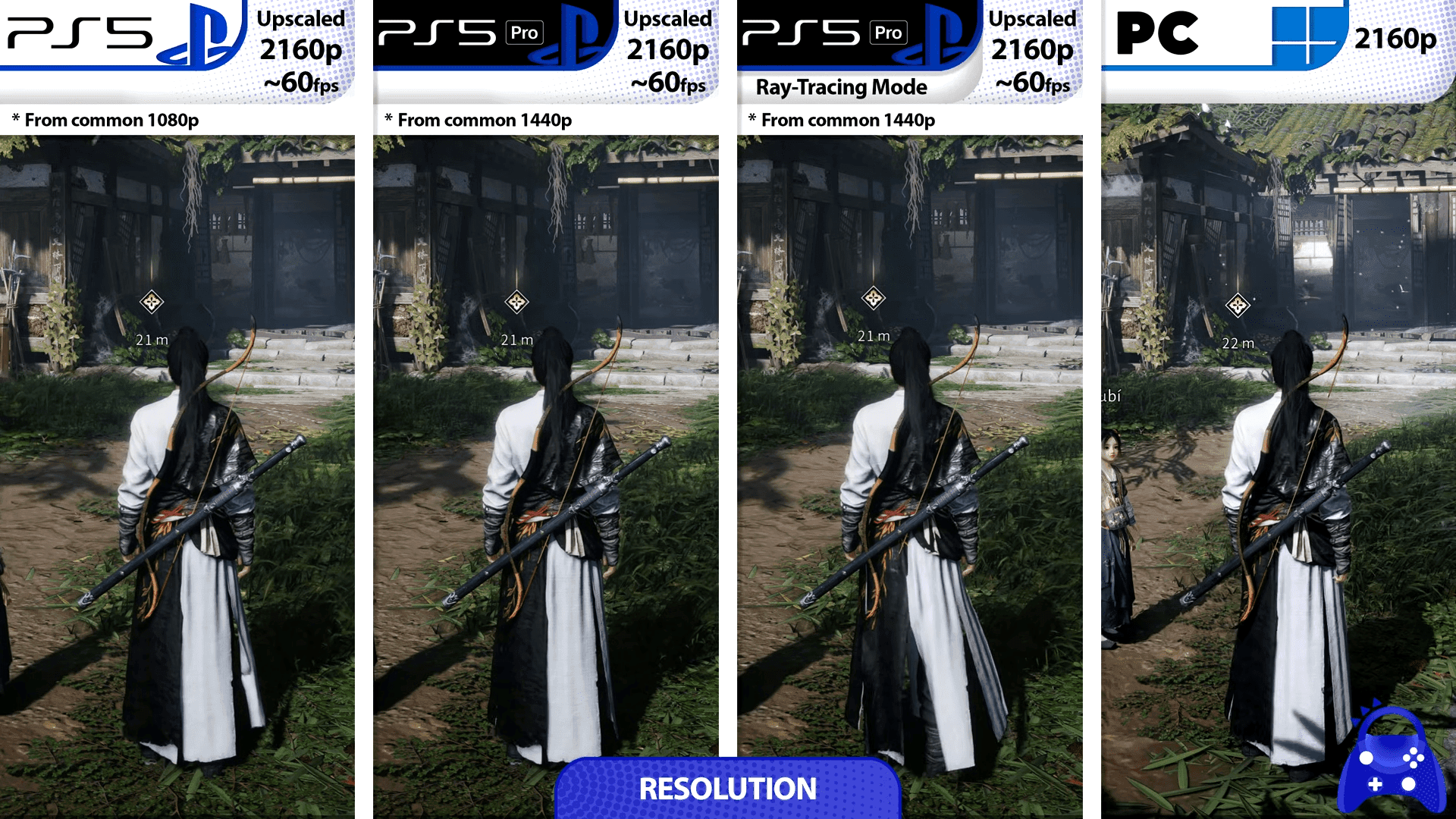
Volumetric Clouds? GPU killer—turn 'em off. High Vegetation tanks your CPU lows and piles on 10-15% overdraw. Crank View Distance or Reflections to High? Kiss 10% FPS goodbye. Performance preset runs 30% faster than Ultra overall. Frame Gen? +90% on RTX40 series at 144+ FPS. Start here: 1. Vegetation to Medium (10-15% gain). 2. Tessellation Off. 3. Cap FPS to your refresh rate.
Visibility Issues in Combat and Exploration
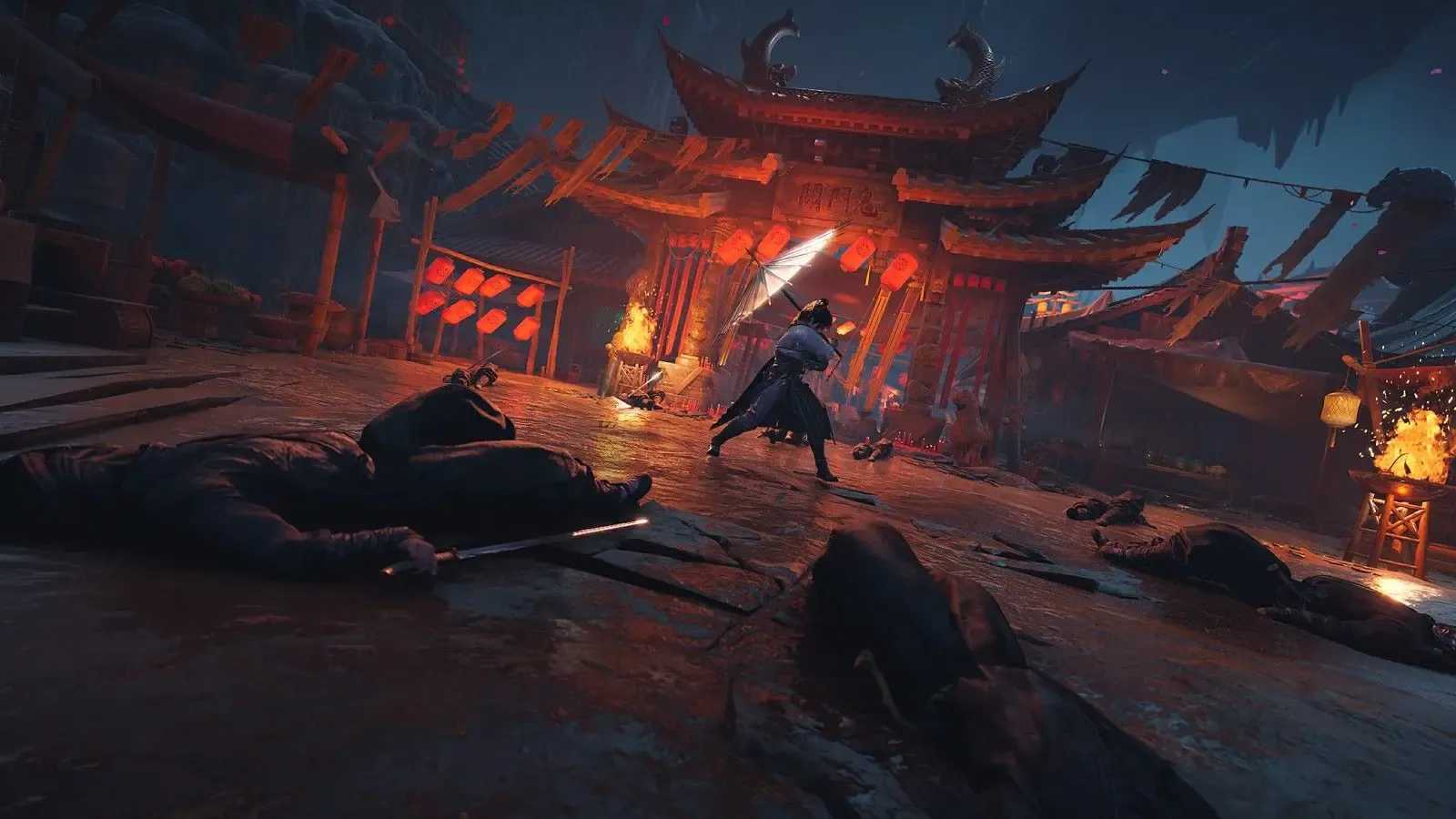
High Shadows or AO? They muddle depths, hiding enemies. Particle-heavy Effects straight-up block your view. Dial AO and Shadows low to cut sampling load. Medium Vegetation clears sightlines and boosts FPS. Low Effects tames those particle storms. In towns: 1. Shadows/Effects/AO to Low. 2. Motion Blur Off. 3. Drop View Distance.
Benchmarking Your Current Setup
Tools for Testing FPS
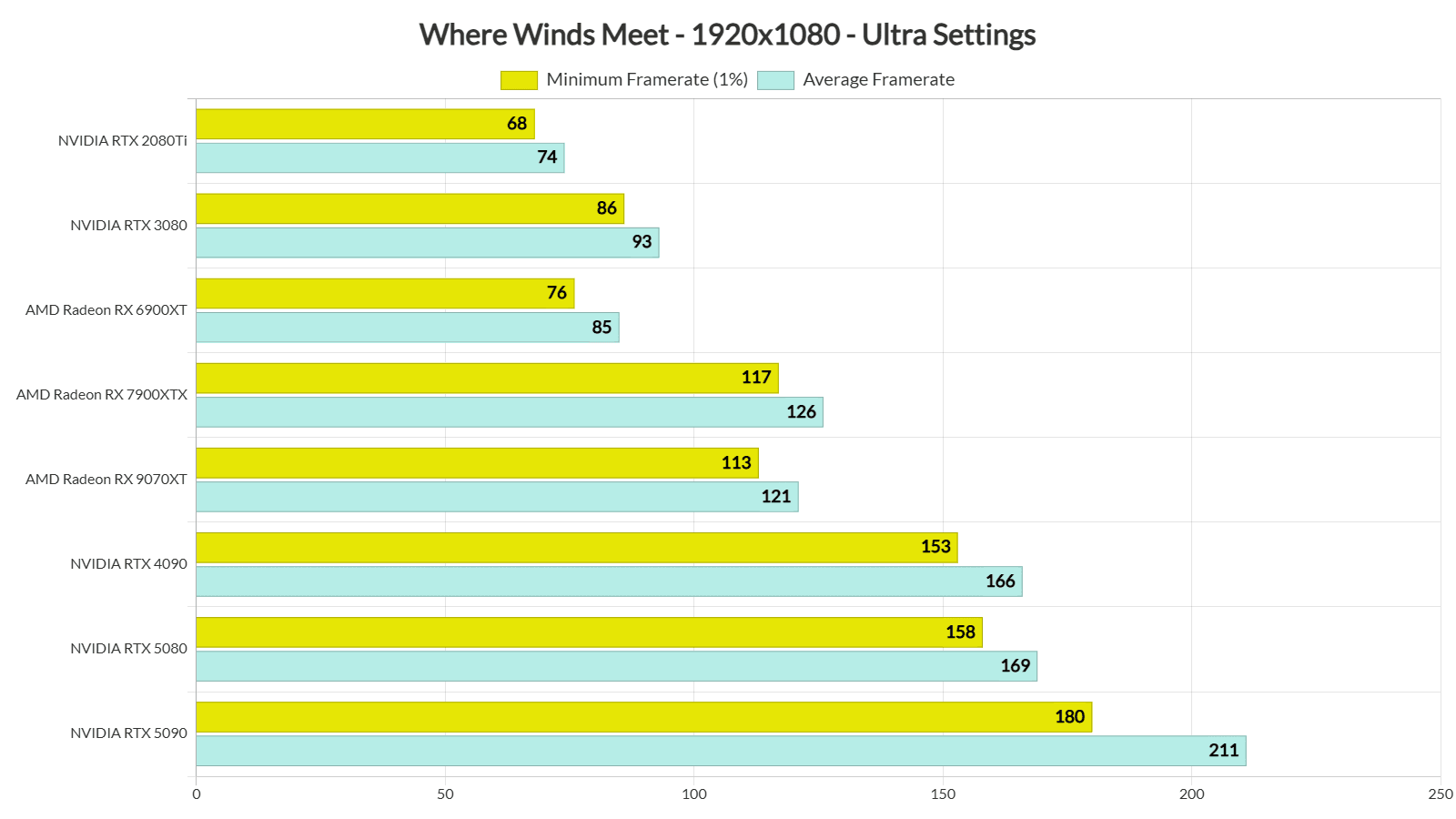
MSI Afterburner paired with RivaTuner—your FPS bible. Track frame times, GPU/CPU usage, temps. Aim for 95-98% GPU load, under 75°C, and 100GB free SSD. Use Qinghe as baseline; tweak for >60 FPS at 1080p Ultra on any decent GPU. RTX2080Ti hits 68/74 FPS stock. Get logging: 1. Install MSI Afterburner. 2. Run 10-min loops of combat and exploration. 3. Baseline your pre-tweak numbers.
Baseline Metrics to Track
Log average FPS, 1% lows, latency (Reflex drops it 10-30ms). Monitor GPU usage; Ethernet shaves network lag by 30-70ms. CPU bottlenecks cap you around 100 FPS. Post-DLSS? +40-60%. AMD trails NVIDIA here, per benchmarks. Notes: 1. Test at 1080p/1440p. 2. Re-run after patches.
Core Graphics Settings Optimization
Preset Comparisons: Low vs. Ultra
Medium preset edges High by 10-15% (thanks to Vegetation and Shadows tweaks). Ultra? 50% more CPU strain in crowded cities. Biggest wins: Volumetric Clouds off, Vegetation Medium. DLSS Quality adds 25-60%; Performance preset nets +30%. Roll it out: 1. Drop to Medium preset. 2. Clouds Off, Shadows Low, Tessellation Off. 3. Fullscreen mode.
Key Sliders for FPS Gains
Volumetric Clouds Off. Vegetation Medium. Shadows/Effects/AO/Tessellation to Low. Low Effects stops spikes, especially with +40-60% from upscaling. Tweak path: 1. Graphics menu > Volumetric Clouds Off. 2. Vegetation Medium. 3. Shadows/Effects/AO Low. 4. Tessellation Off. 5. Benchmark the uplift.
Level up your adventure with premium currency. Buffget's buy Where Winds Meet ingots: fastest top-ups, unbeatable global rates, secure transactions, 24/7 support, seamless crypto (USDC) + cards.
Upscaling Technologies and DirectX Selection
DLSS, FSR, and XeSS Implementation
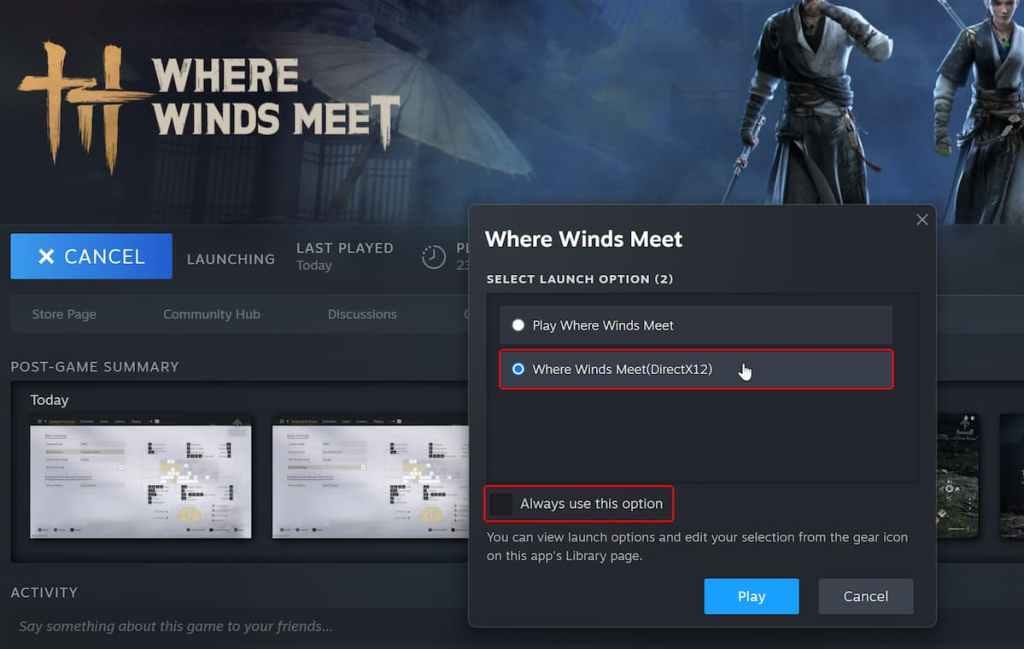
DLSS Quality renders at 1280x720 for +25-35% FPS; Frame Gen shines on RTX40. FSR Quality works everywhere. XeSS Quality suits Arc GPUs (barely any ghosting). Needs DX12—launch with -dx12. DLSS crushes FSR on RTX (+40-60% FPS). Enable: 1. DX12 > Super Resolution to DLSS Quality. 2. RTX40: Frame Gen On. 3. No RTX? FSR/XeSS Quality.
DirectX API Selection
DX12 for RTX20+/RX6000+/Arc—unlocks upscaling/Frame Gen, but hungrier on CPU. DX11 for GTX900/1000 or Polaris—rock-solid stability. Pick wisely: 1. Modern RTX/AMD: DX12. 2. Legacy gear: DX11. 3. Quick launch: -dx12.
Troubleshooting FPS/Stuttering and System Tweaks
Common Fixes for Stutters and Crashes
Clear shader cache. Swap to NVMe SSD. Verify game files. Cap cutscenes at 30 FPS. Mouse lag? V-Sync Off, Fullscreen, Reflex On (10-30ms win). Stutters in towns: NVMe, kill NVIDIA overlay, drop Effects. Fixes: 1. V-Sync Off. 2. Fullscreen. 3. Reflex On.
Thermal and Windows Optimizations
Driver FPS caps stop 90°C+ throttling. Undervolt your GPU—15-25% less heat. Target <75°C. Resizable BAR gives a nudge. Flip on Game Mode, HAGS, Balanced power plan. Kill Game Bar and Memory Integrity. Tweaks: 1. GPU software cap to refresh rate. 2. Undervolt via tools. 3. Windows Game Mode On, High Performance plan.
Advanced Hardware Tweaks
NVIDIA and Steam Deck Specifics
NVIDIA: Reflex On, Low Latency Mode Ultra. Steam Deck (60GB version): Lite graphics at 1280x800, FSR Balanced, 40 FPS/40Hz cap. Fullscreen required, V-Sync Off. Even RTX4090 dipping low? 1. Frame Gen Off. 2. Balanced Graphics. 3. Cap 90 FPS, Shadows Medium.
Low-End Hardware Survival Guide
GTX750Ti bare min: DX11, Low preset, FSR Quality. 16GB RAM? Disable UI damage effects. SSD or bust—8GB RAM fights hard. Survive: 1. Low Effects/Shadows. 2. DX11. 3. Close background apps.
FAQ
How do I increase FPS in Where Winds Meet?
Disable Volumetric Clouds, Vegetation Medium, DLSS Quality (+40-60%).
What are the best graphics settings for Where Winds Meet?
Volumetric Clouds Off, Shadows/Effects Low, DLSS Quality, Fullscreen, V-Sync Off.
Why is visibility bad in Where Winds Meet?
High Vegetation/Effects obscure; Medium Vegetation, Low AO/Shadows.
Does DLSS work in Where Winds Meet?
Yes, DX12; Quality +25-60% FPS on RTX.
How to fix stuttering in Where Winds Meet?
NVMe SSD, clear shader cache, FPS cap, DX11 legacy GPUs.
Where Winds Meet low FPS on high-end PC fix?
Cap FPS 90, Frame Gen Off, Balanced Mode, temps <75°C.