

Recommended Discounts

Xena Live Coins
As the official partner of Xena Live, Buffget offers instant Xena Live Coins top up with fast delivery. Get up to 70% off on Xena Live Coins recharge via Buffget secure, convenient, and trusted by thousands.
30% OFF
Related articles


Xena Live Moderation Guide: Kick, Mute & Spam Controls
Xena Live voice room security uses layered admin tools — kick, mute, account suspension, and reporting — plus anti-spam configs blocking repetitive messages, phishing, malware, and prohibited content. AI filters, human supervisors in high-traffic regions, and zero-tolerance policies back it all up. This guide (updated 2026.6.6) covers every tool hosts need to keep rooms safe and spam-free.
Buffget
Why Voice Room Security Can't Be Passive
An unmoderated room degrades fast. One disruptive user can derail a session in minutes — coordinated spam floods or troll raids can permanently damage community trust.
Xena Live's default settings are a starting point, not a complete solution. The platform is rated 18+, but age ratings don't stop bad actors. That responsibility falls on the host, your mod team, and the platform's enforcement systems working together. Passive hosting is your biggest security vulnerability.
For hosts investing in room growth — including fast, secure coin top-ups via Xena Live cheap recharge trusted site on buffget — protecting that investment with proper moderation is equally essential.
Admin Roles and Permission Levels
Owner vs. Co-Host vs. Moderator
The host holds the highest permission level: kick users, mute speakers, configure access settings, and set room rules. Co-hosts share primary moderation authority during live sessions. Standard users can only request mic access and submit reports.
Assigning the wrong permission level to an untrusted user creates exploitable gaps.
What Room Organizers Can Do
- Kick users immediately
- Mute disruptive speakers
- Grant or revoke mic permissions
- Manage the speaker queue
Assigning Roles Safely
Only give co-host roles to members with a proven track record in your room. Never share account credentials — account sharing is explicitly prohibited and can result in penalties for both parties.
Accessing the Admin Moderation Panel
Finding Controls During a Live Session
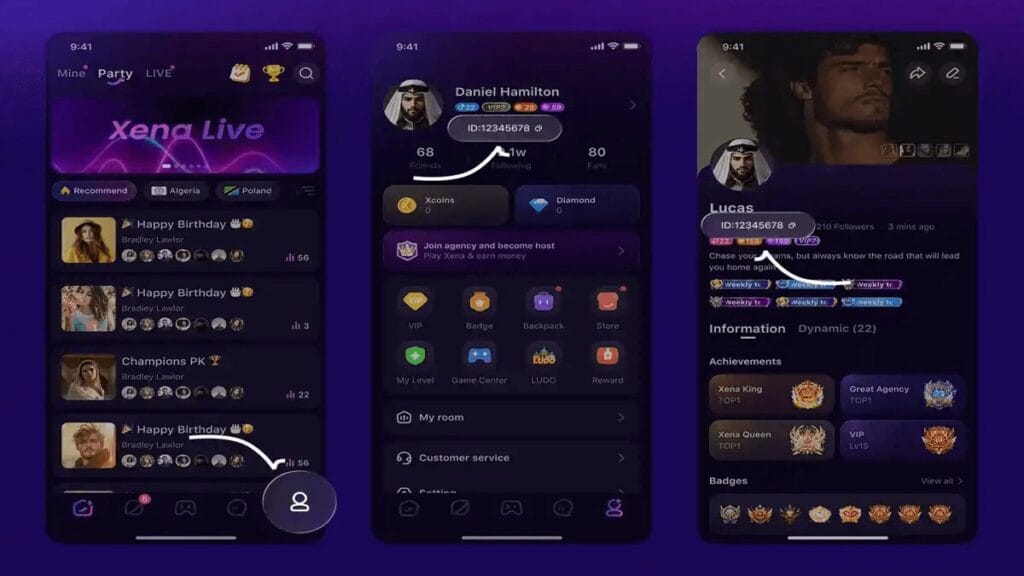
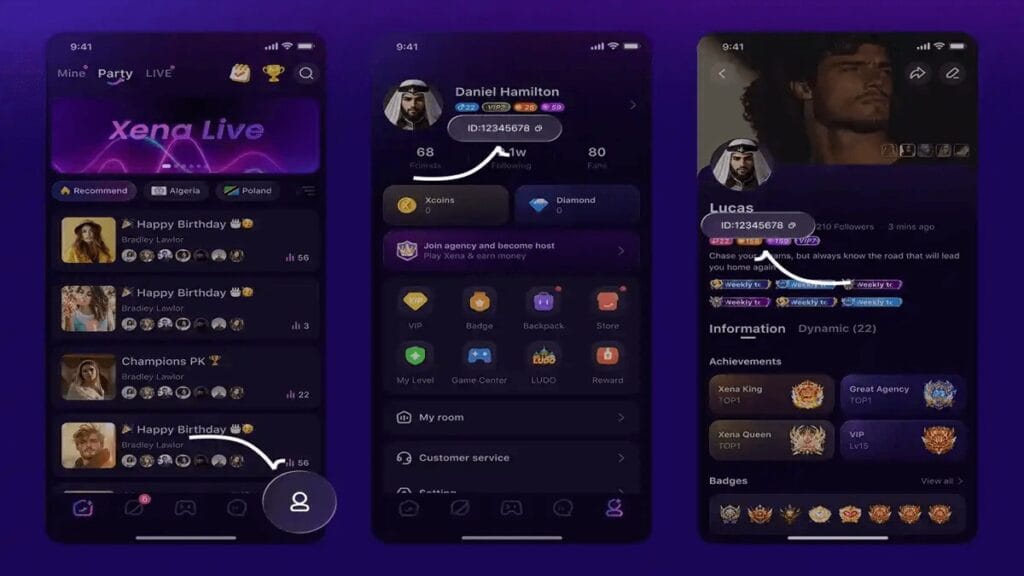
- Open your active voice room as host
- Tap a user's profile within the room interface
- Select the relevant action (mute, kick, report)
- For room-wide settings, access the room management panel from the host dashboard
- Configure access controls — password protection, room visibility — before going live
Full Moderation Toolkit
- Kick: Removes user immediately
- Mute: Silences mic without removal
- Speaker queue management: Controls mic request approvals
- Room access controls: Password protection and level-gated entry
- Reporting tools: Flags users for platform-level review
- Blocking: Prevents specific users from interacting with your account
Pro tip: Most hosts manage rooms from mobile. Learn the tap-and-hold profile shortcut for fast actions — in a live session, speed matters. Pre-configure settings before going live rather than adjusting mid-session.
Configuring Anti-Spam Settings
What the Platform Prohibits (Enforce These at Room Level)
- Repetitive messages (chat flooding)
- Advertisements or promotional spam
- Phishing attempts targeting users
- Malware or virus links
- Artificially inflating followers via fake engagement
- Selling or sharing user accounts
- Reselling VIP status
Report any of these immediately using the Live Reporting feature — they escalate beyond room-level moderation.
How the Backend Works: AI + Human Supervision
Xena Live's AI filters scan text chat and room titles for policy violations, catching high-volume spam patterns and flagged keywords automatically. In trending countries and high-traffic regions, human supervisors supplement the AI layer.
But smaller rooms don't get that extra oversight. Don't rely on platform supervision alone — active host moderation is non-negotiable.
For high-traffic hosts maintaining competitive rooms, buy Xena Live coins online securely through buffget — competitive pricing, fast delivery, secure transactions.
Managing Disruptive Users: Mute, Kick, Report
Decision Framework
- Mute first — lowest-impact response for minor or accidental disruptions; silences mic without removing the user
- Kick — when disruption continues after muting, or presence is actively harming the room
- Report — when behavior is a platform-level violation (phishing, malware, impersonation, prohibited content)
Note: For PK events, penalties include a 1-minute mute — even structured competitive formats use muting as a calibrated tool.
What a Kick Actually Does (Common Misconception)
Kicks are session-specific. They don't permanently resolve persistent offenders. Platform-level reporting is what triggers account suspension. The platform reserves the right to suspend accounts for inappropriate conduct — and suspension evasion (new accounts bypassing a ban) results in progressively longer suspensions, up to indefinite.
Access Control Features
Password Protection and Invite-Only Mode
Password-protected rooms require users to enter a password before joining — effectively invite-only for trusted members.
Critical rule: Never share room passwords via direct messages or email. This is an explicit platform guideline. Password sharing through unofficial channels creates phishing vulnerabilities. Share access only through verified, in-platform channels.
When to Lock Your Room
- During high-value sessions (special events, paid content)
- Immediately after a raid or spam attack while you regroup
- When the room is at capacity with trusted members
Level-Gated Entry
Premium rooms can require users to meet specific level thresholds before entry. This passively filters new, unverified accounts — statistically more likely to be spam or troll accounts.
Preventing Mic Bombing Through Speaker Controls
Set Up a Speaker Queue
The speaker queue is one of the most underutilized tools available. Instead of open mic requests, a managed queue forces users to request permission — and you approve or deny each one. This single change eliminates most mic bombing before it happens.
Mic Permissions as a Privilege
Establish from day one that mic access is earned, not a default right. For coordinated audio spam attacks (multiple accounts flooding the queue simultaneously):
- Close the speaker queue immediately
- Address the room via host mic
- Reopen with stricter approval criteria
Auto-Moderation vs. Manual Moderation
What AI Detects Automatically
- Text chat for prohibited language, spam patterns, policy violations
- Room titles for inappropriate terminology
- Behavioral patterns indicating artificial engagement inflation
This runs continuously in the background — no host activation required.
Where AI Falls Short
AI excels at pattern-based, high-volume spam. It struggles with:
- Context-dependent harassment using coded language
- Coordinated low-volume trolling below detection thresholds
- Social manipulation that doesn't trigger keyword filters
The Hybrid Strategy That Works
Three layers, all active:
- Platform AI filters — automatic, always on
- Human platform supervisors — active in high-traffic regions
- Your trained mod team — active every live session
Never rely on any single layer alone.
Building and Training Your Mod Team
How Many Mods You Need
- Under 50 concurrent users: 1 active mod alongside the host
- 50–200 users: 2–3 mods with defined splits (chat monitor, queue manager, reporter)
- 200+ users: 4+ mods with shift rotations to prevent burnout
What Every Mod Must Know
- Full list of prohibited behaviors: repetitive messages, ads, phishing, malware, impersonation, account selling/sharing, VIP reselling
- Escalation path: mute → kick → report
- Zero-tolerance triggers requiring immediate reporting: admin impersonation, pornography (immediate account deletion), any CSAM-related content
- Never ask for passwords via DM or email; never click unknown links shared in chat
Preventing Burnout
Rotate responsibilities across sessions. Establish a clear off-duty policy so mods can participate as community members when not actively on duty.
When Your Room Is Under Attack
Immediate Response (In Order)
- Close the speaker queue — stops mic bombing instantly
- Mute or kick the most disruptive active users first
- Enable password protection or lock the room — blocks new attackers from entering
- Activate your mod team — split duties: one handles chat, you handle audio
- Use Live Reporting — flag all involved accounts for platform-level review
Post-Incident Recovery
- Identify how attackers entered (open room, leaked password, insufficient level gate?)
- Tighten access controls based on the entry point
- Brief your mod team and update your response protocol
- Temporarily raise the level requirement if the attack came from new accounts
Report all suspension evasion attempts — each evasion escalates the original suspension length.
FAQ
Q: How do I kick or mute a user without ending the session? Tap the user's profile in the room interface and select mute or kick. Both are session-level actions — muting silences their mic, kicking removes them entirely. Neither affects the room's live status.
Q: What's the difference between kicking and reporting? Kicking removes a user from your current session only. Reporting escalates to Xena Live's moderation team for account-level review and potential suspension. For policy violations, always do both.
Q: How do I set up a password-protected room? Configure it in room settings before going live. Share the password only through verified in-platform channels — never via DM or email, which creates phishing vulnerabilities.
Q: Does Xena Live have automatic spam detection? Yes — AI filters scan text chat and room titles automatically. Human supervisors are also active in trending regions. But auto-moderation has limits; manual moderation by a trained team remains essential for context-dependent violations.
Q: What happens if a banned user creates a new account to re-enter? Suspension evasion is a platform violation. Each attempt increases the suspension length; repeated evasion leads to indefinite suspension. Report suspected evasion accounts via Live Reporting.
Q: What triggers immediate account deletion? Posting pornographic content results in immediate account deletion. Admin impersonation and any CSAM-related content carry zero-tolerance enforcement. Report these immediately — don't attempt to handle them at room level alone.
buffget gives Xena Live hosts the edge they need — competitive pricing, fast delivery, and secure coin top-ups that keep your room active and your community thriving. Keep your room secure and always one step ahead.