

Recommended Discounts

Bigo Live Diamonds
Top up Bigo Live Diamonds in seconds! Just enter your Bigo Live user ID, select the value of Diamonds you wish to purchase, complete the payment, and the Diamonds will be added immediately to your Bigo Live account.
47.57% OFF
Related articles


Bigo Live Account Recovery: Fix Bans & Frozen Diamonds
Submit appeals via in-app feedback or email feedback@bigo.tv / cs@bigo.tv with your User ID, transaction records, and government-issued ID. Device ban appeals must be filed within 3 days. Frozen Diamond wallet restorations take 7–14 working days. Complete documentation on the first attempt dramatically improves success rates — duplicate tickets hurt your case.
Buffget
Understanding Bans and Frozen Wallets
Account recovery is the formal process of restoring a suspended account or unlocking a frozen Diamond wallet through official channels. Knowing exactly which issue you're facing matters — each has a different recovery path.
Device Ban vs. Account Ban vs. IP Ban
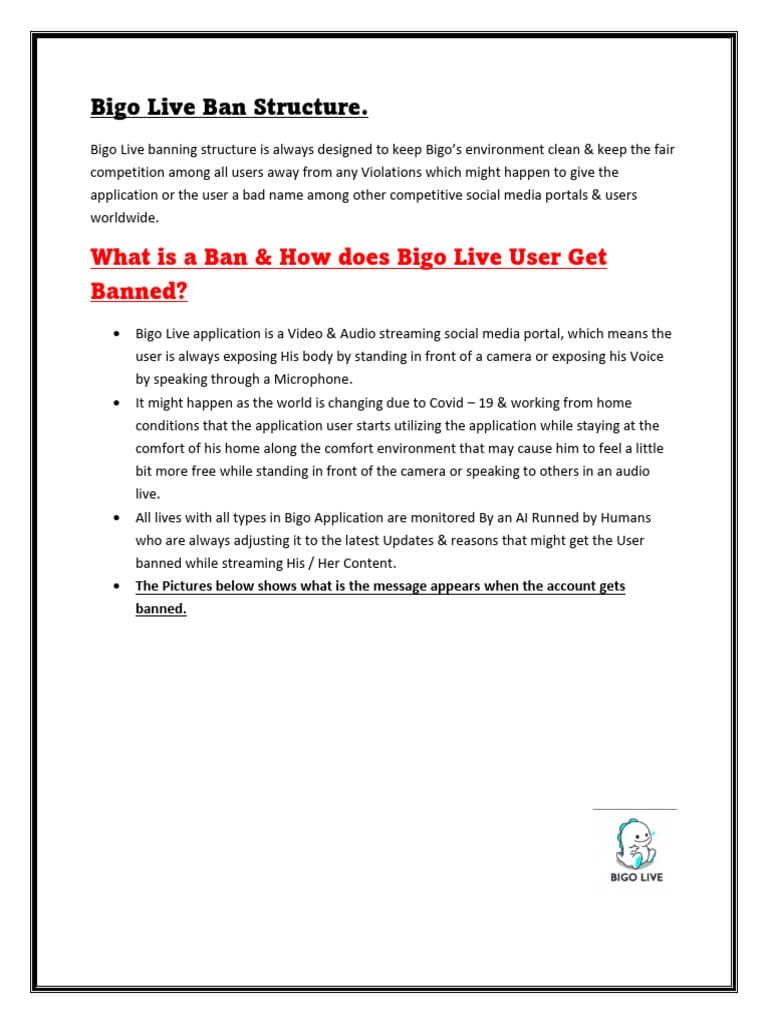
- Device ban: Targets hardware identifiers. A banned device blocks access even on new accounts.
- Account ban: Suspends a specific Bigo ID without restricting the device itself.
- IP ban: Blocks network-level access. Using a VPN triggers additional flags — it won't bypass restrictions.
If you see Account Appeal or Unban Account after logging out and back in, you're dealing with an account-level restriction, not a device ban. Misidentifying this is one of the most common reasons appeals fail.
What a Frozen Diamond Wallet Actually Means
Your Diamond balance is locked but not lost — it remains in your wallet pending review. Gifting, Bean conversions, and streamer earnings tied to those Diamonds are suspended until the freeze lifts. For hosts, this directly interrupts Bean accumulation and gift revenue. Resolving within the 3-day appeal window minimizes income disruption.
Why Bigo Live Issues Device Bans
- Policy violations: Inappropriate content, harassment, and coordinated spam trigger automatic device restrictions after repeated account-level warnings.
- Third-party tools: Apps that manipulate Diamond counts, automate gifting, or modify the app are a primary ban trigger. Behavioral pattern analysis detects anomalies in interaction timing and transaction sequences.
- Suspicious logins: Multiple accounts from one device in short timeframes, or geographically inconsistent access, raises immediate flags.
How the AI review works: Automated scan completes within 24–48 hours. Human review begins days 3–5. Secondary review runs days 6–10. Appeals submitted within the first 48 hours have the highest chance of resolution before escalation.
Why Your Diamond Wallet Gets Frozen
- Chargeback disputes: Filing a chargeback triggers an immediate wallet freeze — the entire balance is locked, not just the disputed amount.
- Suspicious top-ups: Accounts under 30 days old face elevated scrutiny. Initial recharges exceeding $50 USD on accounts younger than 30 days are a known freeze trigger.
- Security flags: Unauthorized login attempts, password resets from unrecognized devices, or sudden phone number changes trigger automatic freezes as a protective measure — not a punishment.
Safe recharge pattern: Start with $5–10 USD, space purchases 24–48 hours apart, and avoid any single recharge exceeding $100 USD within the first 30 days.
For safe top-ups after recovery, buy Bigo Live Diamonds third-party safe through buffget — verified Diamond recharges with competitive pricing and fast delivery trusted by players globally.
How to Appeal a Device Ban: Step-by-Step
Step 1: Gather Documentation
- BIGO ID (8–12 digit code starting with ID)
- Registered email and phone number
- Screenshots of the ban notification
- Transaction history and payment confirmations
- Government-issued ID matching your payment account name
File formats: JPG, PNG, or PDF — max 5 files at 10MB each for in-app. Compress email attachments under 25MB total.
Step 2: Access Official Support
- In-app: Settings > Feedback > Account Issues > Frozen Balance > Unfreeze My Account
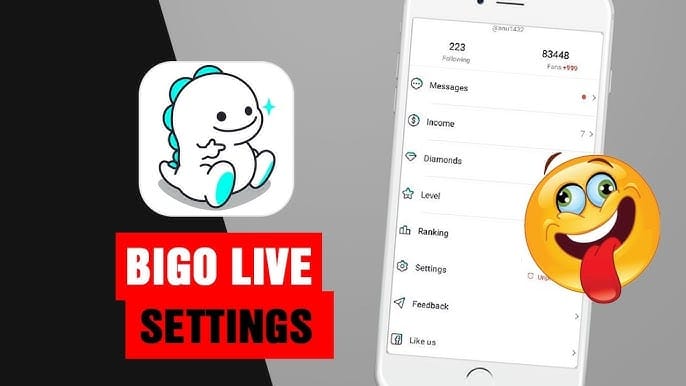
- Email: feedback@bigo.tv or cs@bigo.tv
- Phone: +65 63519330, GMT+8, Monday–Friday, 9AM–6PM
For ban appeals: log out, wait 5 minutes, log back in, then select Account Appeal or Unban Account.
Step 3: Write an Effective Appeal
Subject line for frozen wallets:Frozen Diamond Balance - [Your User ID]Subject line for hacked accounts:Emergency Account Recovery - Hacked Account Without Phone Access - [Your BIGO ID]
Your message must include: User ID, registered email, phone number, transaction date and amount, payment method, and freeze discovery date.
Pro tip: Attach a handwritten note stating I am [Full Name] requesting recovery of BIGO ID [Number] on [Current Date]. ID photos need good lighting, plain background, legible text, visible corners, no glare, plus a selfie holding the ID next to your face.
Step 4: While You Wait
Automated logging: days 1–2. Human review: days 3–5. Don't submit duplicate tickets — this resets your queue position and flags spam behavior. Monitor your registered email and respond promptly to verification requests.
Step 5: If Your First Appeal Fails
Wait 30 days before submitting a secondary appeal. Paid options:
- Class B self-unbanning: $145 USD, 3 working days, 70–80% success rate
- Class A unban service: $175 USD, 3–5 business days
Post-reinstatement accounts enter a 30-day probation period — any further violations result in permanent action.
How to Restore a Frozen Diamond Wallet
The in-app resolution path has a 24% success rate. Most complex cases require email escalation. Identify your freeze cause first — payment dispute, security flag, or suspicious activity — as this determines which documentation to prioritize.
Required Documentation
- Payment confirmation emails from your provider
- Bank or payment app screenshots showing the transaction
- Screenshot of your BIGO Diamond wallet showing the frozen balance
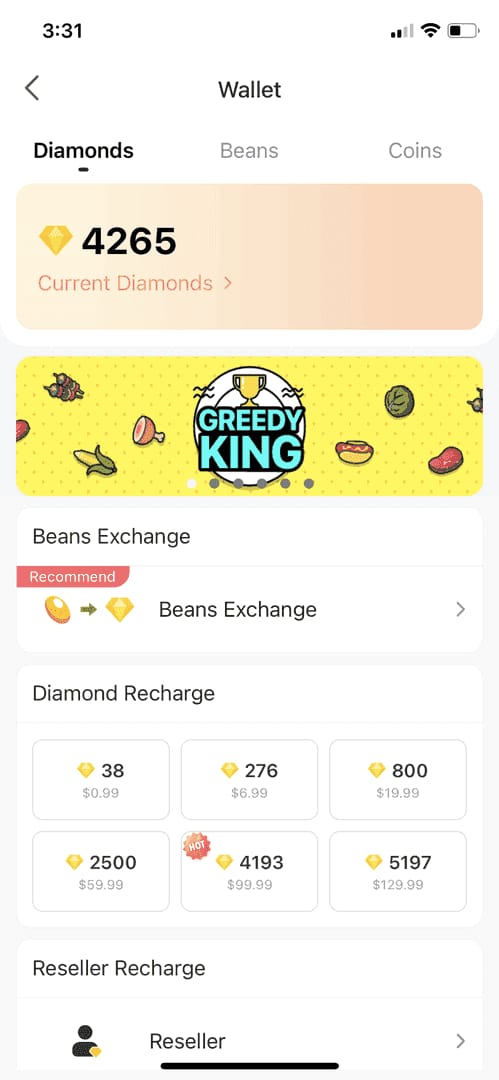
- Specific transaction ID from the purchase in question
- Government ID matching the name on the payment account
Submission Path
In-app: Settings > Feedback > Account Issues > Frozen Balance > Unfreeze My Account
Email: Subject line Frozen Diamond Balance - [Your User ID] to feedback@bigo.tv. Body must include: User ID, registered contact details, transaction date, amount, payment method, and freeze discovery date.
Review Timeline
- Days 1–2: Automated case logging
- Days 3–5: Initial human review
- Days 6–10: Secondary review for complex cases
- Total: 7–14 working days
Complete documentation on the first attempt is the single most effective way to avoid the secondary review tier.
Appeal Mistakes That Get You Rejected
- Incomplete information: Missing a single required field — transaction ID, freeze discovery date — is grounds for automatic rejection. Cross-check every field before submitting.
- Duplicate tickets: Resets your queue position and signals spam behavior. One well-prepared submission beats five incomplete ones.
- Emotional language: Appeals reviewed by human agents respond to factual, organized presentations. Threats of legal action in initial appeals get deprioritized. Stay neutral and professional.
- Wrong violation type: Submitting a device ban appeal through the frozen wallet channel routes your case to the wrong team, causing significant delays. Confirm your issue type first.
Post-Recovery: Protecting Your Account
Security Settings to Enable Immediately
- Verify phone number via SMS code
- Upload government ID for identity verification
- Link social media accounts
- Enable two-factor authentication on your registered email
A complete, verified profile reduces future automated flags significantly.
Safe Top-Up Practices During Probation
- Start with $5–10 USD recharges only
- Space each recharge 24–48 hours apart
- No single transaction exceeding $100 USD for the first 30 days
- Disable VPN before any recharge
For reliable Diamond top-ups that won't trigger payment anomaly flags, cheap Bigo Live recharge global is available through buffget — fast delivery, secure transactions, and pricing that works across all regions.
Behavioral Guidelines
- Maintain consistent logins from the same device and location for 7–10 days post-recovery
- Avoid all third-party tools, automation software, or modified app versions
- Review Bigo Live's Community Guidelines periodically — enforcement policies update regularly
- Check Diamond transaction history weekly during probation; report unexplained balance changes immediately
Frequently Asked Questions
Q: How long does Bigo Live account recovery take? Frozen Diamond wallet restorations: 7–14 working days. Ban appeals: automated logging days 1–2, human review days 3–5, secondary review days 6–10. Paid unban services (Class A/B) resolve in 3–5 business days.
Q: What happens to my Diamonds during a freeze? Balance is preserved — not deducted. Spending and gifting are disabled until the freeze lifts. Full wallet access including transaction history restores once resolved.
Q: Can I recover my account after a permanent ban? Yes. Class A unban service ($175 USD, 3–5 business days) or Class B self-unbanning ($145 USD, 3 working days, 70–80% success rate). Secondary appeals after rejection require a 30-day wait. Reinstated accounts enter 30-day probation.
Q: What information do I need for a ban appeal? BIGO ID (8–12 digit code), registered email and phone, ban notification screenshot, transaction records, payment confirmation, and government-issued ID matching your payment account name. Compress email attachments under 25MB.
Q: Does using a VPN cause a device ban? VPN use during recharges or logins creates geographic inconsistency flags that trigger restrictions. Always disable VPN before recharging or logging in — especially during the first 30 days or post-recovery probation.
Q: What if my appeal is denied? Submit a secondary appeal 30 days after rejection. Include additional evidence not in your original submission. Paid unban services (Class A or Class B) offer an alternative path with defined success rates.
Ready to safely top up after recovering your account? Visit buffget for fast, secure, verified Diamond recharge — trusted by thousands of Bigo Live players worldwide. Recharge now and get back to gifting, streaming, and earning.