

Recommended Discounts

StarMaker: Sing Karaoke
As the official partner of StarMaker: Sing Karaoke, Buffget offers instant StarMaker: Sing Karaoke Coins top up with fast delivery. Get up to 70% off on StarMaker: Sing Karaoke Coins recharge via Buffget secure, convenient, and trusted by thousands
20% OFF
Related articles



Fix StarMaker Bluetooth Lag on iPhone 12/13 Pro & Galaxy Buds+ iOS 17
StarMaker Bluetooth lag hitting headphones? Echo, delays, sync glitches on iPhone 12/13 Pro (iOS 15/17), Samsung + Galaxy Buds+ (reports from Jan 3, 2024). Fixes: permissions tweaks, iOS updates, gaming mode, headphone swap, contact devs!
Buffget
StarMaker audio lag hitting your Bluetooth headphones hard? We're talking echo, voice delays, sync glitches, and routing fails—especially on iPhone 12 Pro (iOS 15/17), iPhone 13 Pro, or Samsung paired with Galaxy Buds+. These popped up in reports around January 3, 2024. Quick fixes? Permissions tweaks, iOS updates, Samsung's gaming mode, headphone swaps, even pinging the devs.
What the Heck is Audio Lag in StarMaker—and Why Bluetooth Headphones?
Bluetooth latency sneaks in, messing with input-output sync during StarMaker sessions on Galaxy Buds+, AirPods, or Samsung Buds Pro. On iPhone 12 Pro? Echo and voice delays plague both wired and Bluetooth. iPhone 13 Pro on iOS 17? Bluetooth routing just ghosts on song start—defaults to internal speakers only. Weirdly, Samsung J7 Pro with Buds+? Zero lag.
- Symptoms: Echo mid-sing, no audio on 'tap to start' via Bluetooth.
- It's picky: Recorded songs or device audios blast fine through Bluetooth.
- Fallback? Crank the internal speaker for testing.
Ever wonder why live karaoke tanks but playback sails smooth? Bluetooth's real-time demands expose the cracks.
Diagnosing StarMaker Audio Lag on Your Setup
Blame app processing quirks, wonky permissions, or iOS 15/17 Bluetooth fails that hit selectively at song start. iPhone 12 on iOS 15 skips wired-to-external routing; iPhone 13 Pro on iOS 17 blocks Bluetooth post-January 3, 2024. Shows up cross-app in WeSing or TikTok too.
- Permissions first: iOS Settings > StarMaker > Flip on microphone, Bluetooth, audio, background refresh.
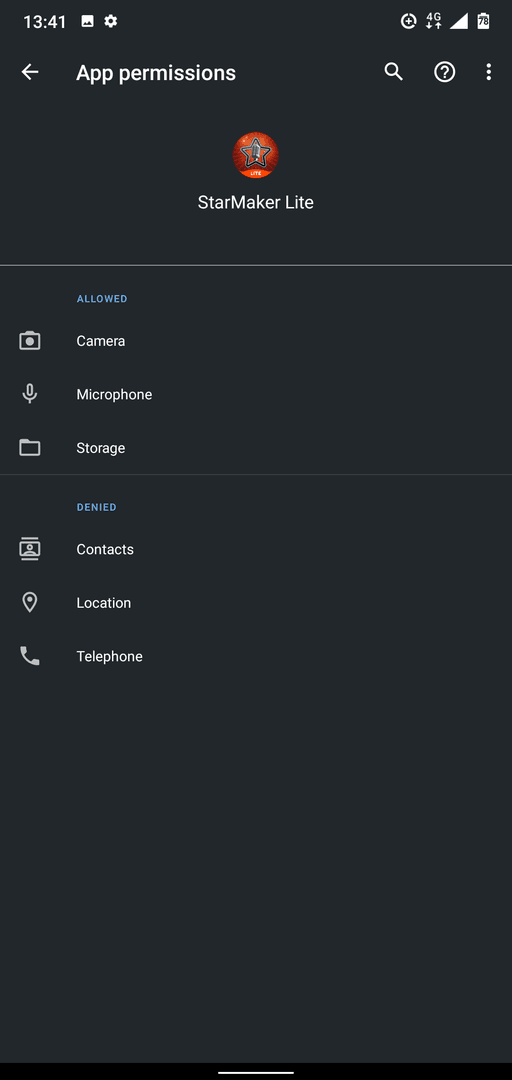
- Wired headphones test: Pins down hardware vs. app drama.
- If other audios work but StarMaker flops? Reconnect Bluetooth.
Pro tip for killer StarMaker nights: buy StarMaker coins online through Buffget—cheapest rates, instant drops, secure vibes, crypto (USDT/ETH) or cards, killer user scores. (Editor note: I've topped up here mid-grind; seamless.)
Common Causes and Symptoms Across Devices
Bluetooth protocol lag spikes on app song-start triggers. Galaxy Buds+: Input sync bombs during lives. AirPods and Samsung Buds Pro echo the pain; Samsung J7 Pro? Nailed it, no issues. Gaming mode dials it back—but doesn't erase it.
- Symptoms: Echo/voice delay/sync on iPhone 12 Pro; zero Bluetooth audio at song init on iPhone 13 Pro iOS 17; wired echo vs. Bluetooth pickiness.
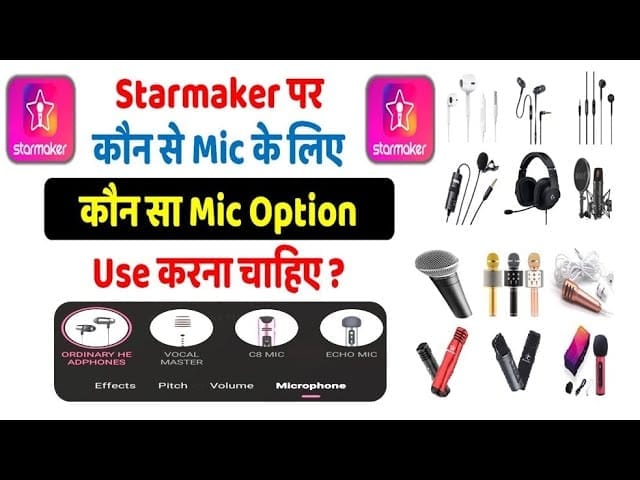
- Isolate: Play recorded songs via Bluetooth.
- Cross-device test: Spot the variances.
iOS-Specific Fixes for StarMaker Bluetooth Routing
iOS 15/17 clamps output—no per-app toggles, sticks to internal speakers. iPhone 12 Pro: Wired echo city. iPhone 13 Pro: Bluetooth craters per that January 3, 2024 report; old iOS amps the sync woes.
- Update iOS: Settings > General > Software Update.
- Permissions: Settings > StarMaker > Toggle microphone/audio/Bluetooth.
- Pre-song check: Test routing stability; reconnect as needed.
Short and sweet: Updates fix more than you'd think.
Samsung and Android Tweaks for Sliced Latency
Samsung's gaming mode cranks down the latency profile. Galaxy Buds+: Laggy sings. J7 Pro: Butter smooth.
- Gaming mode on: Settings > Connections > Bluetooth > Headset > On.
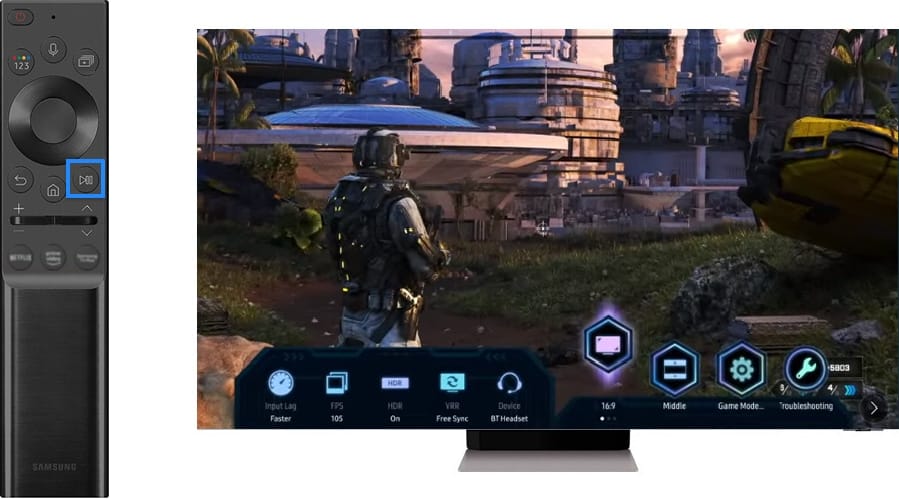
- Headphone swap: Rule out hardware gremlins.
- Baseline it on J7 Pro.
Level up your StarMaker game with StarMaker global top up on Buffget—blazing recharges, price kings, full payments (Binance Pay, Gate Pay, Bitcoin), top-notch support. (My take: Beats in-app hassles every time.)
Advanced Testing and Verification Steps
Hardware or app triggers spark these inconsistencies. Wired? Echo flags the issue. Bluetooth? Playback wins, initiation loses. iPhone 12/13 Pro flop; Samsung J7 Pro owns it.
- Recorded vs. new songs on Bluetooth.
- iPhone 12/13 Pro showdown vs. J7 Pro.
- Swap 'em: Wired/Bluetooth headphones.
When to Escalate to StarMaker Support
If it sticks, app limits are likely culprits—threads shut January 3, 2024. No external speaker toggle either.
- In-app report: Detail symptoms (iOS 17 Bluetooth fail).
- Dev site: Push for audio/Bluetooth patches.
- Apple Community: Drop logs, rally the crowd.
FAQ
Why does StarMaker lag with Bluetooth headphones?
Bluetooth protocol delays hammer real-time apps; iOS 15/17 on iPhone and Samsung Galaxy Buds+ crank it up.
How to reduce audio delay in StarMaker karaoke?
Fire up Samsung gaming mode (Settings > Connections > Bluetooth > Headset > On); iOS update; microphone/Bluetooth permissions.
StarMaker audio lag on iPhone after update?
iOS 17 on iPhone 13 Pro blocks Bluetooth at song start—permissions check, reconnect, wired test.
Does wired headphones fix StarMaker lag better than Bluetooth?
Wired echo on iPhone 12 Pro isolates it; Bluetooth flops on live starts, but internal speaker holds.
StarMaker Bluetooth no audio on song start?
iOS 17 as of January 3, 2024: Reconnect, test recorded songs, hit up the developer.
Best fix for StarMaker echo and sync issues?
Permissions, iOS update, Samsung gaming mode; test headphones/devices.