

Recommended Discounts

Genshin Impact
Fast, cheap Genesis Crystals, Primogems & Welkin Moon sent straight to your Genshin UID.
Related articles


Genshin Impact Wish History Export: Safe & Ban-Free Guide
Exporting your Genshin Impact wish history is safe and ban-free when done correctly. The method uses a read-only authkey URL generated by the game itself — no third-party login, no script injection, no credential sharing. Servers retain wish data up to one year (expanded in Version 4.5), but only the most recent six months are retrievable. Export regularly or lose that data permanently.
Buffget
What Is a Genshin Impact Pity Tracker and Why Export Your Wish History?
Pity Explained: Soft Pity, Hard Pity, and the 50/50 Guarantee
Pity is the pull-count mechanism guaranteeing increasingly favorable odds as you approach specific thresholds.
Character Event Wish:
- Base 5-star rate: 0.6% | Effective rate: 1.6%
- Soft pity starts at pull 74
- Hard pity cap: 90 pulls
- 50/50: first 5-star has 50% chance of being featured; lose it, next is guaranteed featured
Weapon Event Wish:
- Base 5-star rate: 0.7% | Effective rate: 1.85%
- Soft pity starts at pull 63
- Hard pity cap: 80 pulls
- Featured 5-star after guarantee: 75% (Epitomized Path system)
Every banner type — Character Event Wish, Weapon Event Wish, Standard Wish, Chronicled Wish, and Beginners' Wish — tracks pity independently. A 4-star is guaranteed every 10 pulls across all banners. Without an accurate tracker, you're planning blind.
What Exporting Wish History Actually Means
Exporting captures the authenticated URL the game generates when you open the in-game wish log. This URL contains a temporary authkey granting read-only access to your pull records — banner type, timestamp, item name, rarity. No write access. No credentials transmitted. The game creates this URL; you're capturing and reusing it.
For players maximizing Primogem efficiency, best price Genshin Impact Wish top up is available on buffget — competitive pricing and fast delivery for Genesis Crystals.
The 6-Month Expiration Problem
HoYoverse expanded server-side retention to one year as of Version 4.5, but the in-game interface only surfaces the past six months. Pulls older than six months can't be retrieved — even if they exist server-side. If you've never exported and your oldest pulls are approaching that window, that data is gone. Export regularly, not just when you remember.
Will Checking Your Wish History Get You Banned?
Authkey Access vs. Cheat Tools
Cheat software modifies game memory, injects code, or automates gameplay — all ToS violations. The authkey method does none of this. It reads from an endpoint the game itself exposes, using a token the game itself generates. Think of it as reading your own bank statement, not accessing the bank's internal systems.
Risk level by method:
- UID only: Zero risk — UID is public information
- Authkey URL (read-only): Minimal risk — temporary, read-only, game-generated, expires in 24 hours
- Account login credentials shared with third party: High risk — never do this
What You Should Never Do
- Share your account login credentials with any external platform or person
- Use tools that inject code into the game process or automate in-game actions
The authkey method avoids both completely. Its 24-hour auto-expiry means even an intercepted URL has an extremely narrow utility window.
How to Get Your Wish History URL on PC and Android
PC (Windows): PowerShell Method
- Launch Genshin Impact and open the wish history screen via Paimon's Menu
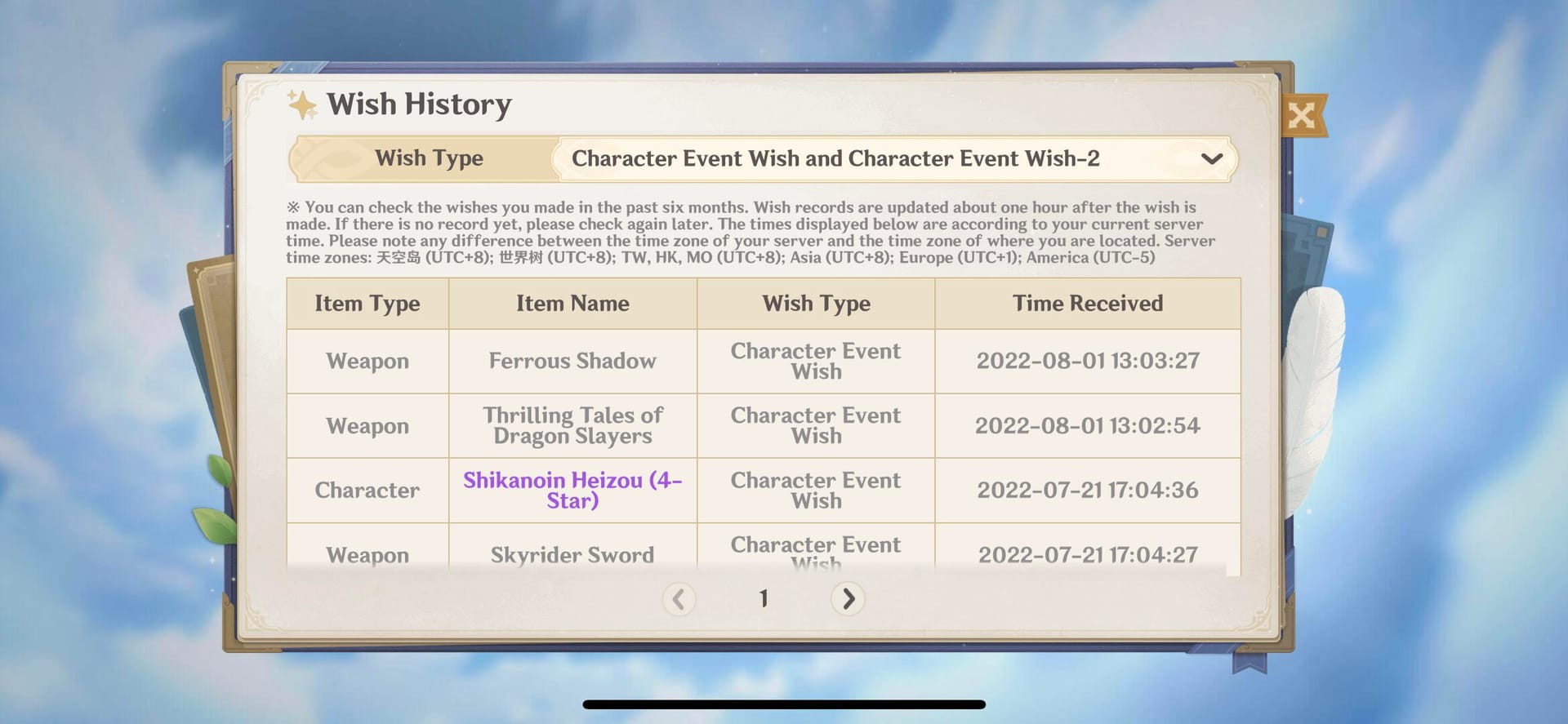
- Let the wish history page fully load — this writes the URL to local logs
- If using multiple accounts, restart and log into the correct account first
- Open PowerShell
- Run:
Set-ExecutionPolicy Bypass -Scope Process -Force - Run:
[Net.ServicePointManager]::SecurityProtocol = [Net.ServicePointManager]::SecurityProtocol -bor 3072 - Run:
iex (New-Object Net.WebClient).DownloadString('getlink.ps1')— copies the wish history URL to clipboard - Paste the URL into your pity tracker
The script reads from a local log file only. It doesn't connect to external servers or modify game files.
Android: ADB Logcat Method
First, enable Developer Options: go to Settings > About Phone, tap Build Number seven times.
- Enable USB Debugging in Developer Options
- Android 11+: enable Wireless Debugging if preferred
- Android 10 and below: use port 5555 for ADB connection
- Open wish history in Genshin Impact and let it fully load
- Run:
adb logcat -m 1 -e 'OnGetWebViewPageFinish.+https.+/log' - The command captures the wish history URL from system logcat as it appears in the webview
This reads from Android's standard developer tool — no game data is modified.
iOS: The network proxy method (local proxy intercepting the webview request) follows the same read-only principle. PlayStation 5: Wish history is viewable in-game; URL extraction requires routing through a secondary device, but the in-game history page remains accessible for manual counting.
Understanding Your Exported Wish History Data
Reading Pull Timestamps and Finding Your Pity Count
Your exported history lists every pull in reverse chronological order, tagged by banner type. To find your current Character Event Wish pity: filter to that banner, count backward from your most recent pull to the last 5-star. That number is your pity. Last 5-star was 23 pulls ago? You're at pity 23 — soft pity begins at 74.
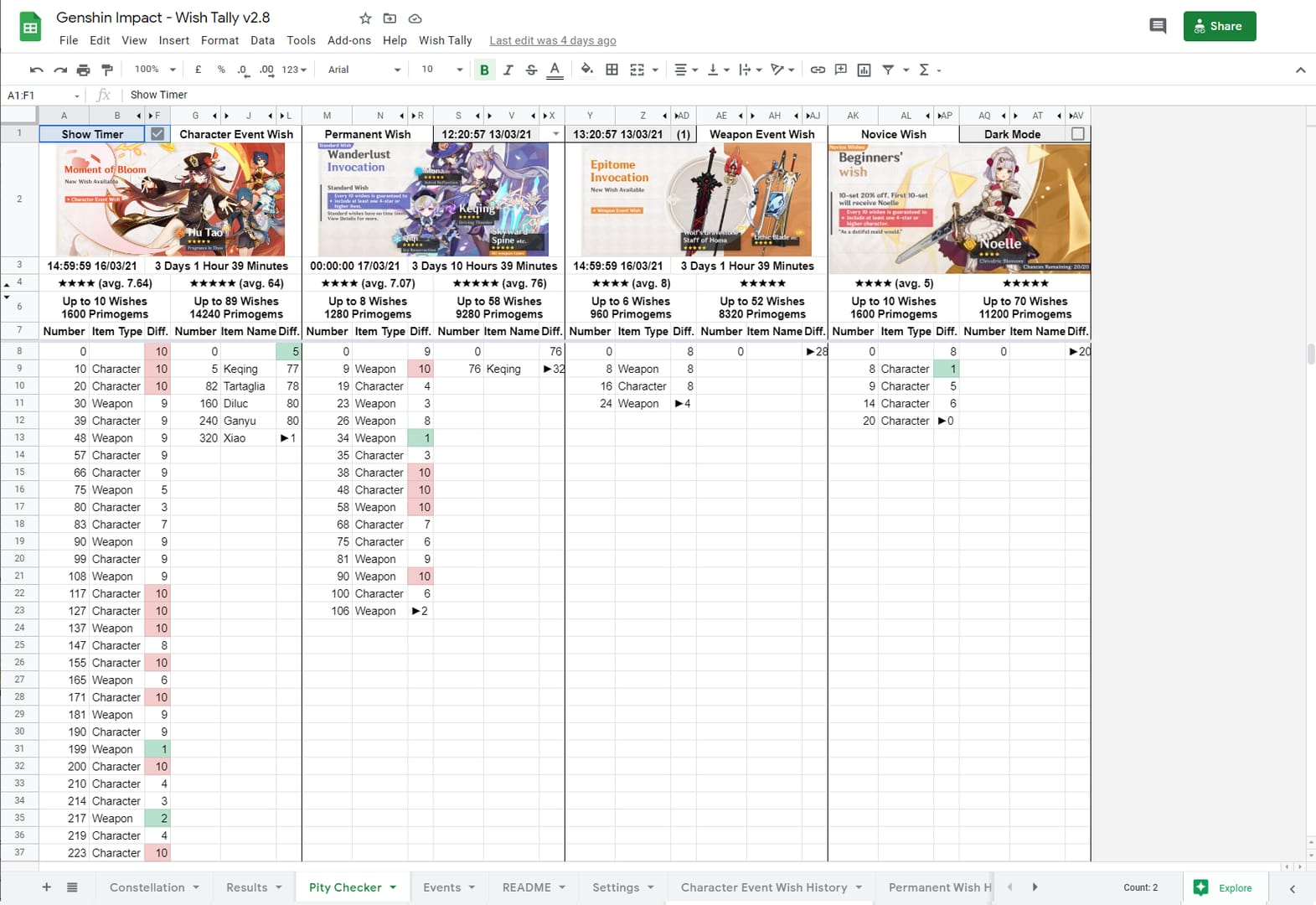
Key data points in every exported entry:
- Item name and rarity (3-star, 4-star, 5-star)
- Pull timestamp (date and time)
- Banner type (each tracked separately)
- Sequential pull position within that banner
Knowing your exact pity is the difference between budgeting 14,400 Primogems (90 pulls at hard pity) and realizing you only need 9,600 because you're already at pity 30. For keeping your Primogem budget optimized, safe Genshin Impact Genesis Crystals recharge through buffget offers secure transactions, high user ratings, and reliable fast delivery.
Calculating Your 50/50 Status
After identifying your last 5-star on Character Event Wish, check whether it was the featured character or a standard 5-star. Standard 5-stars are: Diluc, Jean, Qiqi, Mona, Keqing, Tighnari, or Dehya. If your last 5-star was one of these, you're on guaranteed — next 5-star will be the featured character. If it was the featured character, you're on 50/50.

What the Authkey Can and Cannot Access
The authkey grants read-only access to your wish log entries — nothing else. It cannot:
- Log into your account
- Access your password or email
- Modify any account data
- Make purchases or spend Primogems
- View personal information beyond pull records
It doesn't contain your UID in a usable login form and expires automatically within 24 hours.
Privacy best practice: Don't post your full wish history URL publicly. It's not catastrophically dangerous given the 24-hour expiry, but there's no reason to share it. Generate a fresh URL each time you update your tracker.
Common Mistakes When Tracking Pity
Waiting too long and losing data to the 6-month cap. The six-month retrieval window is a hard limit. Export after every banner cycle ends — it takes under two minutes.
Confusing UID sharing with authkey sharing. Your UID is public; sharing it carries zero risk. Your authkey URL is a temporary credential — treat it with basic caution.
Counting pity across banner types. Character Event Wish, Weapon Event Wish, Standard Wish, and Chronicled Wish each have independent pity counters. Always filter by banner type. Combined totals produce completely wrong numbers.
Using trackers that require account login credentials. The authkey method requires no login credentials. If a tool asks for your HoYoverse username and password, don't use it.
Troubleshooting: Wish History URL Not Working
Authkey timeout error: URL was generated more than 24 hours ago. Return to the in-game wish history page, let it fully load, and re-run extraction for a fresh authkey.
Blank or incomplete data: On PC, ensure the wish history page fully loaded before running the PowerShell script. On Android, confirm USB Debugging is active and ADB is connected before opening wish history.
Data permanently lost: Pulls older than six months that were never exported can't be recovered. Establish a regular export habit going forward — after each banner ends or at minimum once per month.
Recent pulls missing: Wish history updates on a 24–48 hour cycle. If your most recent pulls aren't showing, wait and re-import the URL.
Pro Tips From Experienced Players
Export after every banner ends, not just when you pull. Banner end dates are fixed and predictable. Make it a post-banner ritual.
Calculate exact Primogem requirements. At 60 pity on guaranteed, your worst-case to guarantee the next featured 5-star is 30 pulls — 4,800 Primogems. Precise targets beat vague save as much as possible goals.
Track all four banner types simultaneously. Standard Wish pity carries over indefinitely and is easy to neglect — but it matters when you're approaching 90 pulls on that banner.
Let the wish history page fully load before extracting. A common failure point is closing the page before the webview registers the URL in the log. Wait until actual pull entries appear before switching to your extraction tool.
Frequently Asked Questions
Q: Can using a pity tracker get you banned? A: No, when using the authkey URL method. It reads from a game-generated, read-only endpoint without modifying files, injecting code, or automating gameplay. Tools requiring account login credentials or modifying game processes are a different matter — avoid those.
Q: How long does Genshin Impact keep wish history? A: Servers retain data up to one year as of Version 4.5. But the in-game interface and retrieval methods only surface the most recent six months. Data older than six months can't be retrieved through any standard method.
Q: Is the authkey safe to share? A: It's a temporary, read-only token that expires within 24 hours. It can't log into your account or modify data. Avoid sharing it publicly as general best practice, but its short expiry limits risk significantly.
Q: Does pity carry over when a banner ends? A: Yes — between banners of the same type. Character Event Wish pity persists from one character banner to the next. It doesn't transfer between different banner types; Character Event Wish and Weapon Event Wish pity are always tracked separately.
Q: Why did my wish history disappear? A: Most likely the six-month retrieval limit. Pulls older than six months drop out of the accessible window. If you didn't export before that threshold, those records aren't recoverable. Export regularly going forward.
Q: How do I check pity without a tracker? A: Open in-game wish history for the specific banner type. Count backward from your most recent pull to the last 5-star entry. That count is your current pity. Soft pity begins at pull 74 for Character Event Wish and pull 63 for Weapon Event Wish — odds increase meaningfully once you cross those thresholds.
buffget offers a privacy-first approach to Genesis Crystals recharge — secure transactions, competitive pricing, and fast delivery so your Primogem planning stays on track.