

Recommended Discounts

PUBG Mobile UC (Global)
Official Midasbuy Partner. Get 30% OFF UC Top Up. Not for Japanese / Korean / Taiwan / Vietnam servers. Fast, secure, and the lowest price guaranteed.
29.4% OFF
Related articles


PUBG Mobile Peeker's Advantage: Complete Desync Guide
Peeker's Advantage gives the moving player a 0.3–0.8 second visibility lead over a stationary defender due to client-server desync. In 20ms lobbies (50Hz tick rate), this window is most exploitable. Master pre-fire mechanics, head-level crosshair placement, and steady 60–80ms ping to turn network physics into a ranked advantage — from Platinum to Conqueror.
Buffget
What Is Peeker's Advantage in PUBG Mobile?
When you peek a corner, your device sends your new position to the server. The server processes it, then relays the update to your opponent's device. During that relay window, you already have a visual on the enemy while they're still looking at an empty corner.
Your client renders your own movement instantly (client-side prediction). The defender's client only updates when the server pushes your new position data — creating a structural delay where you get a free visual head start on the gunfight.
This isn't a bug or cheat. It's network physics. Calling it unfair is like calling a fast-break in basketball unfair — it's a structural feature, and understanding it separates Conqueror-tier players from everyone else.
How PUBG Mobile's Architecture Creates the Desync Window
PUBG Mobile runs at 50Hz in competitive lobbies — one game state update every 20ms. Each tick, the server collects position data, resolves hit registration, then broadcasts updated states back. Your ping determines how large your desync window actually is.
Critical insight: A steady 60–80ms ping outperforms a fluctuating 40–140ms connection. Inconsistent latency makes pre-fire timing unreliable. Stability beats raw speed.
The Science Behind 20ms Lobbies
What Actually Happens During a Peek
Here's the millisecond-by-millisecond sequence:
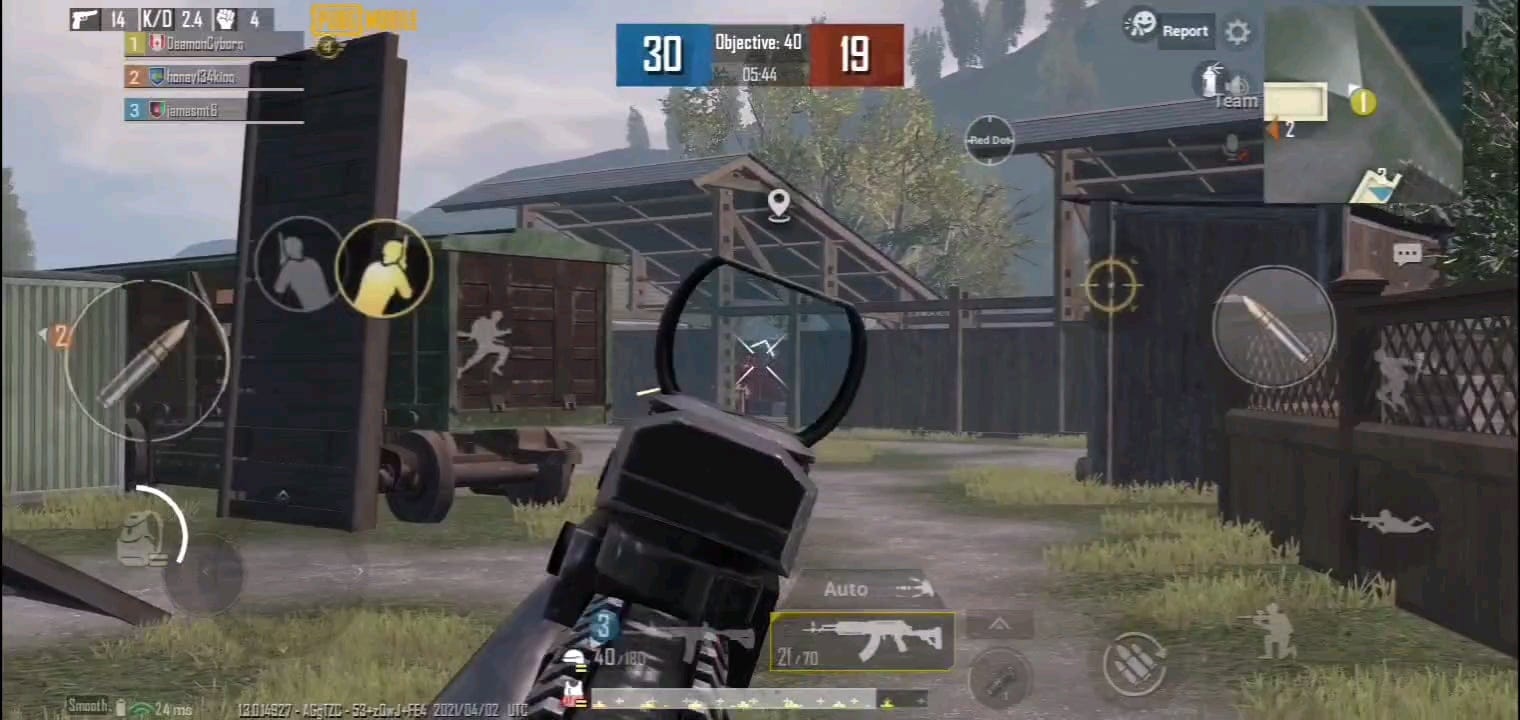
- You initiate the peek — your client renders your new position immediately
- Your device sends position data to the server (your ping: ~30–60ms)
- Server processes and validates the position (tick processing: up to 20ms)
- Server broadcasts your position to the defender's device (defender's ping: ~30–60ms)
- Defender's screen finally renders you — 80–140ms after you already see them
During steps 2–4, you have a free firing window. Pre-firing into that window is the mechanical core of exploiting peeker's advantage.
Ping Ranges and What They Mean
- 20–60ms: Optimal competitive range — smooth, predictable desync windows
- 60–80ms steady: Reliable pre-fire timing, good for ranked
- 100–200ms: Desync window becomes unpredictable; pre-fires may register late
- 200ms+: Avoid direct firefights; desync works against you as often as for you
- Ping spikes above 100ms: Trigger rubberbanding, destroys peek timing
- 1–2% packet loss: Already impacts competitive performance; at 5%, one in twenty shots fails to register
In a 20ms lobby, stacking your ping on top of the defender's ping creates a total desync window of 80–150ms — enough time to land 2–3 M416 shots before the defender's screen shows you.
For UC to unlock weapon skins that improve visual clarity during peek engagements, buy PUBG Mobile UC safely online through buffget — trusted for fast delivery, competitive pricing, and secure transactions.
Pre-Fire Mechanics: Shooting Before You See the Enemy
When Pre-Firing Is Correct
Pre-firing is a calculated decision, not spray-and-pray. Two conditions must be met:
- You have high confidence the enemy is at a specific angle
- Your crosshair is already at head level before you initiate the peek
Top-tier gameplay data shows approximately 50% probability that an enemy is standing at a pre-identified spot during active engagements — high enough to justify the commitment. If you heard footsteps, saw a muzzle flash, or tracked an enemy to a known corner, pre-fire is correct. Cold, unconfirmed angles? Hold your shots.
How to Calibrate Pre-Fire Timing in Training Mode
Allocate 30 minutes to 1 hour in Training Mode specifically for pre-aim drills:
- Identify a corner replicating a common ranked angle (building doorframes work well)
- Position crosshair at head level before moving into the peek
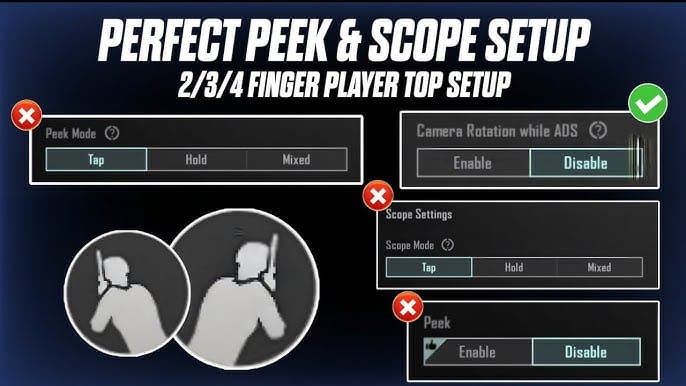
- Initiate the peek with Hold-mode peek button — not tap
- Fire the moment your crosshair crosses the expected enemy position
- Repeat until timing is automatic, not reactive
Reactive shooting always loses to pre-fire inside a desync window.
Pre-Fire vs. Spray-and-Pray
Spraying through a corner wastes ammo, increases recoil deviation, and signals your position before you have visual confirmation. Precision pre-fire — 2–3 shots at head level the moment you clear the corner — leverages the desync window without the downsides.
Recommended ADS sensitivity: 60–70% for Red Dot, 25–30% for 3x scope. Fast target acquisition without over-correction during peek motion.
The Three Peek Types
Wide Peek: Maximum Desync Window, Maximum Risk
Move far from cover before engaging, creating a large angle change that maximizes the desync window. The defender's screen updates slowly to your new position — longest free-fire window available. Tradeoff: your hitbox is fully exposed, and a second defender can punish you.
Best on: Erangel open compounds, Sanhok close-quarters buildings with predictable single-angle defenders.
Micro-Peek: Highest Percentage for Ranked
Expose only a sliver of your hitbox — enough to fire 1–2 shots before retreating. Effective peek duration: 0.3–0.8 seconds, aligning precisely with the desync window in 20–60ms lobbies. Limits exposure while still exploiting the timing advantage.
Pro tip: Configure peek buttons at 110–130% of default size, set to Hold mode — not tap. Hold mode gives you direct control over exposure duration.
Jiggle Peek: Baiting Defender Reactions
Rapidly move in and out of cover without firing, forcing the defender to react and potentially waste shots or reveal their pre-fire position. Once you identify their reaction pattern, commit to a full peek with pre-fire already timed.
Settings: Disable Camera Rotation while Leaning and Peak & Open Scope to keep jiggle peeks clean and controlled.
Crosshair Placement and Button Layout
Keep your crosshair at head level at all times while approaching an angle — not chest level, not the ground. The moment you clear the corner, you're already on the target's head.
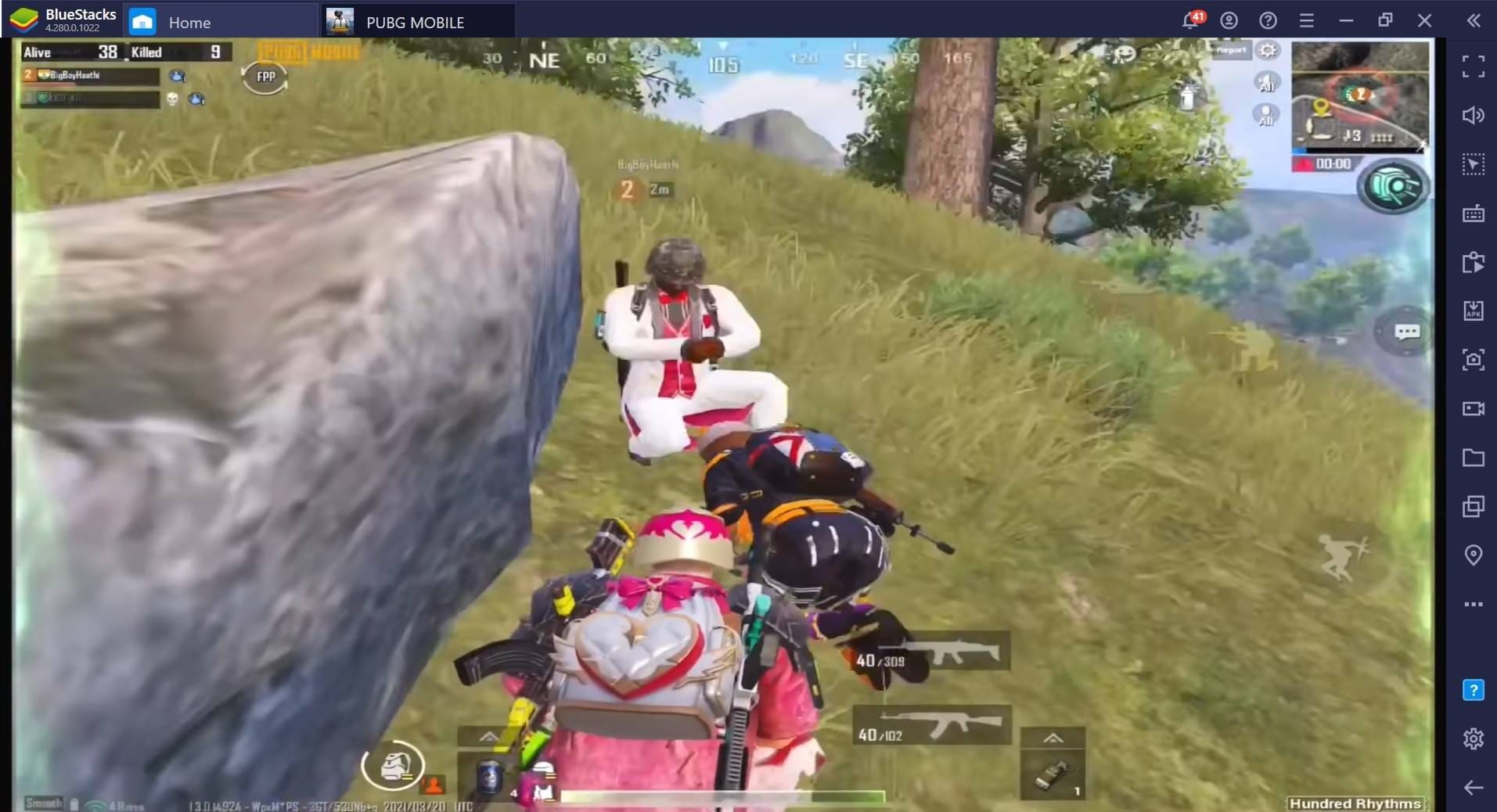
Position your left-fire button in the top 15% of screen height and leftmost 20% of screen width. Over 85% of top-tier players use this layout — it enables simultaneous movement and firing without thumb interference. Players using Hold mode with this layout achieve 15–20% better accuracy at medium range compared to tap-fire configurations.
Best Weapons for Peeker's Advantage
Time-to-kill (TTK) determines how many shots you need inside the desync window. A weapon killing in 3 shots is exponentially more valuable in a 0.3–0.8 second window than one requiring 5–6.
- M416: Benchmark peeker's weapon — high fire rate, low recoil, reliable hit registration at all peek distances on Erangel and Vikendi
- UMP45: Optimal for Sanhok close-quarters peeks — fast TTK inside 20 meters, forgiving recoil
- Vector: Fastest TTK of any SMG in close-range peek scenarios; devastating inside 15 meters
- AKM: High damage per shot; viable when you land the first two accurately — less forgiving on recoil during movement
- Kar98k (defender weapon): A single headshot ends the engagement before the desync window can be exploited. Avoid wide peeks against known sniper positions — use micro-peeks or reposition entirely.
How to Counter Peeker's Advantage as a Defender
You can't eliminate it, but you can neutralize it:
- Sound anticipation: PUBG Mobile's directional audio gives 0.5–1 second of warning before most peeks. Use that window to pre-aim at the exact pixel where the enemy's head will appear.
- Pre-fire defense: Crosshair at head level at the corner edge before the enemy appears. You're anticipating, not reacting — this mirrors the peeker's strategy and removes the reaction time gap.
- Reposition: Move to a secondary position before the peek arrives. A peeker who pre-fires an empty corner has wasted their advantage and revealed their position.
Device Settings That Amplify Peeker's Advantage
Frame Rate
Lock at 60 FPS, Graphics set to Smooth. Higher frame rates reduce visual blur during peek motion, making enemy positions easier to identify during the desync window. Set animation scales to 0.5x, limit background processes to 2–3 apps.
Gyroscope Configuration
- No Scope Gyro: 300%
- ADS Red Dot Gyro: 300%
- ADS 3x Gyro: 236%
- Camera TPP No Scope: 95–100%
For a more controlled setup: Red Dot at 55–60%, 3x scope at 30–35% — stable tracking during peek motion without over-rotation.
Network Optimization
- Use UDP ports 80, 443, and 7889 for PUBG Mobile traffic
- Enable QoS on your router, enter your device MAC address, prioritize UDP traffic
- Switch DNS to 1.1.1.1 / 1.0.0.1 (Cloudflare) or 8.8.8.8 / 8.8.4.4 (Google)
- Use Wi-Fi channels 1, 6, or 11 on 2.4GHz to avoid interference
- Disable network smoothing for competitive play
- If ping spikes occur, toggle Airplane mode for 5–10 seconds to force a server reconnect
- Test ping stability in Training Ground before ranked sessions
- KRJP, VN, or TW servers offer lower latency depending on your region; server assignments refresh every 60 days
Ranked Application: Platinum to Conqueror
Peek when: Audio confirms enemy position, crosshair is pre-aimed, ping is stable below 80ms, fast-TTK weapon equipped.
Hold when: Angle is cold, you're at a health disadvantage, or multiple enemies can punish your exposure.
Map-Specific Strategy
- Erangel: Compound doorframes and window angles reward micro-peeks with pre-fire
- Miramar: Long-range angles favor sniping defenders; use repositioning over direct peeks
- Sanhok: Dense close-quarters layouts make wide peeks high-risk; jiggle peek first to bait reactions
- Vikendi: Snow cover reduces visibility, increasing the effective desync window — wide peeks are more viable here than on other maps
Conqueror-tier players treat every engagement as a pre-planned sequence: approach angle → pre-aim → peek type selection → pre-fire timing → retreat or push. No improvisation inside the desync window.
For UC to unlock premium battle passes and weapon skins, cheap PUBG Mobile global UC top up on buffget keeps your focus on the mechanical improvements that actually move your rank.
FAQ: PUBG Mobile Peeker's Advantage
Is peeker's advantage cheating? No. It's a natural consequence of client-server architecture present in every online shooter. Exploiting it through skill and positioning is legitimate competitive play — not a bug abuse or ToS violation.
Does lower ping always give more peeker's advantage? Not always. A steady 70–80ms ping outperforms a fluctuating 40–140ms connection. Stability is the priority — spikes above 100ms cause rubberbanding that destroys pre-fire timing regardless of your average ping.
Wide peek vs. micro-peek — which should I use in ranked? Micro-peek for ranked. It exposes only a sliver of your hitbox for 0.3–0.8 seconds — lower per-peek reward but significantly safer and more repeatable. Wide peeks are situational, best on maps with predictable single-angle defenders.
Does frame rate affect peeker's advantage? Yes. Higher frame rates reduce motion blur during the peek, making enemy models easier to identify during the desync window. 60 FPS with Smooth graphics provides the most consistent visual clarity for pre-fire timing on most devices.
Which weapons are best for peek scenarios? M416 for versatility, Vector and UMP45 for close-range Sanhok peeks, AKM for high-damage medium-range peeks. Kar98k is a defender weapon that can neutralize peeker's advantage with a single accurate shot.
Can I completely eliminate peeker's advantage as a defender? No, but you can neutralize it. Pre-aim at the exact entry point, use sound cues to anticipate the peek before it happens, and reposition frequently to deny predictable angles. A defender with pre-aimed head-level crosshair placement competes on equal footing with the peeker's desync window.
Top up your UC instantly on buffget — competitive pricing, fast delivery, and secure transactions trusted by PUBG Mobile players worldwide. Unlock premium weapon skins and battle passes, then take your next ranked session to Conqueror level.