

Recommended Discounts

Genshin Impact
Fast, cheap Genesis Crystals, Primogems & Welkin Moon sent straight to your Genshin UID.
Related articles


Genshin Cross-Save Guide: Transfer AR & Characters PC to PS5 Mobile
Switching servers? Progress resets—AR stays on original. Cross-save via HoYoverse shares AR, characters, weapons, artifacts, currencies (incl. Genesis Crystals post-5.8), quests across PC, mobile, PS4/5, Xbox—same server only. PS4 ends Apr 2026!
Buffget
Switching servers? It wipes your slate clean—Adventure Rank (AR) stays glued to the original. But cross-save through your HoYoverse account lets you share AR, characters, weapons, artifacts, currencies (including Genesis Crystals after Update 5.8), and quests across PC, mobile, PS4/5, and Xbox... as long as you're on the same server. Oh, and PS4 support sunsets April 2026—mark your calendar.
What's Cross-Save Actually Do in Genshin?
Picture this: you link your HoYoverse account or email, and boom—your AR, World Level, characters, weapons, artifacts, currencies, and quests carry over. But only on the same server. We're talking Europe (6), America (7), Asia (8), SAR (TW/HK/MO, 9), or Chinese (1). Progress sticks forever—no hopping regions. Say you're AR 55 on Asia? It'll stay there, even if you fire up a fresh Europe account at AR 1. Peek at your UID in-game to confirm the server.
Linking's a one-time deal with an unused email, PSN, or Microsoft account. Auto-saves kick in via the Paimon Menu or domain checkpoints. PS exclusives? Wings of Descension won't fly elsewhere; Sword of Descension drops its bonus. Platforms covered: PC, iOS, Android, PS4/5, Xbox (sorry, no Switch). PS4 skips TW/HK/MO servers. And load times? PS5 zips in at 2.4 seconds versus PS4's sluggish 20. PS cross-save dropped with v2.0 on July 21, 2021.
Can You Really Switch Servers Without Losing Data?
Short answer: No. Switching spins up brand-new progress; your data's locked to the original server for good. Android, iOS, and PC let you pick servers freely—PS4/5? Hard-locked. No cross-server magic; co-op demands matching UIDs on the same server. Asia (8) to America (7)? Kiss your AR, characters, and quests goodbye—they stay put on Asia.
What does transfer via cross-save? AR, World Level, characters, weapons, artifacts, currencies (Genesis post-5.8), quests. What doesn't? Server-specific stuff and PS exclusives. Inventory-check before you leap. Need Genesis Crystals? Hit up buy Genesis Crystals on Buffget—global low prices, instant delivery, fully safe, with Binance Pay, Bitcoin, ETH, USDT, and killer user ratings.
How to Switch Servers: Step-by-Step (Mobile/PC Only)
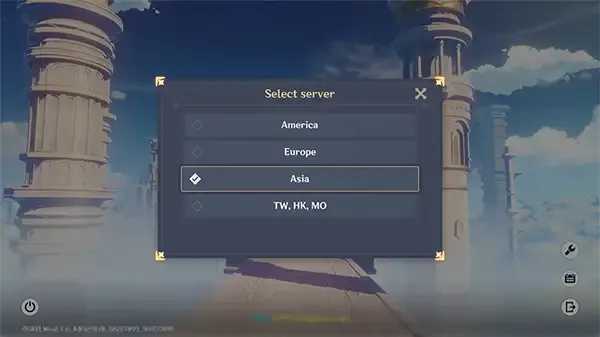
Mobile or PC: Fire up the launcher > START GAME > Tap your server (Europe 6, say) > Confirm. You're at AR 1, fresh as a Sumeru sprout. PS? Can't touch this.
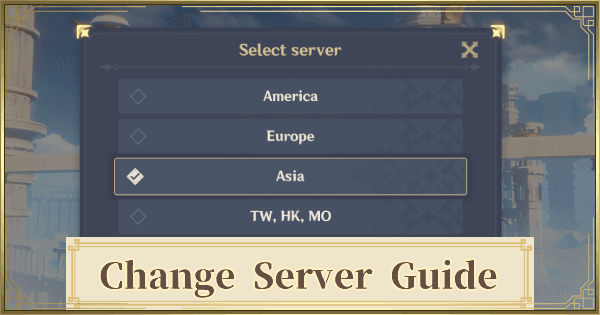
Example: PC on Asia (8) after dipping into America (7)? Original data stays safe. Fully quit—don't just minimize—then relaunch from the bottom menu.
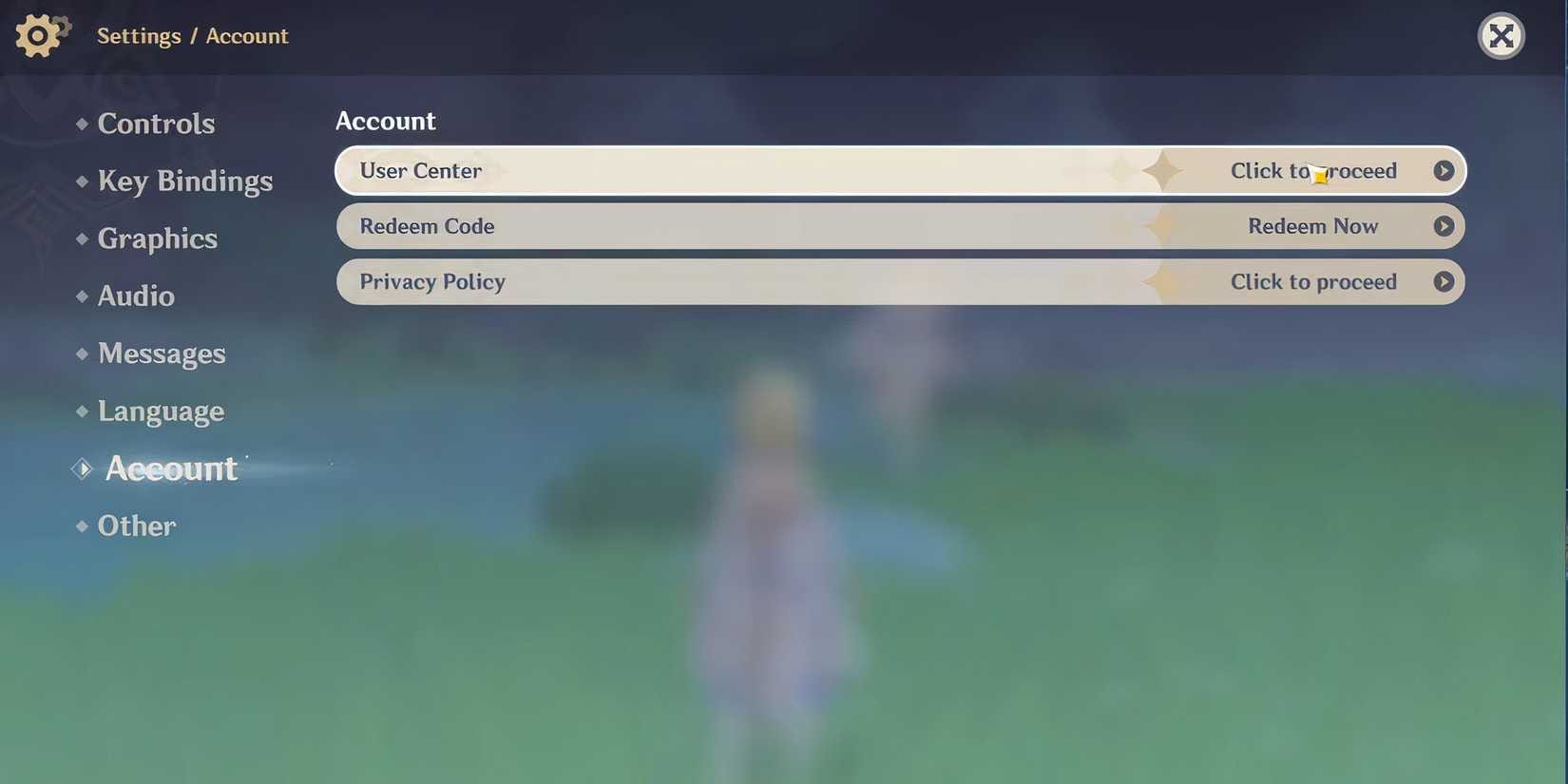
Linking HoYoverse: One-off with an unused PSN or Microsoft. On PS: Settings > Account > User Center > Link that fresh email. Everywhere else: Pop-up on first login, agree to terms, drop your email. New server? Total restart. But log in post-link on another device, same server—data syncs right up.
Cross-Save by Platform: No Sweat (Mostly)
It syncs automatically across linked email and server for PC-iOS-Android-PS4/5-Xbox.
PC to Mobile: Same email pulls your AR and characters over. PC AR 55? Android loads it instantly. Link via PC launcher email, then mobile login > Start Game.

PS to PC/Mobile: Link PSN once (Asia/America/Europe only); PS5 loads in 2.4s. Fresh PSN link, then same email on PC/mobile.
Mobile Hopping Devices: iOS to Android? Data vanishes without same HoYoverse login. Stick to one login, folks.
Buffget's Genshin top up center nails speedy, secure recharges—competitive rates, 24/7 support, Gate Pay, USDC for those Genesis boosts. (Editor’s take: Saved my wallet during a resin drought.)
Pitfalls That'll Ruin Your Day
Skip the link prompt? You've got a rogue account. Purchases pre-link? Currencies trapped. PS skips TW/HK/MO—and used PSNs bypass prompts, forcing fresh starts. Pro tip: Unused accounts only; match PS regions (Asia/Europe/America).
VPNs? Nah—servers sniff 'em out, logins flop. PS hides non-PS friends. PS Store vanishes September 10, 2025; full support ends April 8, 2026.
Ever rage-quit over a sync fail? Happens to the best of us.
Fixing Cross-Save Glitches
Sync Acting Up? Bad exit kills auto-save. Paimon Menu out > Relaunch > Start Game.
Data Ghosted? Wrong email or post-prompt slip. Grab unused accounts; PSN unlinks? Support only, no DIY.
Hit up in-game or HoYoLab tickets—UID, platform details mandatory.
If Transfers Tank: Workarounds
No server merges on the horizon. PSN unlinks? Rare support favor. Multi-account for new-server fun. Fresh HoYoverse for rerolls. Add UIDs for same-server co-op; PS hosts skip non-PS lobbies.
What's Next for Server Shenanigans?
Update 5.8 unlocks Genesis transfers. PS cross-save v2.0 since July 21, 2021. Eyes on patches—HoYo loves surprises.
FAQ: Quick Hits on Genshin Server Switches
Can you transfer Genshin Impact account to another server?
No—progress locks to original; new starts fresh.
Does Genshin Impact support cross-save between PC and mobile?
Yes, same HoYoverse email/server transfers AR, characters, currencies.
How do I link my Genshin Impact account for cross-save?
PS: Settings > Account > User Center > Link unlinked email. Others: First-login pop-up.
What happens to my progress if I change servers?
Lost—new AR 1; cross-save intra-server only.
Genshin Impact cross-save PS5 to PC possible?
Yes, one-time PSN to HoYoverse; Wings of Descension loses function.
Why can't I change servers in Genshin Impact?
PS locked; others lose data—no cross-server transfer.
✅ Official direct recharge, 100% secure
✅ No waiting – top-up arrives in 7 seconds
✅ Big discounts, low prices to save more
✅ 7×24-hour customer service, ready to assist anytime