

Recommended Discounts

Genshin Impact
Fast, cheap Genesis Crystals, Primogems & Welkin Moon sent straight to your Genshin UID.
Related articles


Genshin Impact on M3 Mac: 60 FPS CrossOver Guide & Fixes
Genshin Impact? No native support for M3/M4 Macs. Use CrossOver for smooth 60 FPS (M1 benchmarks prove it). Guide covers Parallels backup, crash fixes, storage hacks, M3 MacBook Pro tweaks. Check model: Apple Menu > About This Mac. Reserve 40GB+ (252GB bloat on 15″ Air).
Buffget
Genshin Impact? No native love for Apple Silicon Macs like your M3 or M4 chips. You'll need CrossOver to hit that smooth 60 FPS—benchmarks from M1 setups prove it. This guide dives into Parallels as a backup, crash fixes, storage hacks, and tweaks for M3 MacBook Pros. First things first: check your model under Apple Menu > About This Mac. And yeah, carve out 40GB+ storage space—system bloat can hit 252GB on a MacBook Air 15″.
Why Bother with Genshin on M3/M4 Macs?
Straight up, Genshin runs native only on Intel Macs. Apple Silicon—M3 MacBook Pros, M2 Pros, M3 iMacs, M2 Pro Minis, even M4—demands CrossOver or Parallels to get rolling.
Take an M1 MacBook Air with 8GB: 60 FPS right after the menu... until it crashes. Controller holds steady at 60 FPS (back in 2020 tests). M1 Max MacBook Pro? Pulls 1080p/60 FPS no sweat.
Want to push your account forward without grinding? Grab Genesis Crystals from buy Genesis Crystals—global low prices, instant delivery, secure as hell (credit cards, Binance Pay, USDT/USDC).
CrossOver or Parallels: Which Wins for Genshin?
CrossOver emulates just enough Windows for Genshin to thrive. Parallels spins up a full Windows VM. PlayCover? iOS emulation that's a crash fest on M3/M4—steer clear.
CrossOver nails 60 FPS on M1 Air until that menu glitch; flip the msync toggle, and stability jumps. Parallels delivers solid 60 FPS baselines on M3 Pros, but it's got a beefier footprint.
For pure Genshin play, I'd grab CrossOver—lighter, laser-focused. Multi-app needs? Test Parallels. (Editor's take: CrossOver's my go-to after burning hours on both.)
Gear Up Before Installing
M3/M4 setups crave 40GB+ free space. Boot into Safe Mode (hold power button) to nuke that 252GB system data—frees up 50GB easy.
M1 Air 8GB? Crashes after 60 FPS menu bliss. Solid bets: M3 Max Pro, M1 Max, or even a $129 base M1 mini.
Keep macOS updated, snag CrossOver/Parallels installers, and pair with a controller for true 60 FPS flow.
Installing Genshin via CrossOver: Step-by-Step

Grab CrossOver for Apple Silicon. Fire up a new bottle, toggle msync on.
- Drop the Genshin Windows launcher into the bottle.
- Log in, download—but watch for that 252GB storage trap.
- Hook up your controller; all seven elements (Anemo, Electro, Hydro, Pyro, Cryo, Dendro, Geo) work flawlessly.
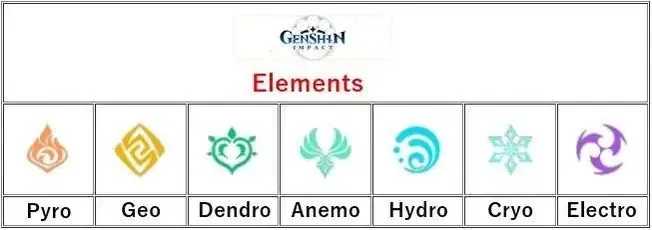
Boom—60 FPS on a 2020 M1 Air with controller. Feels native.
Parallels Route for Genshin Install
Shell out for Parallels on Apple Silicon. Set a Windows VM with 8GB+ RAM.
- Download and install the Genshin launcher inside the VM.
- Launch it, slap on those msync tweaks.
Matches CrossOver's 60 FPS on M-series chips. Simple swap if you're already in the Parallels ecosystem.
Power those epic quests? Hit Buffget's Genshin top up center: killer rates, credits land fast, fully legit, payments from ETH/Bitcoin onward, and support that's actually responsive.
Squeeze Out Peak Performance
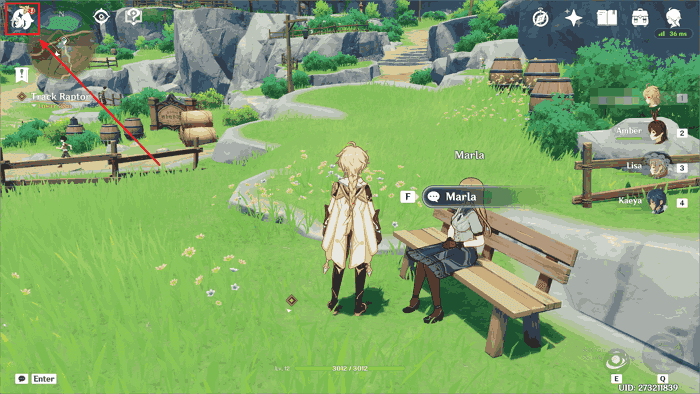
Lock in 60 FPS at 1080p on medium/low settings; controller makes it shine.
- Enable controller support in CrossOver.
- Kill background apps to free RAM.
M1 Max crushes 1080p/60 FPS on max-equivalent settings. Plug in—cuts lag and battery suck. Heat? Not brutal, but monitor it.
Fixing the Usual Suspects
Menu crashes plague M1 8GB; 252GB data clogs installs.
- Toggle msync in CrossOver.
- Safe Mode purge for 50GB free.
- Bump to 16GB+ RAM.
Msync in CrossOver patches most glitches. PlayCover? Still unstable—data doesn't lie.
Real Benchmarks from the Trenches
M1 Air 8GB: 60 FPS pre-crash. 2020 M1 Air with controller: steady 60 FPS. M1 Max: full 1080p/60 FPS.
M3/M4 Pro/Max: 60 FPS and beyond. Skip base 8GB for marathon sessions—heat builds.
Run your own benchmarks post-install. Curious how yours stacks up?
FAQ: Quick Hits on Mac Genshin Woes
Can you play Genshin Impact on a Mac M3 chip?
Yep, via CrossOver/Parallels. 60 FPS on M1 benchmarks, some trade-offs on M3.
Does Genshin run natively on Apple Silicon?
Nope. Emulation required for M3/M4; Intel Macs only get native.
CrossOver vs. PlayCover for M3 Mac Genshin?
CrossOver's stable. PlayCover? Unstable mess.
Fixing Genshin crashes in CrossOver on Mac?
Msync toggle. Safe Mode for storage. 16GB+ RAM.
Why the lag on M3 Mac virtualization?
VM overhead. Drop to 1080p medium, add controller.
Best rig for Genshin on M4 Mac?
M3/M4 Max/Pro. Base M1 handles 60 FPS short bursts.
✅ Official direct recharge, 100% secure
✅ No waiting – top-up arrives in 7 seconds
✅ Big discounts, low prices to save more
✅ 7×24-hour customer service, ready to assist anytime