

Recommended Discounts

Bigo Live Diamonds
Top up Bigo Live Diamonds in seconds! Just enter your Bigo Live user ID, select the value of Diamonds you wish to purchase, complete the payment, and the Diamonds will be added immediately to your Bigo Live account.
47.57% OFF
Related articles


How to Recharge Bigo Live for Others: Agency ID Guide (2026)
Recharging Bigo Live diamonds for others requires entering the recipient's 7-10 digit numeric Bigo ID via Me > Wallet > Recharge. Packages start at $2.99 for 200 diamonds, with instant delivery in 95% of cases under 3 minutes. Common bonuses include 500 free diamonds on the 5000 pack. Ensure discounts are ≤25% and enable 2FA for safety. Support via feedback@bigo.tv resolves issues like invalid ID errors.
Buffget
Understanding the Bigo Live Agency ID System
What is an Agency ID?
An Agency ID functions as a unique identifier allowing users to perform administrative tasks, including recharging diamonds for third-party accounts like hosts or streamers. Unlike a nickname, which can change, the Agency ID is a permanent numeric credential essential for routing funds correctly. This system is critical for agency owners and supporters who manage resources for multiple broadcasters, ensuring diamonds are credited to the correct account without needing the recipient's login credentials.
Why Recharge for Others Matters
Recharging for others is the backbone of the Bigo Live agency model. By topping up diamonds directly, agencies help hosts unlock features, participate in PK battles, and increase visibility. This practice fosters a symbiotic relationship where agencies invest in talent, and hosts generate engagement. Understanding this mechanism is vital for professional operation, as it streamlines digital currency flow and ensures compliance with platform transaction standards.
Preparation: What You Need Before Recharging
Locating the Correct Agency ID
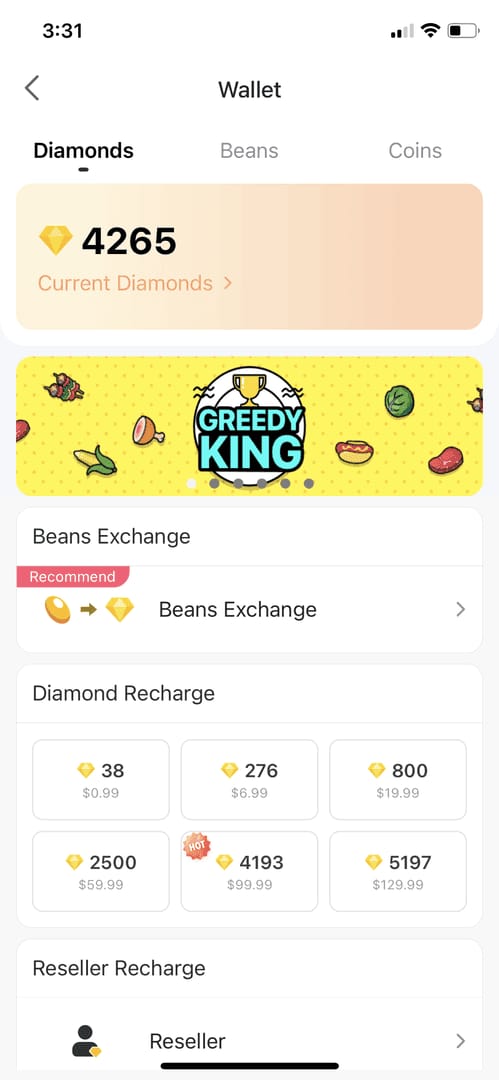
Accuracy is paramount. The recipient's ID is strictly a 7-10 numeric digit code (e.g., 901216366 or 901873661). To find this ID, tap the Me icon at the bottom right. The ID displays directly under the nickname. For verification, cross-reference this ID within Me > Wallet to ensure digits match perfectly before initiating any transaction. For a streamlined experience, Bigo Live recharge through buffget offers a secure alternative to standard in-app processes.
Ensuring Account Eligibility
Verify the recipient's account is in good standing and active. Accounts under suspension or with region restrictions may trigger errors. Keep the Bigo Live app installed and updated during the top-up to prevent communication errors between the payment gateway and the app. Ensuring both sender and recipient meet these baseline requirements minimizes transaction failures or delayed delivery.
How to Recharge Bigo Live for Others: Step-by-Step (2026)
Accessing the Recharge Interface
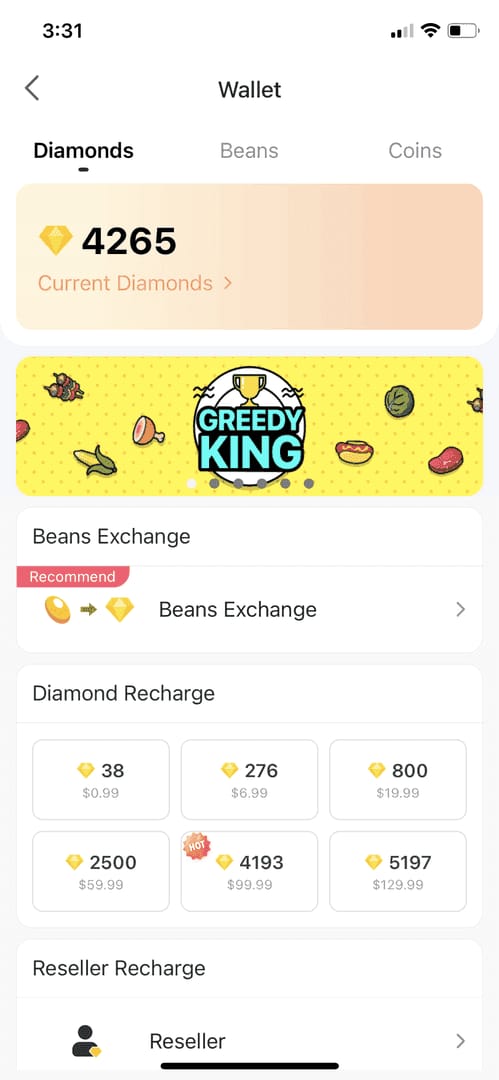
Navigate to the designated recharge area. Tap Me > Wallet > Recharge. This interface is the central hub for all diamond purchases. Access this menu directly from the official app to ensure security protocols are met. Once inside, the system prepares the connection to the payment gateway.
Entering the Agency ID Correctly
Enter the recipient's 7-10 digit numeric Bigo ID in the recharge field. This step requires absolute precision; a single incorrect digit routes diamonds to the wrong account, and reversals are not guaranteed. Triple-check the digits (e.g., verify 901216366 is not transposed) before hitting the payment button. This verification is the most common point of failure for new users.
Selecting the Diamond Package
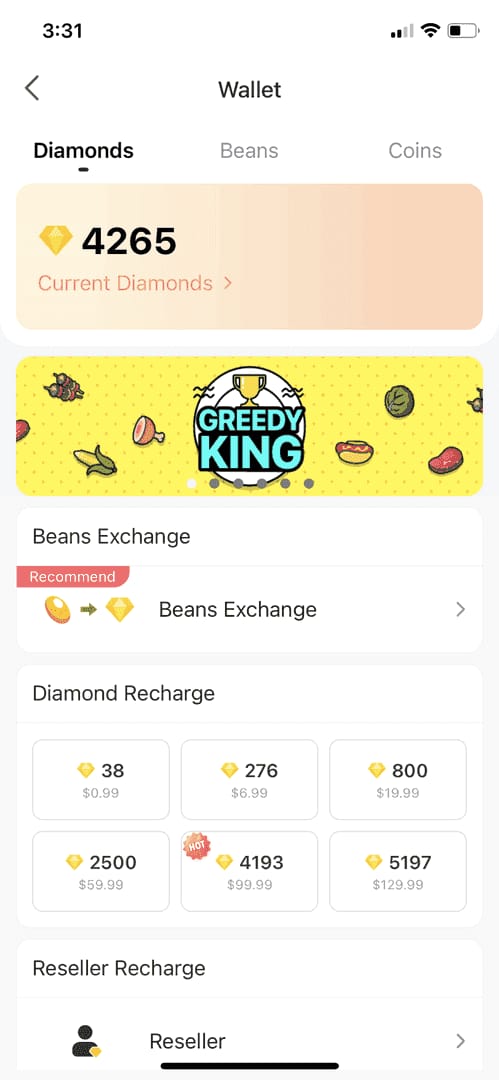
Select the appropriate package. Pricing tiers accommodate various budgets:
- 200 diamonds: $2.99
- 500 diamonds: $6.99
- 1000 diamonds: $12.99
- 2500 diamonds: $29.99
- 5000 diamonds: $59.99 (often includes 500 free diamonds)
- 10000 diamonds: $119.99
After selection, complete payment. Upon success, refresh Me > Wallet to confirm credits. Agencies looking to maximize value often utilize cheap Bigo diamonds available on buffget to reduce operational costs.
Optimizing Transactions with buffget
Why Choose buffget for Agency Top-Ups?
buffget offers distinct advantages over direct in-app purchases. The platform provides competitive pricing that often undercuts standard app store rates, allowing agencies to stretch budgets further. Additionally, buffget specializes in secure transactions, employing advanced encryption to protect user data. This focus on security, combined with a user-friendly interface, makes it ideal for agency owners managing multiple recharges simultaneously.
Security Features of buffget
buffget addresses security concerns by implementing rigorous verification processes and secure payment gateways. The platform ensures all transactions comply with safety standards, reducing fraud risk. Furthermore, buffget's customer service team handles inquiries swiftly, ensuring transaction anomalies are resolved with minimal downtime. This reliability is crucial for agencies supporting hosts during live events.
Exclusive Benefits and Rates
Beyond security, buffget offers high user ratings and wide game coverage. The platform frequently updates pricing to remain competitive. For agencies performing bulk top-ups, these savings are substantial. The platform processes orders quickly, ensuring hosts receive diamonds instantaneously to maintain broadcast momentum.
Troubleshooting Common Top-Up Issues
Delayed Diamond Delivery
95% of transactions complete within 3 minutes; 98% are immediate. However, some transactions may remain pending for up to 30 minutes due to banking processing times or network congestion. If a delay exceeds this window, check your internet connection and ensure the app is updated. Keeping the Bigo app open during the top-up facilitates faster communication of transaction status.
Invalid Agency ID Errors
Error 2001: Invalid Bigo ID occurs when the entered ID does not match any active account. To resolve, re-verify the 7-10 digit ID with the recipient. Ensure no spaces or special characters are included. If the ID is confirmed correct but the error persists, it may indicate a temporary server issue; wait a few minutes before retrying.
Payment Processing Failures
- Error 2004 (Region restriction): Payment method or account region does not align with the recipient's server region. Use a payment method matching the account's locale.
- Error 3002 (Transaction limit exceeded): Recharge amount exceeds daily or monthly limits.
- Technical glitches: Clearing the cache fixes 82% of recharge glitches. Do this via Android Settings > Apps > BIGO Live > Storage > Clear Cache.
Safety Tips for Agency Recharges
Avoiding Phishing Scams
Be vigilant against phishing attempts mimicking official recharge pages. Always ensure you are on the legitimate buffget platform or the official Bigo Live app. Never share your password or 2FA codes with anyone, even if they claim to be support staff. Legitimate platforms will never ask for these details via chat or email. Verify the URL and ensure the connection is secure (HTTPS).
Verifying Transaction Details
Review all transaction details meticulously before finalizing payment. Confirm the Bigo ID, diamond amount, and total cost. Enable 2FA for purchases over $1000 to add an extra layer of security. Be wary of discounts that seem too good to be true; legitimate discounts are typically ≤25% of official rates. Anything significantly higher risks involving illegitimate diamonds that could jeopardize the recipient's account.
Keeping Receipts for Support
In the event of a dispute, proof of transaction is essential. Save digital receipts or take screenshots of the confirmation screen, including the Transaction ID, amount paid, and date. If issues arise, contact support immediately. Refunds are available up to 30 days, with a specific 7-day refund window for credit/debit cards and PayPal. Providing the support team with the Bigo ID and order number expedites resolution.
Comparing Recharge Methods
Direct App Purchase vs. Agency ID Top-Up
Cost and convenience are the primary factors. Direct purchases via the web store often offer better rates than in-app purchases due to lower store fees (e.g., 100 diamonds cost $1.96 on the web compared to $3.99 in-app). However, Agency ID top-ups provide the specific utility of funding another account directly, which is not possible through standard self-purchase methods.
Cost-Benefit Analysis
The conversion rate of diamonds to beans varies by region:
- S1/S2/S4 regions: 1 diamond converts to 1 bean.
- S3/S6 regions: 1 diamond converts to 3 beans.
Understanding this conversion is key to maximizing support impact. Bulk purchases through platforms like buffget often yield the highest ROI, especially when leveraging seasonal events or specific promotions offering bonus diamonds.
Managing Bulk Recharges for Multiple Hosts
Efficiency Tips for Agencies
For agency owners managing multiple hosts, efficiency is critical. Utilizing a centralized platform like buffget allows for managing multiple recharges without switching accounts. Perform test top-ups of $5-10 for new accounts to verify connectivity before committing to larger amounts. This helps identify potential region restrictions or ID errors early. Additionally, maintaining a spreadsheet of host IDs and preferred recharge packages streamlines the workflow.
Tracking Expenses and Withdrawals
Agencies must track fund flow meticulously. Know the withdrawal limits:
- Minimum withdrawal: 6700 beans ($31.90)
- Weekly withdrawal cap: 1,050,000 beans ($5000)
Schedule recharges around these caps to ensure hosts are not left with excess beans they cannot withdraw immediately. Timing recharges to coincide with events like the Mid-Year Gala (July 1-30) can also yield 30% discounts, optimizing the agency budget.
FAQ: Bigo Live Agency ID Recharges
Can I recharge Bigo Live Diamonds for someone else? Yes, you can recharge for others by entering their specific 7-10 digit Bigo ID in the recharge field within the Me > Wallet > Recharge section.
What is an Agency ID for Bigo Live top-up? An Agency ID is the unique numeric identifier (7-10 digits) assigned to a Bigo Live account, used to route diamond purchases directly to that specific user without needing their login details.
How do I find my Agency ID on Bigo Live? Tap the Me icon at the bottom right corner of the app. Your ID is displayed numerically underneath your nickname. You can also verify it in the Me > Wallet section.
Is it safe to use third-party sites like buffget for Bigo Live? Yes, buffget is a secure platform known for competitive pricing, fast delivery, and excellent customer service, making it a safe choice for recharging Bigo Live diamonds.
Why did my Bigo Live recharge for others fail? Failures are often due to an invalid Bigo ID (Error 2001), region restrictions (Error 2004), or transaction limits (Error 3002). Clearing the app cache can resolve 82% of technical glitches.
How long does it take for diamonds to arrive using Agency ID? Delivery is typically instant, with 95% of transactions completing within 3 minutes. However, some payments may take up to 30 minutes to process depending on the payment method.