

Recommended Discounts

Genshin Impact
Fast, cheap Genesis Crystals, Primogems & Welkin Moon sent straight to your Genshin UID.
Related articles


Genshin Impact: Free 30GB Phone Storage Deleting Past Quests
Genshin Impact hogging ~30.87 GB on your phone? Old quests, voice packs & updates are the culprits. Nuke 'em in-game menu (v3.1-4.8)—no progress lost! Android/iOS steps free up gigs; check device settings. Backup: voice purges & cache wipes.
Buffget
Genshin Impact's chewing up ~30.87 GB on your phone from old quests, voice packs, and updates. You can nuke 'em right in the game menu (Versions 3.1 through 4.8) – no progress lost. Android and iOS steps free up gigs; double-check in your device settings. Or try voice pack purges and cache wipes as backups. (48 words)
Why Genshin Impact is Hogging Your Phone's Storage
Ever peeked at your storage and seen Genshin Impact dominating like it owns the place? We're talking ~30.87 GB on mobile, piled up from finished quests (Mondstadt all the way to Fontaine), voice packs, and those sneaky pre-installs from Versions 2.0 and 3.0. Quests stick around for replays – handy, sure, but pure bloat on Android and iOS.
Quick check first: On Android, dive into Settings > Apps > Genshin Impact > Storage. iOS folks, hit Settings > General > iPhone Storage > Genshin Impact. Note what you're starting with. It'll blow your mind.
What Exactly Are These Past Quest Resources?
These are the files for quests you've already crushed, stored locally on your device just for potential replays. Mobile-only feature, kicking in from Version 3.1 (still there in 4.8 with that telltale red dot). Uninstalling? Zero hit to your cloud saves.
Hit it up via Menu > Settings > Resources > Past Quest Resource Management. It's targeted bloat removal, not just cache fluff – pair it with voice packs for serious GB gains.
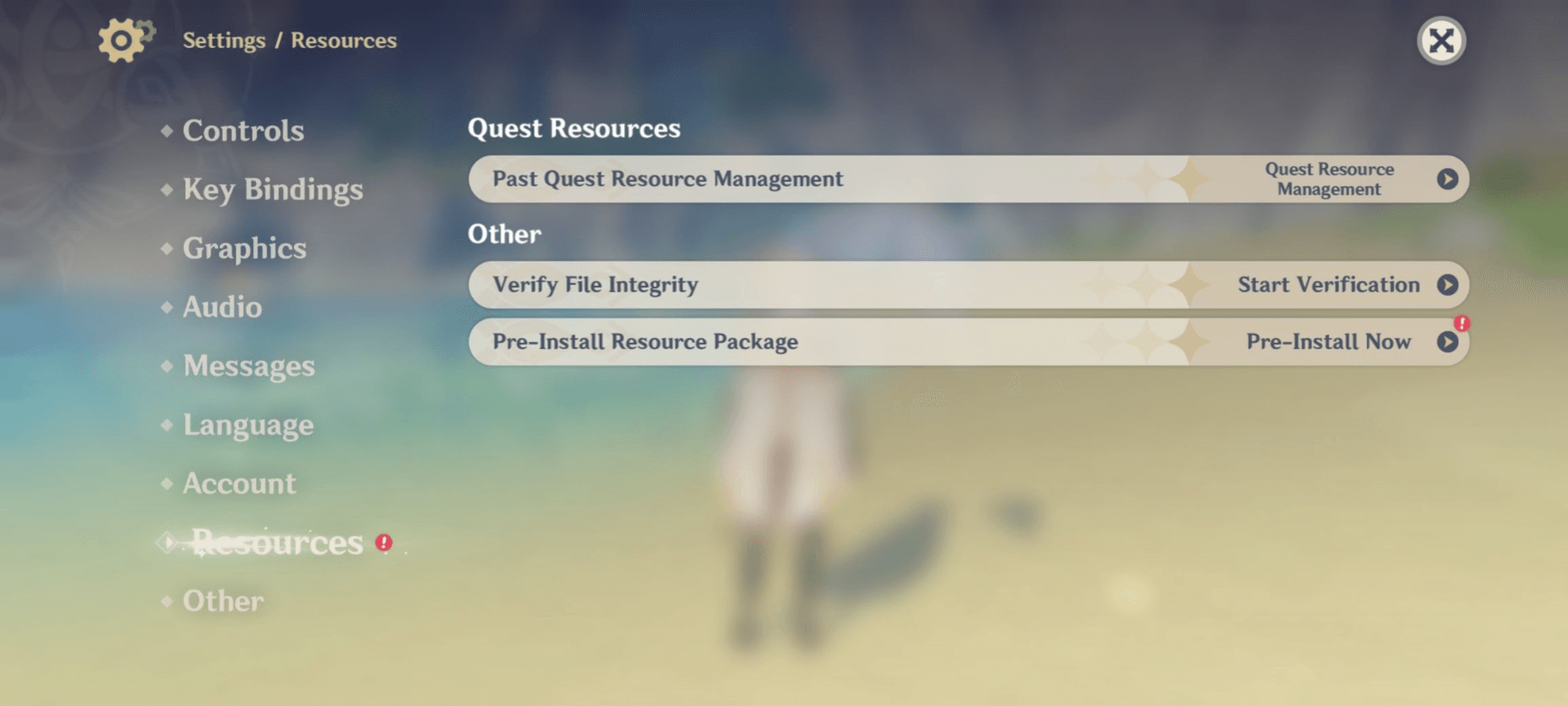
Prep Work: Don't Skip This
Make sure you're on Version 3.1 or later (4.8's UI is slick for it). Backup smart: Paimon Menu > Account > Cloud Save > Backup. Heads up – these resources vanish permanently until you redownload.
Want smooth sailing post-cleanup? Grab some Genshin Impact global top up from Buffget. Global low prices, instant delivery, fully secure, and they take Binance Pay, cards, or USDT. Top-rated by users like us.
Android Guide: Wiping Past Quests Step by Step
This is mobile magic only – it zaps completed quests for good.
- Fire up Genshin, tap Paimon menu (top-left corner).
- Gear icon > Resources > Past Quest Resource Management.
- Toggle those past quests off > Uninstall.
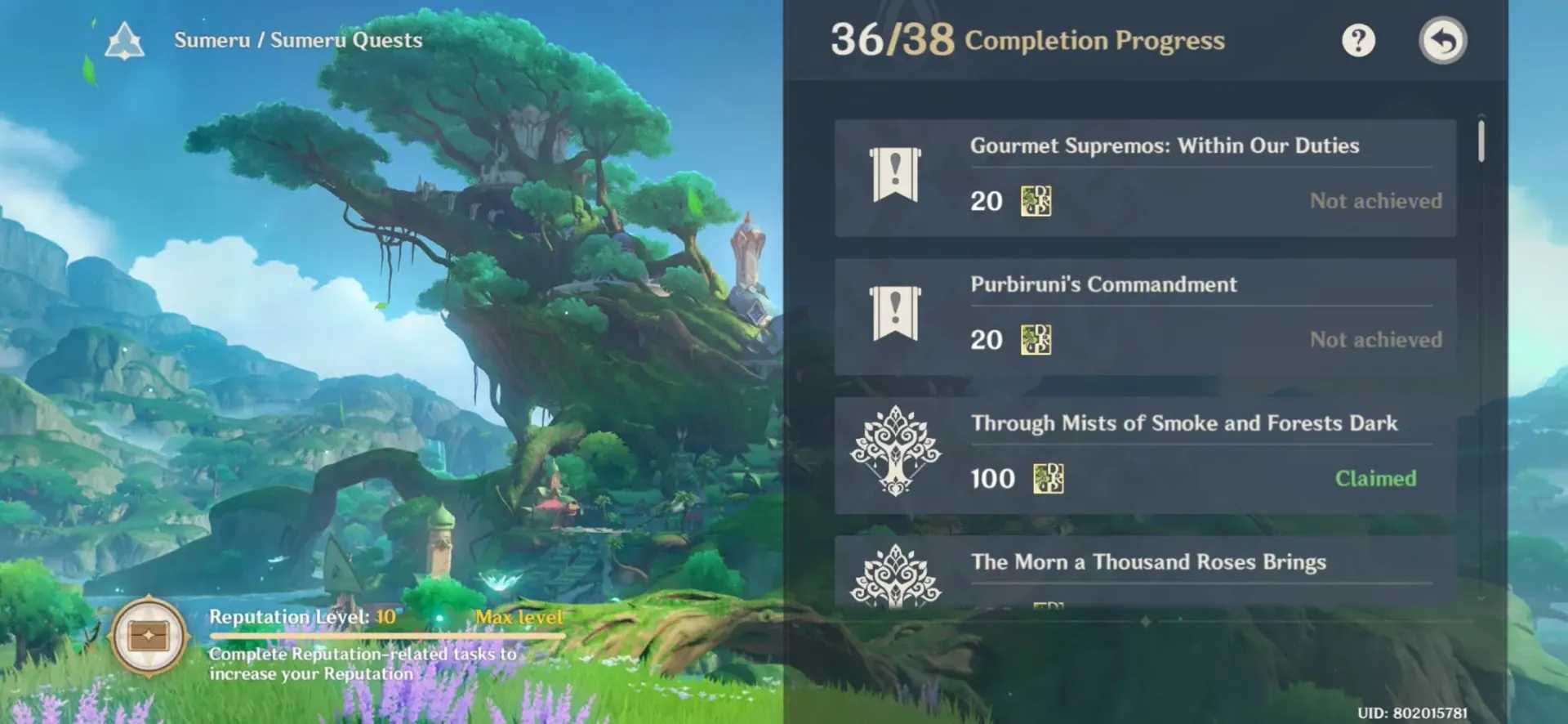
- Bonus: Settings > Apps > Genshin Impact > Storage > Clear Cache.
Boom. Eyeball ~GB freed from that 30.87 GB beast in your storage readout.
iOS Guide: Same Drill, No Fuss
In-game steps mirror Android perfectly – no platform drama.
- Paimon menu > Settings (gear) > Resources > Past Quest Resources Management.
- Pick Uninstall for past quests.
- Verify: Settings > General > iPhone Storage.
- Need 'em back? Resources > Past Quest Management > Download Resources Again.
Expect solid GB savings from junk data you don't touch.
Confirm the Wins and Test It Out
Before-and-after storage snapshots tell the tale. Relaunch to make sure everything's golden.
- Log storage pre- and post-wipe.
- Restart the game, poke menus and quests.
- Watch for any sneaky redownloads.
Quest deletes stick forever (unlike cache, which creeps back). Fuel up via Buffget's buy Genshin crystals online: lightning-fast top-ups, killer rates, ETH/USDC options, ironclad safety, 24/7 help, and rave reviews.
Pitfalls to Dodge
Don't touch Clear Data – that'll nuke your saves. Cache clear? Totally safe. Peek at active quests first, yeah?
Quest Deletion vs. Cache Clear: Quick Showdown
Quest wipe: Permanent goodbye to completed region bloat (based on player reports and storage data).
Cache: Temp files that refill fast – hit it often.
Combo punch: Maximum GB liberation.
Resources live device-local; saves sync to the cloud.
Other Ways to Claw Back Space
Ditch voices: Settings > Language > Manage Voice-Over Files > Uninstall the unused ones. Routine cache clears help too. Voices alone stack up GBs on top of quests and cache.
Pro Moves for Keeping Storage Lean Long-Term
Before big patches like 2.0 or 3.0, preemptively trash quests, voices, cache. Weekly cache sweeps – game-changer. Version 3.1+ tunes it for mobile. Switching accounts? Redownloads incoming. Dodges those low space crashes mid-pull. (Editor note: I've saved phones this way during events – trust me.)
FAQ: Genshin Storage Slim-Down
Does deleting past quest resources wipe my progress?
Nah, it's all device-local. Cloud saves stay pristine.
How much space do Genshin quests eat on mobile?
~30.87 GB total footprint; quests hand back GBs when gone.
Can I grab deleted quest resources again?
Yep, Resources > Past Quest Management > Download Resources Again.
Cache vs. quest resources – what's the diff?
Cache: fleeting temp stuff, keeps coming back. Quests: locked-in bloat from done deals.
Why's Genshin Impact devouring my phone storage?
~30.87 GB baseline, plus quests, voices, and update pre-downloads.
Safe to axe Genshin voice lines for space?
Absolutely. Language > Manage Voice-Over Files > Uninstall unused.
👉 Genshin Impact global top up 👈
✅ Official direct recharge, 100% secure
✅ No waiting – top-up arrives in 7 seconds
✅ Big discounts, low prices to save more
✅ 7×24-hour customer service, ready to assist anytime