

Recommended Discounts

PUBG Mobile UC (Global)
Official Midasbuy Partner. Get 30% OFF UC Top Up. Not for Japanese / Korean / Taiwan / Vietnam servers. Fast, secure, and the lowest price guaranteed.
29.4% OFF
Related articles


PUBG Mobile Ban Appeal Guide: Overturn 71% Cheating Bans in 7 Days
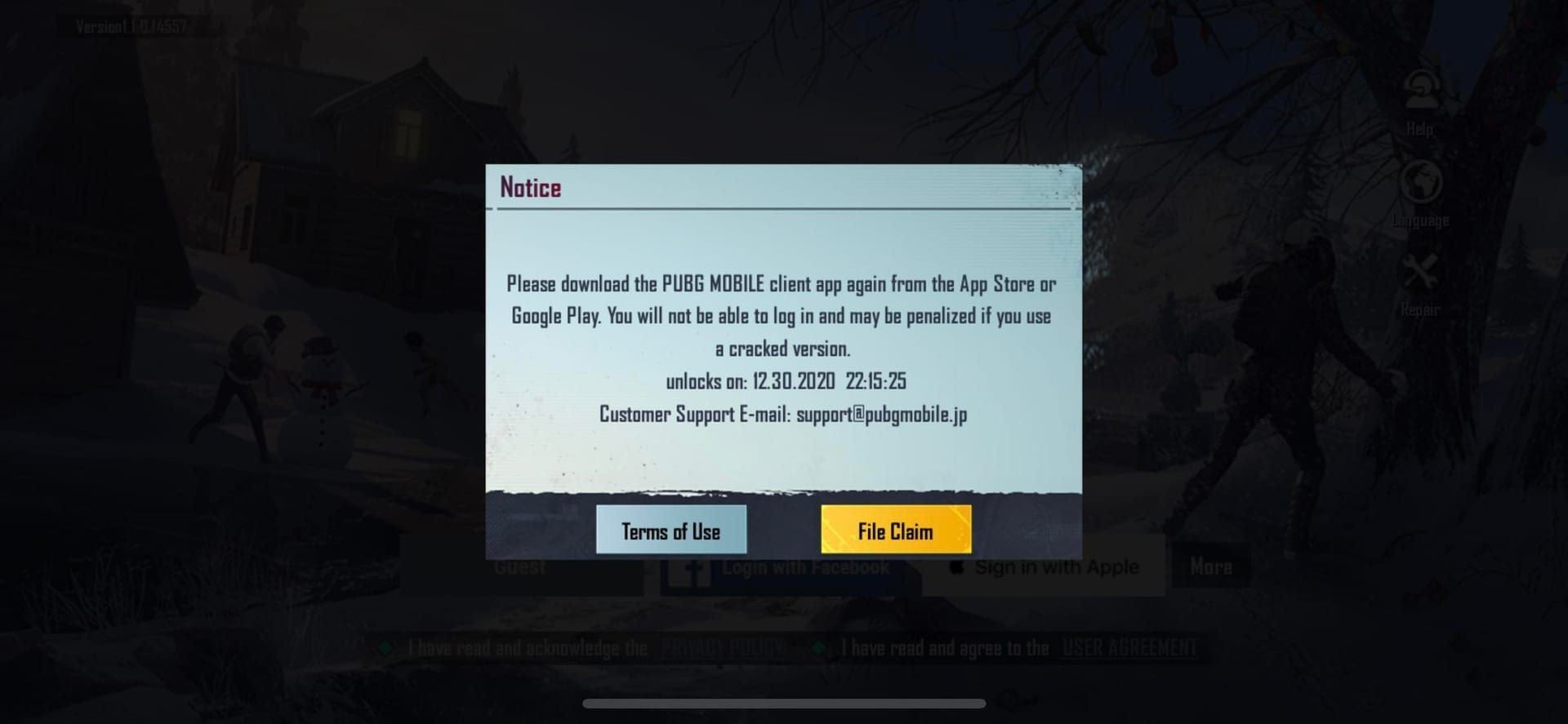
PUBG Mobile bans hit hard: 71% cheating, 13% hacked accounts, up to 10-yr HWID locks. Appeal in-game (File a Claim) or email PUBGMOBILE_CS@tencentgames.com within 24-48 hrs. Include UID, screenshots, logs. ~7-day review; false positives often reversed with antivirus proof.
Buffget
Look, PUBG Mobile bans hit hard—71% for cheating, 13% hacked accounts, and yeah, up to 10-year HWID locks for the really bad stuff. File your appeal in-game via File a Claim or shoot an email to PUBGMOBILE_CS@tencentgames.com within 24-48 hours. Pack in your UID, screenshots, and logs. They review in about 7 working days, and false positives? Those often flip with solid antivirus reports.
Getting the Lowdown on PUBG Mobile Bans
Bans come in two flavors: temporary ones blocking access for stuff like external programs or rule breaks, and permanent 10-year HWID bans for straight-up cheating. The numbers don't lie—71% cheating or third-party apps, 13% hacked accounts, 9% toxic nicknames, 4% boosting or sharing, 3% exploits. Think aimbots, wallhacks. Real cases? UID 51209684285 got device-banned until 2025 (appeal pending); ID 5368772641 nailed for unofficial client back on March 2, 2021.
First off—confirm it's real. Check the in-game pop-up or head to https://pubgmobile.live/status.
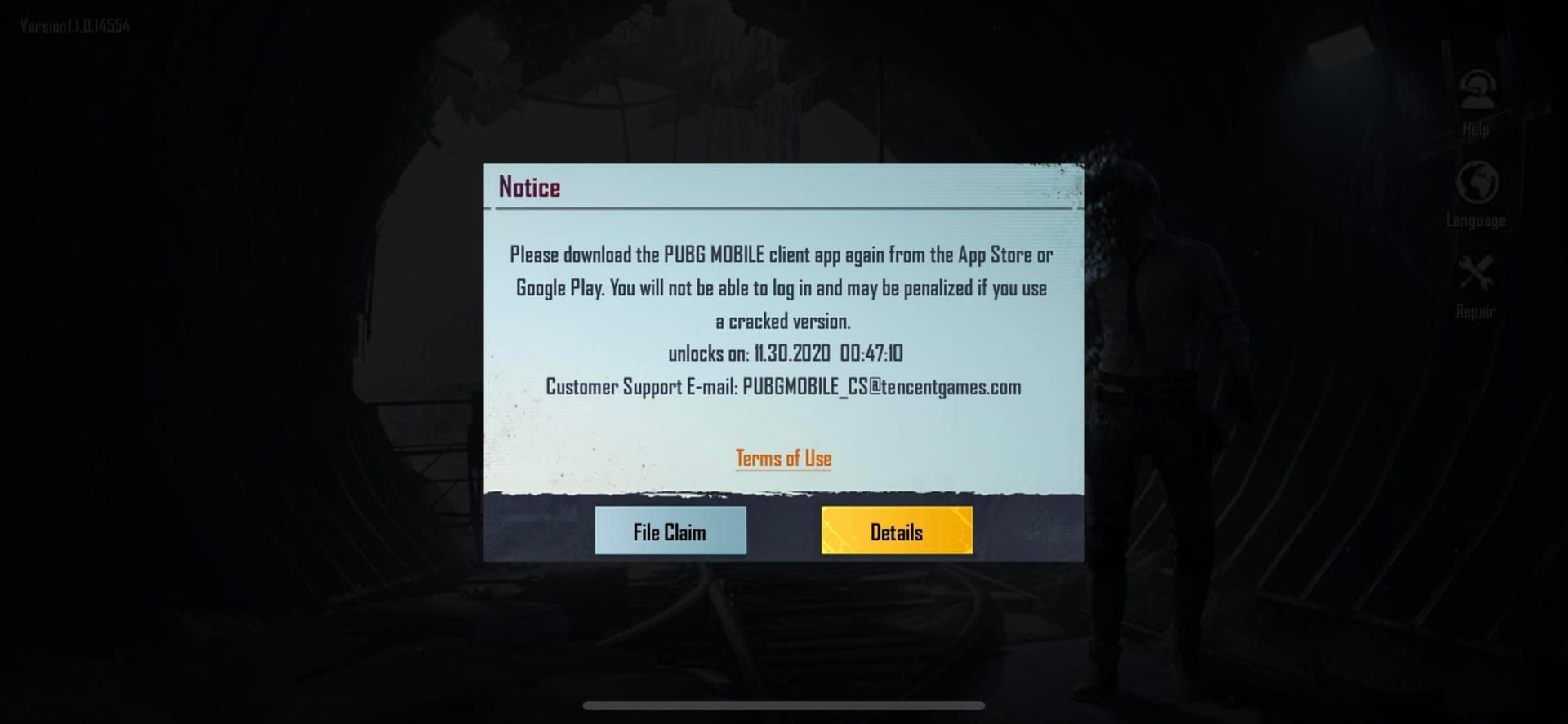
Temporary? Hit File a claim. Permanent? Full appeal mode.
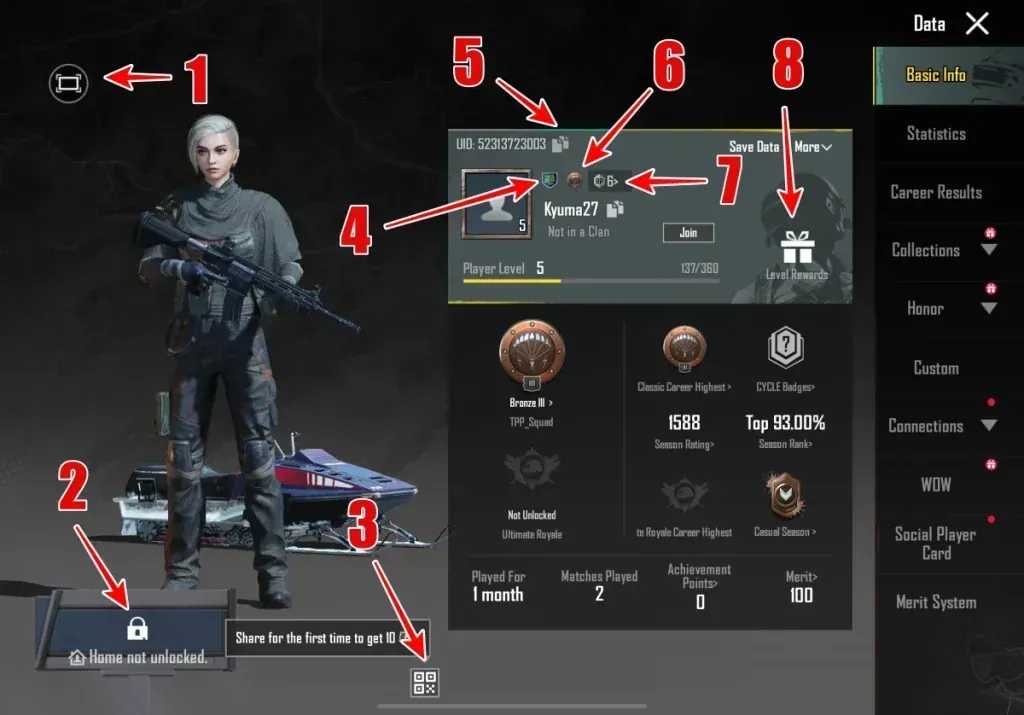
Grab your UID. That's your golden ticket for evidence.
Once you're back in action, top up safely with buy PUBG UC online from Buffget—global low prices, instant delivery, full payment options like Binance Pay or USDT, and top-tier safety.
Gear Up Your PUBG Mobile Ban Appeal
Stockpile the goods: UID, account name, ban date, screenshots, antivirus reports, dxdiag or msinfo logs, match IDs, even POV videos.
Hacked? Show 2FA screenshots and IP proof. Toxicity? Chat logs with context. False positives love VPN or emulator confessions—they've saved plenty.
Snap that ban notice. Recent matches too.
Fire up dxdiag (on Windows) or msinfo, run a full antivirus sweep.
Draft smart: stick to facts, skip the ALL-CAPS rage, toss in your 2FA game plan.
How to Submit Your PUBG Mobile Ban Appeal, Step by Step
Go primary: in-game Settings → Customer Service → Submit appeal. For pop-ups, File a claim with nickname, ID, screenshot. Permanent bans? https://pubgmobile.live/support or email PUBGMOBILE_CS@tencentgames.com—one ticket per channel, 24-48 hours max.
Launch PUBG Mobile. Settings → Customer Service → Appeal (if not permanent).
Pop-up or temp ban? File claim: nickname, Character ID, screenshot.
Email it: Subject Ban Appeal - UID [UID]. Attach everything. Track at https://pubgmobile.live/status.
Nail Your Appeal Contents
Must-haves: UID, platform, ban details, proof. Cheating claims need logs or video; hacked, 2FA/IP; toxicity, chat context; own up to any sharing/boosting.
Checklist gold: Steam Guard-style 2FA, UC purchase receipts. Heads up—policy updated March 17, 2022: no manipulated files or unsupported devices.
List it out: UID, nickname, ban date/type.
Attach: screenshots, logs, videos (with match IDs).
Close strong: I commit to fair play—2FA enabled.
Buffget's PUBG Mobile top up shop delivers UC fastest—crypto like ETH/USDC or KuCoin Pay, killer user ratings, 24/7 support. (Editor note: I've topped up there post-unban; seamless.)
PUBG Mobile Appeal Timelines—What to Expect
Expect 7 working days for review. Check online—no email pings. HWID appeals? Submit within 24-48 hours.
Take UID 51209684285—2025 appeal triggered a senior manual review.
Submit now. Don't wait.
Daily checks: https://pubgmobile.live/status via Ticket ID.
No word after 7 days? Resubmit (one per channel).
What Boosts—or Tanks—Your PUBG Mobile Appeal Odds
False-positive cheating or hacks? High success with logs and 2FA. Toxicity? Medium if you give context. Sharing/boosting? Tough sledding.
Data shows 71% cheating bans overturn with evidence. (My take: VPNs won't dodge HWID—seen it fail too often.) No shortcuts.
Match your proof to the ban reason.
Be upfront on emulators (stick to official Gameloop).
Cite the policy.
Boosters: load full evidence, outline prevention.
Steer clear: spam tickets, get aggressive.
Appeal Rejected? Next Moves
Rejects hit for weak proof or confirmed cheats (sharing's often permanent). Escalate to Ms. Elizabeth Byun at grievanceofficer@proximabeta.com. HWID? New device after clearance.
Review their feedback. Beef up next time.
Hit grievance.
Fresh account: zero shared devices, lock in security.
Lock Down Future Bans in PUBG Mobile
Ditch external apps, VPNs, public Wi-Fi. Official emulator only, 12+ char passwords, 2FA always. No cheats, mods, shady parties. Temp ban? Clean reinstall.
Treasury 89 got banned despite heavy spending—crazy, right?
Flip on 2FA, stay on official updates.
Scan everything, unplug sketchy hardware.
Report hacks yourself. Skip boosting or glitches.
Extra Lifelines and PUBG Mobile Support
Tap in-game Customer Service, https://pubgmobile.live/support, status checker. PC players: Ban/Hijacking form with ID. Facebook/Twitter for outages; Helpshift too.
Dive into #questions threads.
Service policy—read it.
UC? Compliant channels only.
FAQ: PUBG Mobile Ban Appeals, Quick Hits
How do I submit a PUBG Mobile ban appeal?
Settings → Customer Service in-game, or PUBGMOBILE_CS@tencentgames.com with UID/evidence. Temp bans get the File a claim pop-up.
What should I include in my PUBG Mobile account ban appeal?
UID, nickname, ban details, screenshots, dxdiag logs, 2FA proof, match videos—plus your prevention plan.
How long does a PUBG Mobile ban appeal take?
7 working days. Track at https://pubgmobile.live/status.
Can I appeal a permanent PUBG Mobile ban?
Yep—support form or email in 24-48 hours. HWID wants antivirus reports.
Why was my PUBG Mobile account banned?
71% cheating, 13% hacked, 9% toxicity, 4% sharing, 3% exploits. Status page spells it out.
What evidence helps in PUBG Mobile ban appeals?
Antivirus scans, system logs, IP/2FA shots, chat logs, POV videos—killer for false positives.