首頁>Apple Gift Card (AU)
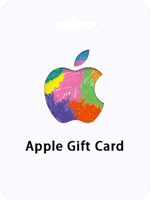
Apple Gift Card (AU)

Apple Gift Card (AU)

AU
即時交付
安全付款
An Apple Gift Card is a multi-purpose prepaid card that can be used to buy a wide range of Apple products and services, including laptops, music, apps, e-books, and more. It replaces the former Apple Store Gift Cards, iTunes Gift Cards, and App Store

選擇面額

-10%
Apple Gift Card 100 AUD

Apple Gift Card 100 AUD

$68.22

-$7.58$75.8
-10%
Apple Gift Card 50 AUD

Apple Gift Card 50 AUD

$34.11

-$3.79$37.9
-10%
Apple Gift Card 30 AUD

Apple Gift Card 30 AUD

$20.47

-$2.27$22.74
-10%
Apple Gift Card 25 AUD

Apple Gift Card 25 AUD

$17.15

-$1.91$19.06
-10%
Apple Gift Card 20 AUD

Apple Gift Card 20 AUD

$13.72

-$1.52$15.24
-10%
Apple Gift Card 15 AUD

Apple Gift Card 15 AUD

$10.45

-$1.16$11.61
-10%
Apple Gift Card 10 AUD

Apple Gift Card 10 AUD

$6.99

-$0.77$7.76
-10%
Apple Gift Card 5 AUD

Apple Gift Card 5 AUD

$3.51

-$0.39$3.9
-10%
Apple Gift Card 4 AUD

Apple Gift Card 4 AUD

$2.81

-$0.31$3.12
-10%
Apple Gift Card 3 AUD

Apple Gift Card 3 AUD

$2.1

-$0.24$2.34
-10%
Apple Gift Card 2 AUD

Apple Gift Card 2 AUD

$1.4

-$0.16$1.56

聯絡電子郵件*

總計

USD68.22

1
小計USD75.8
產品折扣- USD7.58
總計USD68.22

描述

About Apple Gift Card (AU)

An Apple Gift Card is a multi-purpose prepaid card that can be used to buy a wide range of Apple products and services, including laptops, music, apps, e-books, and more. It replaces the former Apple Store Gift Cards, iTunes Gift Cards, and App Store Gift Cards, giving you more flexibility and convenience when shopping for Apple products. Simply use your card code as payment at checkout in any AU Apple Store or redeem it to refill your ID balance online.

Looking for a quick and secure way to refill your Apple ID balance? Purchase an Apple Gift Card online now! With this prepaid credit, you can easily make purchases on the iTunes store without having to link a credit card or share your bank details. Plus, no surprise charges! Redeem your code right away for more store credit, app downloads, music, TV shows, movies, and more!

Overall, an Apple Gift Card offers a convenient and secure way to make purchases on the iTunes store and other Apple products and services. It's also a great gift option, as you can personalize it with a message and choose from a variety of design templates.

Guide

How to redeem your Apple Gift Card (AU) with your iPhone, iPad, or iPod touch?

  1. Retrieve the 16-digit code from your SEAGM account
  2. On your iPhone, iPad, or iPod touch, open the App Store app.
  3. At the top of the screen, tap the sign-in button or your photo.
  4. Tap Redeem Gift Card or Code. If you don’t see Redeem Gift Card or Code, sign in with your Apple ID.
  5. Tap Use Camera and follow the instructions on the screen. If you have trouble redeeming the card, tap "You can also enter your code manually," then follow the instructions on the screen.


  6. Tap Done.

How to redeem your Apple Gift Card (AU) on your Mac?

  1. Retrieve the 16-digit code from your SEAGM account
  2. On your iPhone, iPad, or iPod touch, open the App Store app.
  3. On your Mac, open the App Store.
  4. Click your name or the sign-in button in the sidebar.
  5. Click Redeem Gift Card.
  6. Click Use Camera and follow the instructions on the screen. If you have trouble redeeming the card, click "You can also enter your code manually," then follow the instructions on the screen.

How to redeem your Apple Gift Card (AU) on a Windows PC?

  1. Retrieve the 16-digit code from your SEAGM account
  2. Open iTunes.
  3. From the menu bar at the top of the iTunes window, choose Account.
  4. Choose Redeem.
  5. Sign in and follow the instructions on the screen.

常見問題

充值需要多久才能到帳?
在您完成付款並提供完整資訊後,系統將自動為您充值,或者卡密將發送到您的郵箱。在高峰時段可能會有輕微延遲,但我們將盡力加快流程。
這種充值方式安全嗎?我的帳戶會被封禁嗎?
絕對安全。我們使用官方授權和合法管道進行充值,與黑卡或信用卡詐騙等非法手段完全無關。我們保證您的帳戶100%安全,並且不會被封禁。
如果我輸入錯誤的UID或伺服器怎麼辦?
付款後請立即聯繫我們的線上客戶服務進行更正。一旦充值完成,由於虛擬商品的特殊性質,我們將無法取回或退款。因此,在提交之前,請務必仔細核對您的帳戶資訊。

客戶評論

所有評論

4.9

193 評論

基於 193 已驗證的評論

1
0%
2
0%
3
0%
4
7%
5
93%
User***789
已購買2025-07-31
5 位使用者認為這很有幫助

金鑰是正品,沒有地區限制。

User***010
已購買2025-07-31
24 位使用者認為這很有幫助

PIN 發很快,兌換順利沒問題。

User***016
已購買2025-07-31

平台體驗好,要找的遊戲一眼就找到。

User***004
已購買2025-07-31
37 位使用者認為這很有幫助

信件秒到卡密,打開就能換。

User***017
已購買2025-07-31
9 位使用者認為這很有幫助

信件秒到卡密,打開就能換。

相關文章

《燕雲十六聲》多人模式指南:等級 10 解鎖與 5-10 人玩家邀請

《燕雲十六聲》多人模式指南:等級 10 解鎖與 5-10 人玩家邀請

透過早期任務與教學達到世界等級 10 後即可開啟聯機功能!您可透過平台好友名單、代碼或社交選單邀請好友組成 5 人小隊,在首領戰或副本中上限可達 10 人。連結帳號後可實現 PC 與 PS5 跨平台無縫遊玩;主線劇情僅限單人,但隊伍進度將隨主機端同步。專業提示:同步修復...

開封隱藏寶箱攻略:14 個謎題、地圖與 8-12 個迴響玉 - 燕雲十六聲

開封隱藏寶箱攻略:14 個謎題、地圖與 8-12 個迴響玉 - 燕雲十六聲

在完成第一章且世界等級達到 32 級後,即可解鎖開封隱藏寶箱。獎勵包含:迴響玉 (8-12)、玄鐵、經驗值 (1,600-2,400) 及探索點。涵蓋 14 個謎題、喵喵的寶藏、花間影鼓點順序。地圖更新於 2025 年 12 月 15 日。

《燕雲十六聲》最強 PvE 食物增益:+5600 生命值與 +100 攻擊力階級表

《燕雲十六聲》最強 PvE 食物增益:+5600 生命值與 +100 攻擊力階級表

食物增益可提升最大生命值 +5,600 或物理攻擊力 +50-100,持續 30 分鐘。13 種恢復類料理可在 3 秒內回復高達 3.9 萬生命值。透過任務、釣魚大賽、商店解鎖食譜,並經由狩獵、採集、釣魚獲取食材。每日凌晨 5 點可獲得 +450 體力(上限 2,500)。掌握食譜與採集點,輕鬆擊潰 Boss!

PUBG Mobile iPad 視角 GFX 工具:90 FPS 無禁封 v1.0.8 指南

PUBG Mobile iPad 視角 GFX 工具:90 FPS 無禁封 v1.0.8 指南

希望您的 Android 版 PUBG Mobile 能擁有像 iPad Pro 一樣的清晰度嗎?立即透過 MK PUBG Tool (GFX) v1.0.8(2024 年 5 月 15 日版)在 Gameloop 上解鎖此功能。調整流暢到超高清畫質、低到極限 FPS,以及零後座力靈敏度,助您在 2025 年稱霸戰場。零封號風險——iPad 模擬視角可擴大視野 (FOV),讓您輕鬆發現 300-500 公尺外的敵人!

PUBG Mobile 獎勵挑戰:Gold V 以上玩家每日領取免費 UC 指南

PUBG Mobile 獎勵挑戰:Gold V 以上玩家每日領取免費 UC 指南

亞洲伺服器的 Gold V 以上玩家:只需參加每日經典小隊賽(中午 12 點至晚上 7 點 30 分),即可贏取免費 UC、皮膚或外觀道具。使用每週券或花費 10 UC 即可註冊;選擇您的等級——新手、高手或專家。若無法進入,可透過 VPN 連線至以色列或埃及。投注 10-50 UC,堅持到底...

PUBG Mobile 三指操作代碼:瞄準速度提升 30-40% + 爆頭率翻倍

PUBG Mobile 三指操作代碼:瞄準速度提升 30-40% + 爆頭率翻倍

立即獲取此通用代碼:1-7435-8846-3421-0303-0728,可提升 30-40% 的快速瞄準速度並讓爆頭率翻倍。設定包含:第三人稱鏡頭 120%、開鏡紅點鏡 50%、陀螺儀不開鏡 300%。我們將涵蓋代碼匯入步驟、裝置優化、測試練習,以及針對 2025 年 11 月 6 日更新的調整建議。