

Recommended Discounts

Bigo Live Diamonds
Top up Bigo Live Diamonds in seconds! Just enter your Bigo Live user ID, select the value of Diamonds you wish to purchase, complete the payment, and the Diamonds will be added immediately to your Bigo Live account.
47.57% OFF
Related articles


Bigo Live Algorithm: Grow Fast in Your First 7 Days
Quick Answer: Bigo Live's recommendation algorithm ranks streams on five signals — concurrent viewers, watch time, gift activity, comment frequency, and shares. New hosts get elevated exposure for the first 7 days. To capitalize: stream 30+ minutes daily during peak hours (7–10 PM), hit 70%+ viewer retention, and join an agency on Day 1.
Buffget
What Is the Bigo Live Recommendation Algorithm?
It's a real-time engine deciding which streams appear in the Explore Feed, Nearby Feed, and category discovery surfaces. Unlike most social platforms that weight follower count, Bigo Live prioritizes live engagement quality — so a brand-new host with strong retention can outrank an established streamer with a passive audience.
Every stream is evaluated independently on real-time signals. This levels the playing field for new hosts who bring energy from the start.
Two key discovery surfaces:
- Explore Feed — Surfaces streams across all regions based on engagement quality, category relevance, and trending momentum
- Nearby Feed — Prioritizes geographic proximity; powerful for hosts targeting local audiences
Optimize for both simultaneously by selecting precise categories and enabling location-based discoverability in your profile settings.
The New Host Honeymoon Window: Your First 7 Days
Bigo Live pushes new accounts to a broader test audience than your follower count normally justifies. The algorithm samples your content against a wider viewer pool to measure engagement quality. Strong performance signals the system to keep expanding your reach.
What you need to know:
- The boost is most potent in days 1–7, then normalizes
- The Official Host program requires profiles under 15 days old and below level 15 — your window to qualify while still in the honeymoon phase is extremely narrow
- Acting on Day 1 isn't optional; it's strategically essential
Why most new hosts waste this window: Streaming once or twice then disappearing lets algorithmic momentum reset. The platform reads inactivity as low content reliability and cuts distribution.
The 5 Core Signals That Rank Your Stream
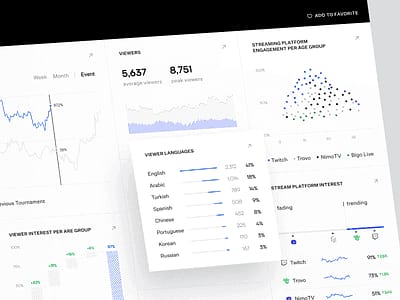
1. Concurrent Viewers and Peak Room Traffic
Simultaneous viewer count is the algorithm's most immediate quality indicator. 50 concurrent viewers signals stronger content value than 200 total views spread over an hour. Pull viewers in fast at stream start.
2. Watch Time and Average View Duration
70%+ retention triggers algorithmic prioritization. Streams where viewers exit within the first 15 seconds get actively suppressed — making your opening 15 seconds the most important moment of any broadcast. Start with a hook, not a setup.
3. Gift Activity and Bean Volume
- Receiving gifts: 3 XP per 1 Bean value
- Sending gifts: 1 XP per 1 Bean value
- Bean milestones during a stream trigger additional visibility pushes
- Conversion rate: 210 Beans per 1 USD
- Minimum withdrawal threshold: 6,700 Beans
For hosts looking to accelerate early gift activity and bean accumulation, buy Bigo Live beans online through buffget — competitive pricing, fast delivery, and secure transactions that new hosts rely on to build momentum quickly.
4. Comment Frequency and Chat Velocity
Chat velocity (speed of incoming comments) is a measurable ranking signal. Greeting viewers by name achieves 40% higher algorithm preference vs. generic acknowledgments. Ask direct questions and react visibly to chat to drive comment volume.
5. Shares, Follows, and Profile Visits During Stream
Every follow, share, and profile visit during a live session contributes to the algorithm's viral potential assessment. Prompt viewers to follow at natural engagement peaks — not at stream start before trust is established.
Profile Optimization Before Day 1
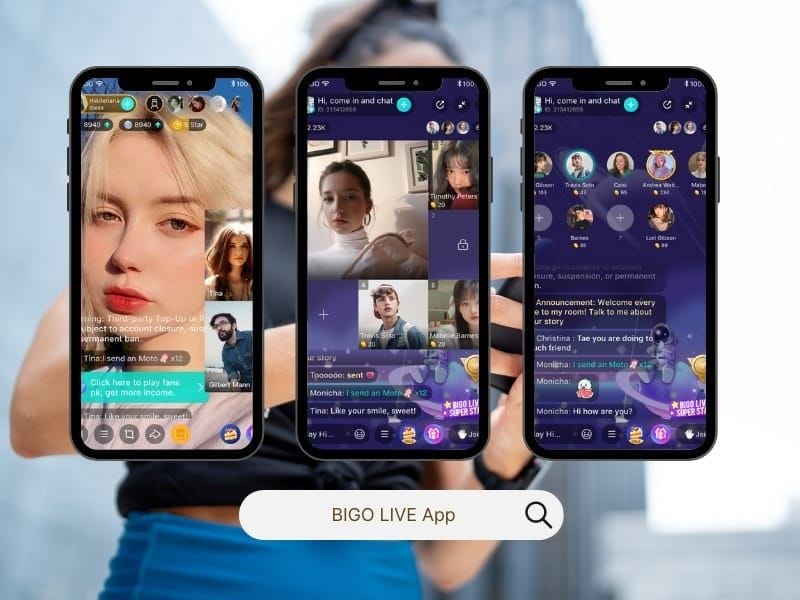
Your profile is the algorithm's metadata layer. Optimize every field before your first stream.
Bio and visuals:
- Bio: 100–150 characters including niche identifiers and your streaming schedule
- Profile photo: High-contrast, face-forward images perform better in small thumbnail formats
- Cover image: Communicate your schedule and content niche visually
Category and tags: Choose the most specific category that accurately represents your content. Broad categories increase competition without increasing relevance. Tags should reflect your niche, not just your content type.
Stream title: Include your content type, a specific hook, and a time reference if applicable. It signals category relevance to the algorithm and communicates value to viewers scanning the feed.
Your Day-by-Day 7-Day Growth Plan
Days 1–2: Establish Your Baseline
- Join an agency on Day 1 for mentorship, analytics, and priority platform updates
- Complete your first stream of minimum 30 minutes during the 7–10 PM peak window
- Test 2–3 engagement hooks to identify what generates the fastest chat response
- Track concurrent viewer count and average watch duration as baseline metrics
Days 3–4: Activate Interactive Features
- Initiate your first PK battle (5–15 minutes; exposes your stream to your opponent's full audience)
- Use Multi-Guest Rooms (up to 12 simultaneous participants) to drive higher comment velocity
- Cross-promote on external platforms before going live to seed initial viewer count
Days 5–6: Build Consistency Signals
- Stream at the same time each day to train both the algorithm and your audience
- Minimum 3–4 streaming days per week measurably increases discoverability
- Engage with your Bigo Live Family or Team to amplify reach through their existing audiences
Day 7: Review and Lock In Your Rhythm
- Audit 7-day metrics: highest retention streams, most gifts, fastest follower growth
- Reverse-engineer your single best-performing stream
- Set Week 2 schedule based on data, not assumptions
Streaming Schedule Strategy
Optimal Duration
- Official Host minimum: 30 minutes per session; maximum: 2 billable hours daily
- Broadcast XP is capped at 120 XP per session — no incentive to stream indefinitely
- Two focused 45-minute sessions with strong engagement outperform a 3-hour marathon with declining retention
Best Times to Stream
- Peak hours (7–10 PM local): Maximum audience availability; highest feed competition
- Off-peak hours (2–5 PM local): 2–3x higher algorithmic visibility due to reduced competition — counterintuitive but data-supported for new hosts building initial momentum
Why Consistency Beats Marathon Sessions
Official Hosts must stream 30 hours monthly across 15 unique days. That requirement signals exactly what the platform values: regular, distributed activity over sporadic high-volume sessions. Predictable schedules build reliable audience return behavior, which the algorithm rewards.
Families, Teams, and PK Battles: Amplifying the Algorithm

Joining a Family creates network effects the algorithm recognizes as social proof. Family members joining your stream boost concurrent viewer counts and chat velocity — both core ranking signals. Coordinated gift events generate bean milestone boosts.
PK battles are one of the most efficient visibility tools for new hosts. Each battle exposes your stream to your opponent's entire audience for 5–15 minutes. Winning generates additional algorithmic momentum, but even competitive losses drive meaningful traffic if your engagement during the battle is strong.
Multi-Guest Rooms (up to 12 participants) naturally generate higher comment frequency, more concurrent viewers, and stronger share signals than solo streams. Co-streaming with established hosts is one of the fastest ways to borrow algorithmic credibility.
Mistakes That Trigger Algorithm Suppression
- Inconsistent scheduling that resets accumulated momentum between sessions
- Ignoring chat in the first 10 minutes — causes early exits and triggers the 15-second suppression threshold
- Overly broad category selection — places your stream in high-competition feeds without relevance advantage
- Going live without a warm audience — cross-promote externally before every stream
- No engagement hooks — structure broadcasts with interaction prompts every 7–10 minutes to maintain 70%+ retention
Key Metrics to Track Daily
- Peak concurrent viewers per session
- Average watch duration as a percentage of total stream length
- Gift count and total Bean value received per stream
- New followers gained during vs. after each stream
- Chat message volume per 10-minute segment
Pro tip: Week 1 is about establishing baseline data, not hitting revenue targets. Official Host monthly earnings range from 150 USD to 10,000+ USD — but that reflects months of consistent optimization, not a single week.
How buffget Accelerates Algorithm Growth
For hosts maximizing bean accumulation and gift-sending capacity during the critical first 7 days, instant Bigo diamond recharge by ID through buffget delivers fast, secure, competitively priced recharges that experienced hosts consistently recommend for building early platform momentum.
buffget supports Bigo Live hosts with:
- Competitive pricing on bean and diamond recharges
- Instant delivery
- Secure transaction processing
- Responsive customer service
The Gaming Program on Bigo Live offers bonuses from 150 USD to 310 USD for 20–30 hours of gaming content. Hosts who invest strategically in gift activity during the honeymoon window accelerate level progression, unlock higher-tier earning opportunities, and establish the social proof signals that sustain algorithmic promotion beyond Week 1.
Frequently Asked Questions
Does Bigo Live really give new hosts extra visibility in the first week? Yes. The platform applies elevated algorithmic exposure to new accounts for approximately the first 7 days — a deliberate mechanic to test content quality against a broader audience. Consistent streaming with strong engagement during this window triggers sustained distribution boosts.
What engagement signals matter most? Concurrent viewer count, watch time retention (70%+ threshold), gift activity in Bean value, chat velocity, and shares/follows during the stream. Viewer retention in the first 15 seconds is the single most critical metric — early exits trigger active suppression.
What's the best time to stream as a new host? Peak hours (7–10 PM local) offer the largest audience. But off-peak hours (2–5 PM) deliver 2–3x higher algorithmic visibility due to reduced competition — strategically valuable when you need feed placement more than raw audience size.
How do PK battles help new hosts grow faster? They expose your stream to your opponent's audience for 5–15 minutes, spiking concurrent viewers, chat activity, and gift events — all positive algorithmic signals that push your stream into broader discovery feeds.
Why is my stream not getting viewers? Most common causes: no pre-promotion before going live, weak opening hook triggering early exits, incorrect category selection reducing feed relevance, and inconsistent scheduling preventing the algorithm from building distribution momentum.
How many hours should a new host stream daily? Minimum 30 minutes per session; practical target is 45–90 minutes of high-engagement content. The Official Host requirement of 30 hours monthly across 15 unique days translates to roughly 2 hours per streaming day — but quality and retention outweigh raw duration for algorithmic performance.