

Recommended Discounts

Xena Live Coins
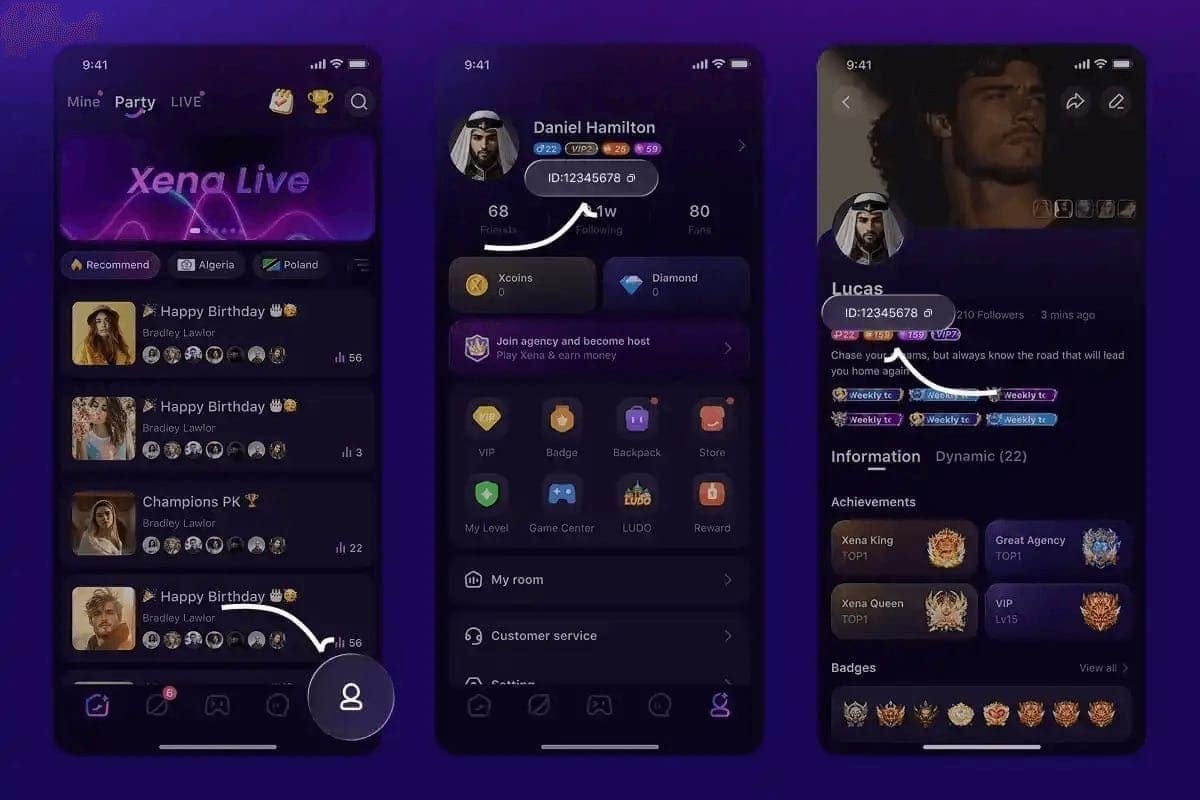
As the official partner of Xena Live, Buffget offers instant Xena Live Coins top up with fast delivery. Get up to 70% off on Xena Live Coins recharge via Buffget secure, convenient, and trusted by thousands.
30% OFF
Related articles


Xena Live Algorithm: 7 Signals to Get the Hot Tag Fast
The Xena Live room algorithm scores every active stream across seven weighted signals: real-time engagement (20%), verification/VIP status (20%), profile completion (15%), user level (15%), private call performance (12–15%), historical quality (10%), and streaming duration (3–5%). Triggering the 'Hot' tag means engineering a concentrated spike across these signals in the first 10 minutes. Here's exactly how to do it.
Buffget
What the Xena Live Algorithm Actually Measures
The scoring system runs continuously — not just at stream start. Real-time engagement and verification status together account for 40% of your ranking, making them the two highest-leverage areas you can directly influence.
Critical detail: recent data is weighted 3x more heavily than older metrics. A strong session last week matters far less than what your room is doing right now. The algorithm rewards consistency and punishes gaps.
When your room score crosses key thresholds, the algorithm places your stream in the Xena Live Discovery Feed — the primary source of organic viewer traffic. The 'Hot' tag is the visual signal that you've crossed the high-engagement threshold and are being actively promoted.
Two rooms with identical content quality will receive dramatically different traffic based purely on algorithm score. Understanding the ranking system shifts your approach from passive broadcasting to active score engineering.
The 'Hot' Tag: What It Is and What It Does
The Three-Tier Tag Hierarchy
- New Tag — Auto-assigned to new rooms/hosts. Lowest algorithmic weight in the discovery feed.
- Rising Tag — Indicates accelerating engagement. Traffic is increasing but hasn't hit the sustained 'Hot' threshold.
- Hot Tag — Highest organic status. Awarded for strong, sustained engagement across multiple signals simultaneously. Drives the most discovery feed placement.
The moment 'Hot' activates, your room gets elevated feed placement, increased thumbnail visibility in category pages, and higher probability of appearing in recommended streams. More organic viewers arrive → engagement signals strengthen → algorithm keeps feeding traffic. It's self-reinforcing.
The Seven Algorithm Signals Decoded
Real-Time Engagement (20%) Response times under 10 seconds provide the maximum ranking boost. This applies to both chat responses and private call acceptance. Chat benchmark: 50+ messages per 100 viewers meets agency-tier engagement requirements.
Verification & VIP Status (20%) VIP status increases room visibility by 20% and delivers 300–400% more profile views. One of the highest-impact single changes you can make.
Profile Completion (15%) An incomplete profile is a permanent handicap — it suppresses your score every session. Adding a second language boosts incoming calls by 40–60% by expanding your discoverable audience.
User Level (15%) Accumulated through consistent activity. Sustained streaming builds this passively over time.
Private Call Performance (12–15%) Call acceptance rate and response speed both feed this signal. Fast acceptance = higher score.
Historical Quality (10%) Recent data weighted 3x more than older metrics. Consistent streaming outperforms sporadic high-quality sessions every time.
Streaming Duration (3–5%) Complete 5+ hours in Game Live mode monthly to maintain verified host status. Verified hosts must also maintain 35+ streaming hours per month and a 4.5+ star rating.
Gift Volume: The Direct Algorithm Lever
Gift activity is a direct input into your room's ranking calculation. Visibility ranking boosts begin at 2,000+ Coins — making gift coordination a practical lever for pushing your score above key thresholds.
Gift activity concentrated in a short window creates a stronger algorithmic signal than the same total value spread across an entire stream. Coordinate your community to concentrate gifting around the 20–30 minute mark — after initial retention is established but before the mid-stream scoring window closes.
For hosts who want to maintain consistent coin flow without overpaying, cheap Xena Live top up through buffget offers competitive pricing, fast delivery, and secure transactions. When the 'Hot' window opens, your balance needs to be ready — not pending.
Step-by-Step: Trigger the 'Hot' Tag in a Single Session
Step 1 — Pre-Session Setup
- Select the most specific, relevant category — broad categories dilute visibility.
- Write a room title with your primary content type and a clear value proposition.
- Complete your profile fully (15% of total ranking score).
- Add a second language if applicable (+40–60% incoming calls).
- Notify core community members of your stream start time.
- Ensure coin balance can cross the 2,000+ visibility threshold.
- Schedule your stream to begin 15–20 minutes before peak traffic windows.
Step 2 — Minutes 0–10: Engineer the Engagement Spike
This window is disproportionately important. The algorithm uses it to decide whether your room deserves elevated placement.
- Start interacting with chat immediately — don't wait for viewers to accumulate.
- Acknowledge every new viewer by name to encourage them to stay and comment.
- Maintain response times under 10 seconds throughout this window.
- Introduce an interactive element (question, challenge, or poll) by minute 3 to generate comment volume.
Step 3 — Minutes 10–30: Sustain Momentum
- Acknowledge gift activity publicly to encourage further gifting.
- Keep chat engagement above the 50 messages per 100 viewers benchmark.
- Coordinate the gift push to cross 2,000+ Coins around the 20–30 minute mark.
Step 4 — Minutes 30–60: Lock In Retention
- Introduce a mid-stream event or reveal to give viewers a reason to stay.
- Acknowledge long-stay viewers publicly — social reward reinforces retention.
- Avoid content lulls; dead air is the primary cause of retention drops.
- Target: 70%+ viewer retention at the 60-minute mark — this qualifies for higher agency revenue shares and is one of the strongest content quality signals the algorithm reads.
Step 5 — Real-Time 'Hot' Tag Indicators
Watch for these signals — when multiple appear simultaneously, the tag is typically imminent:
- Organic viewer entry rate increasing without active promotion
- Chat frequency rising without direct prompting
- New viewers arriving from the discovery feed (no prior interaction history with your room)
- Gift activity from first-time gifters in your room
Timing: Peak Hours and Optimal Streaming Windows
Two peak traffic windows drive the most organic discovery traffic:
- Weekdays: 7–11 PM
- Weekends: 2–6 PM
Start 15–20 minutes before these windows. Your room builds initial engagement signals before peak traffic arrives — positioning you for discovery feed placement exactly when the most users are browsing.
Mistakes That Kill Your Algorithm Score
Fake viewers and bots High viewer counts with low engagement depth create an imbalance the algorithm detects and penalizes. A room with 200 viewers generating 10 chat messages per minute scores far lower than a room with 50 viewers generating 60 messages per minute. Bot-inflated sessions also corrupt historical quality data, suppressing future organic reach.
Inconsistent streaming gaps Because recent data carries 3x the weight of historical data, a two-week gap can erase weeks of accumulated algorithm trust. Hosts who stream consistently at moderate quality typically outperform hosts who stream sporadically at high quality.
Wrong category selection Placing your stream in a high-traffic but irrelevant category generates entries followed by immediate exits — a retention signal that actively damages your score. Accurate category selection ensures viewers who find your room are predisposed to stay.
Sustaining the 'Hot' Tag: Converting Traffic Into Loyal Viewers
The algorithm keeps monitoring retention signals after the tag activates. Maintain the 70%+ retention benchmark at 60 minutes, keep chat above 50 messages per 100 viewers, and sustain gift activity above the 2,000+ Coin threshold.
The most efficient path to consistent 'Hot' tag status is a viewer base that reliably shows up at stream start and immediately generates the engagement spike the algorithm needs. Invest in community interaction between streams — respond to messages, acknowledge loyal viewers, build anticipation for upcoming sessions. A community that self-organizes around your schedule effectively automates the first 10-minute engineering process.
For hosts who want to recharge Xena Live gems fast, buffget's fast delivery and secure transaction process means your coin balance is ready before you go live — not after. Competitive pricing, high user ratings, and wide game coverage make it the practical choice for hosts who treat algorithm strategy seriously.
Pre-Stream Checklist
- ✅ Profile fully completed, multi-language settings active
- ✅ Room title optimized for category relevance
- ✅ Coin balance sufficient to cross 2,000+ visibility threshold
- ✅ Core community members notified of stream start time
- ✅ Stream scheduled 15 minutes before peak traffic window
Frequently Asked Questions
What is the Xena Live 'Hot' tag? A status label awarded to rooms with high sustained engagement across multiple algorithm signals. It triggers elevated discovery feed placement and category browse visibility, generating organic traffic without paid promotion.
Which engagement signals matter most? Real-time engagement and verification/VIP status each account for 20% of total room score — the two highest-weight categories. Profile completion (15%), user level (15%), private call performance (12–15%), and historical quality (10%) follow in priority order.
Does VIP status actually help trigger 'Hot'? Yes. VIP status increases room visibility by 20% and provides 300–400% more profile views. Combined with its 20% ranking weight, it's one of the highest-impact single changes you can make.
What's the best time to stream? Peak traffic: 7–11 PM weekdays, 2–6 PM weekends. Start 15–20 minutes before these windows to build initial engagement signals before the highest-traffic period begins.
Can fake viewers hurt my ranking? Yes, significantly. Artificial viewer counts without corresponding engagement depth create an imbalance the algorithm detects and penalizes. Bot-inflated sessions also corrupt historical quality data, suppressing future organic reach.
How do I keep the 'Hot' tag once I earn it? Maintain 70%+ viewer retention at 60 minutes, keep chat above 50 messages per 100 viewers, and sustain gift activity above the 2,000+ Coin threshold. Engagement depth — not just viewer count — is what keeps the algorithm promoting your room.